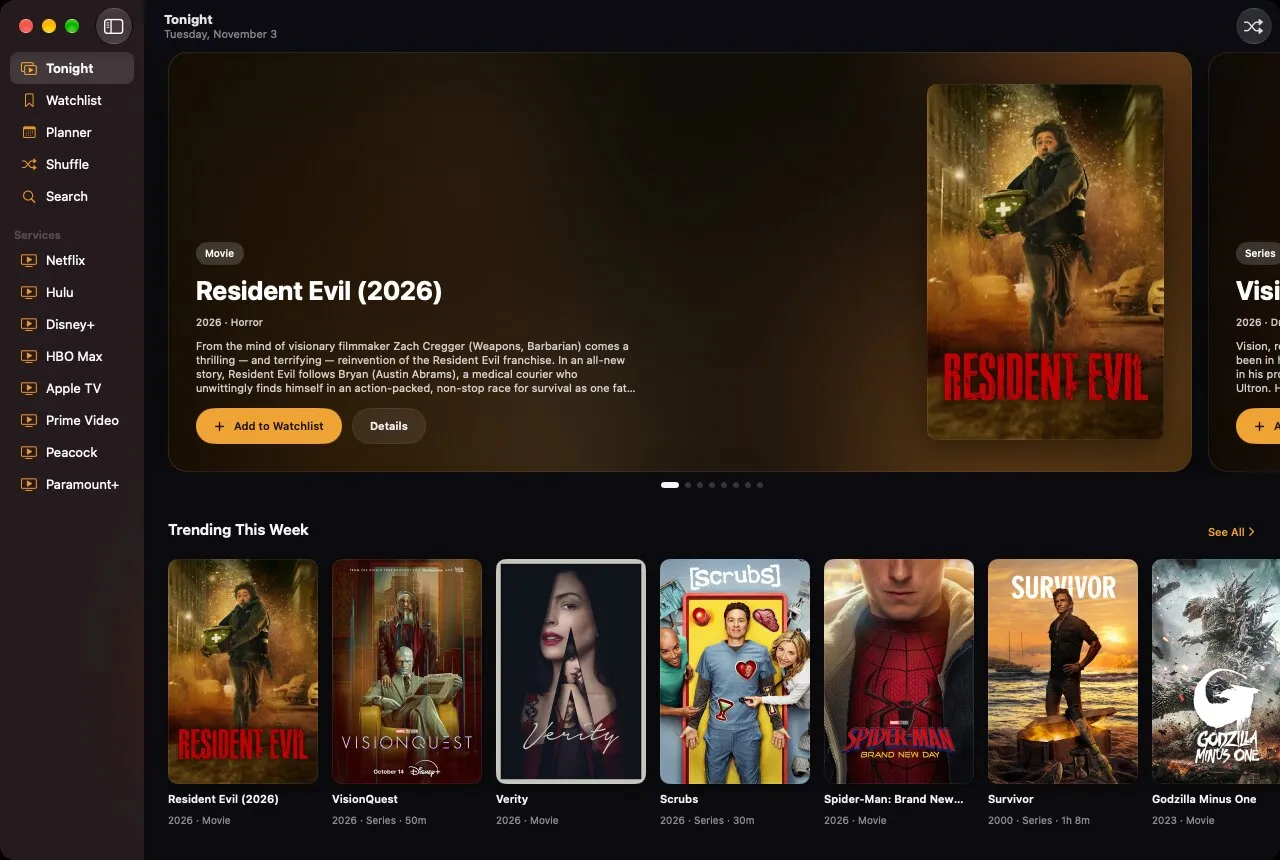
Couch Potato is an app for deciding what to watch. It finds movies and series across Netflix, Hulu, Disney+, HBO Max, Apple TV, Prime Video, Peacock, Paramount+ and more, shows you which service streams, rents or sells each one, and keeps a watchlist and a plan for the week. When you can’t choose, it shuffles a deck and picks for you.
It’s a native app for iPhone, iPad, iPhone Duo and Mac in SwiftUI, and for Android in Jetpack Compose. It works without an account or an API key. It’s free and open source under the MIT license, and the website has the tour.
Tonight, and everything else
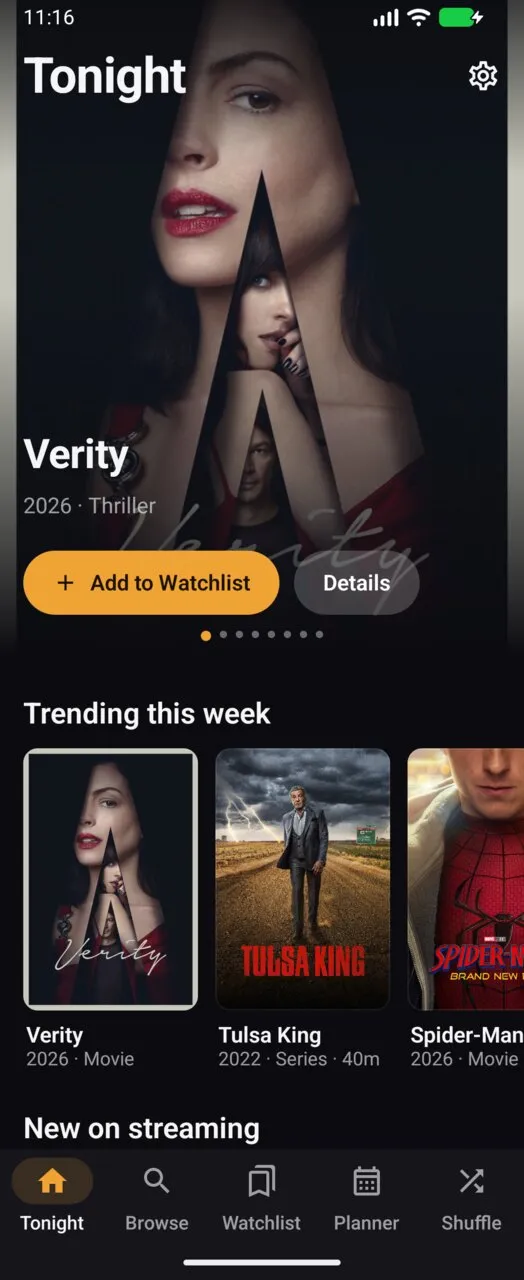
The app opens on Tonight: a featured carousel, what’s trending this week, new episodes on your services, the next thing from your watchlist, and “Popular on …” rows for the services you subscribe to.
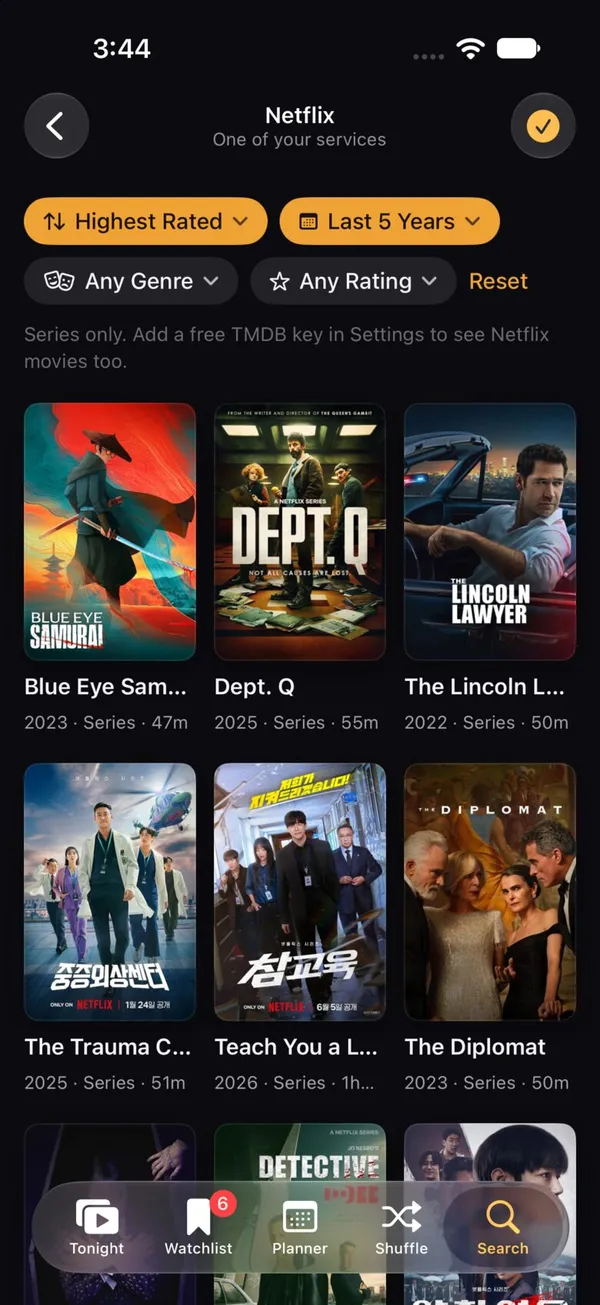
Each service has its own page. Tap Netflix and you get Netflix, loading as you scroll, filtered by release year, genre or rating and sorted by newest or best rated. Moods (Cozy, Laughs, Thrills, Feels, Spooky and Brainy) are there for when you know the feeling but not the title.
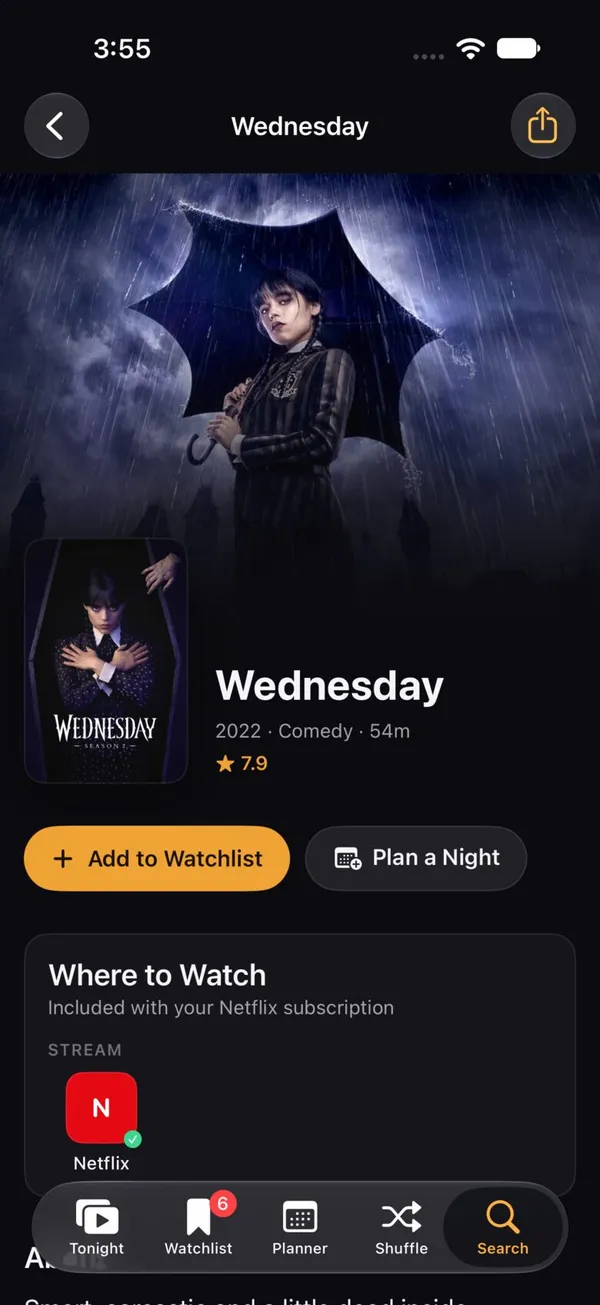
A title page has the backdrop, rating, cast and every episode. Where to Watch lists which services stream, rent or sell it in your region, with yours highlighted, and one tap opens it in that service’s app. Tap an episode’s circle to mark your progress.
Watchlist, Planner and Shuffle
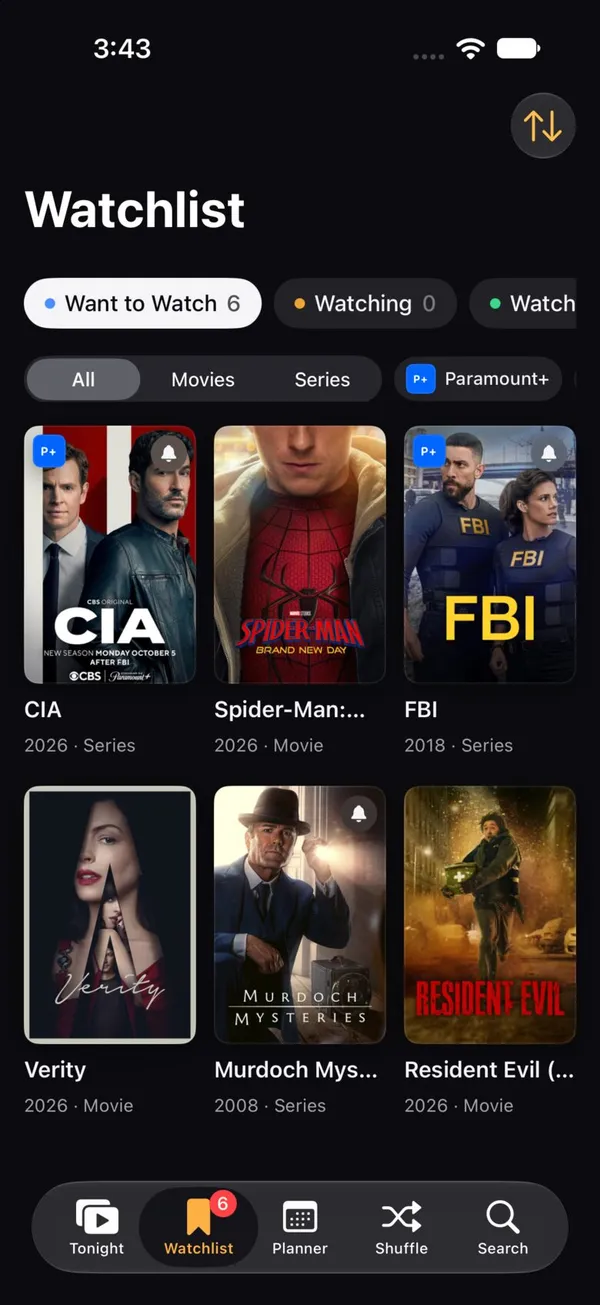
- Watchlist: Want to Watch, Watching, Watched and Dropped, with episode-level progress, 5-star ratings and notes. Filter by service or type, and sort by date, title, rating or year.
- Planner: schedule viewing nights on a week view, add them to your calendar and get reminders. It also shows upcoming episodes of the series you follow.
- Shuffle: pick a mood and how much time you have, then let the deck choose from your watchlist or from what’s trending. Watch it now, plan it for later, or shuffle again.
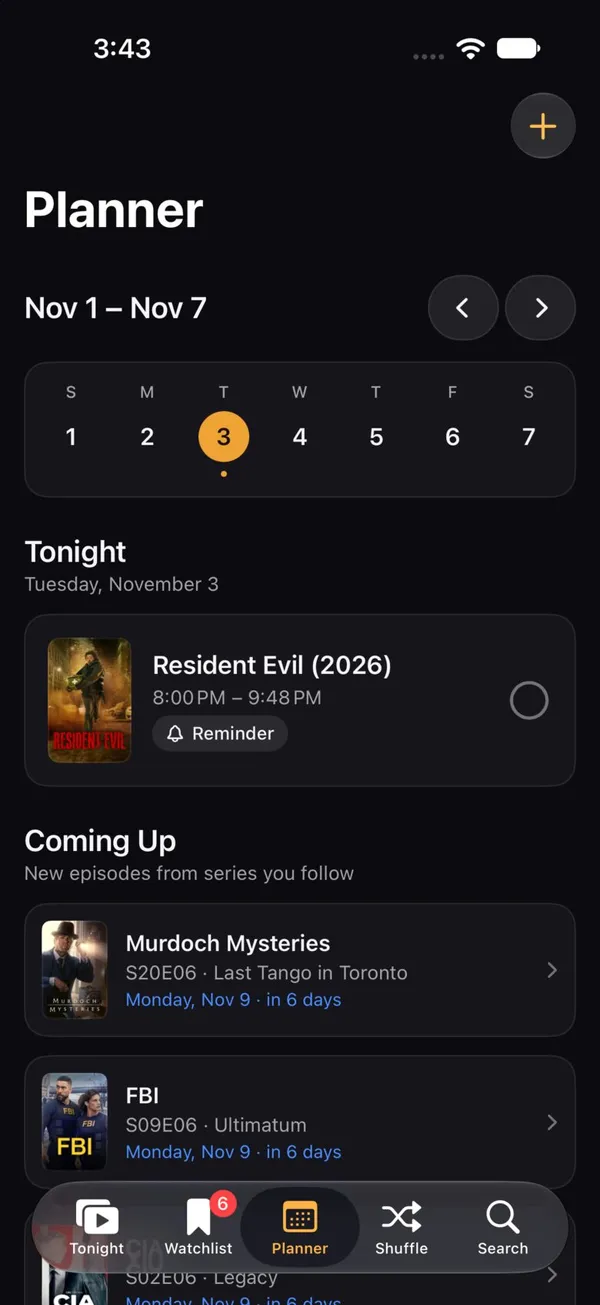
Couch Potato also has some on-device AI. Ask Couch Potato turns a request like “a cozy mystery series from the last few years” into filters and finds matches, and Shuffle writes a short, spoiler-free pitch for its pick. It runs entirely on the device, with Apple Intelligence’s Foundation Models on iPhone, iPad and Mac and Gemini Nano through ML Kit’s GenAI Prompt API on supported Android phones. Where the model isn’t available, both features hide themselves.

One library on every device
Every iPhone, iPad and Mac on the same iCloud account shares one library. The watchlist, ratings, progress and plans sync through iCloud with SwiftData and CloudKit, settings sync through iCloud key-value storage, and Handoff carries the title you’re looking at from one device to another. Settings shows whether sync is running and when it last ran.
Android keeps its library on the device, restored by Android’s Google backup. Export / Import Library in Settings moves it between Android and Apple devices as the same JSON file, and merges so the newest changes win.
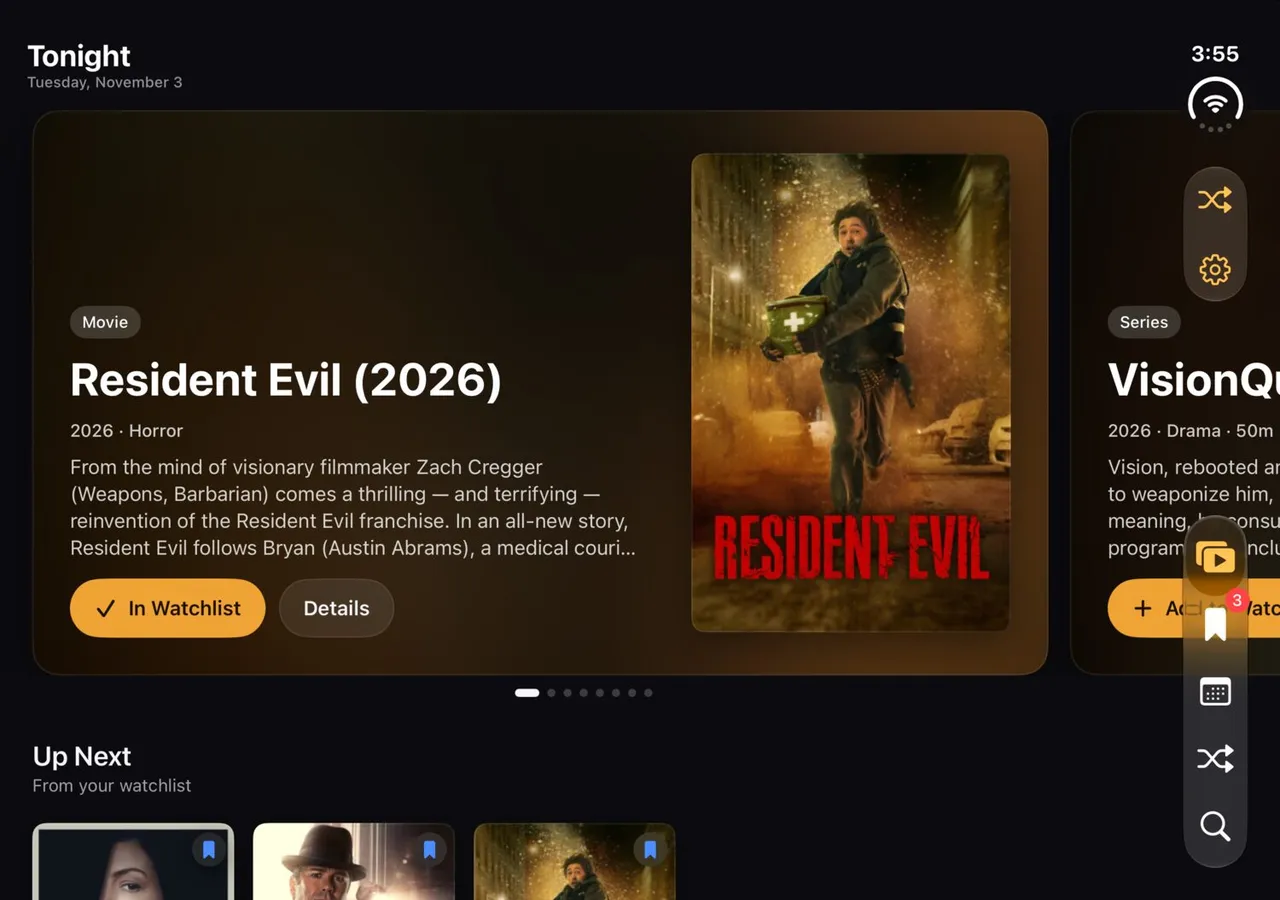
Each layout fits its screen. The iPad and Mac get a sidebar of your services, phones get a tab bar, and the iPhone Duo uses its side-mounted tab bar both folded and unfolded. On Android, phones get a bottom bar and wide or unfolded screens get a navigation rail.
Where the data comes from
Couch Potato works out of the box with no API key. TVmaze provides series, artwork, cast, episodes, air dates and the service or network each show is on. Apple’s iTunes charts and lookup provide movie artwork, charts by genre and Apple TV Store prices.
Service pages use a series catalog of up to 600 shows for each service. A GitHub Action rebuilds it every day from TVmaze’s full index with a Python script, and publishes it with the website on GitHub Pages.
Add a free TMDB key in Settings and it unlocks the full catalog: every movie and series, backdrops, trailers, recommendations, and streaming availability in 17 regions, powered by JustWatch. On Apple devices the key syncs to your other devices through iCloud.
Couch Potato isn’t affiliated with any streaming service, and it shows service names as text and monograms, not logos. It uses the TMDB API but isn’t endorsed or certified by TMDB.
How it’s built
The Apple app is one multiplatform SwiftUI target for iPhone, iPad and Mac. The Android app uses Kotlin, Jetpack Compose and Material 3, with Room, DataStore, OkHttp and Coil. Both apps follow one shared design system, which the website uses too. It’s dark first with an amber accent called Ember, and the artwork does most of the work. Both apps also open the same deep links, like couchpotato://shuffle or a couchpotato://title/… link for a specific movie or series.
Try it
There are no prebuilt downloads yet, so you build it yourself from the repository:
- Apple: Xcode 26 or later, iOS and iPadOS 26 or later, macOS 26 or later, and XcodeGen. Run
xcodegen, openCouchPotato.xcodeproj, and run the CouchPotato scheme. iCloud sync needs a signed build with your own team and CloudKit container. Unsigned and simulator builds use a local store. - Android: Android Studio Ladybug or later, or JDK 17 or later, and Android SDK 37. Run
./gradlew :app:installDebugin theandroidfolder.
Couch Potato has a gaming sibling, Thumb Potato, a play-later companion for games built on the same structure.
The creation date shown here is the GitHub repository’s UTC creation date. The screenshots come from the Couch Potato README and website.