gif-master is a one-screen GIF search built with React. Type a word and press Enter, and it asks GIPHY’s search API for matching GIFs and lays them out in rows. Each GIF stays still until the mouse is over it, and clicking one copies the address of the original GIF to the clipboard. A row of page numbers steps through the results.
The repository is a single commit from October 2017, and it hasn’t changed since. The app reads its GIPHY API key from a REACT_APP_API_KEY environment variable when it’s built, and no key is included, so the screenshot here shows the app before a search.

How it works
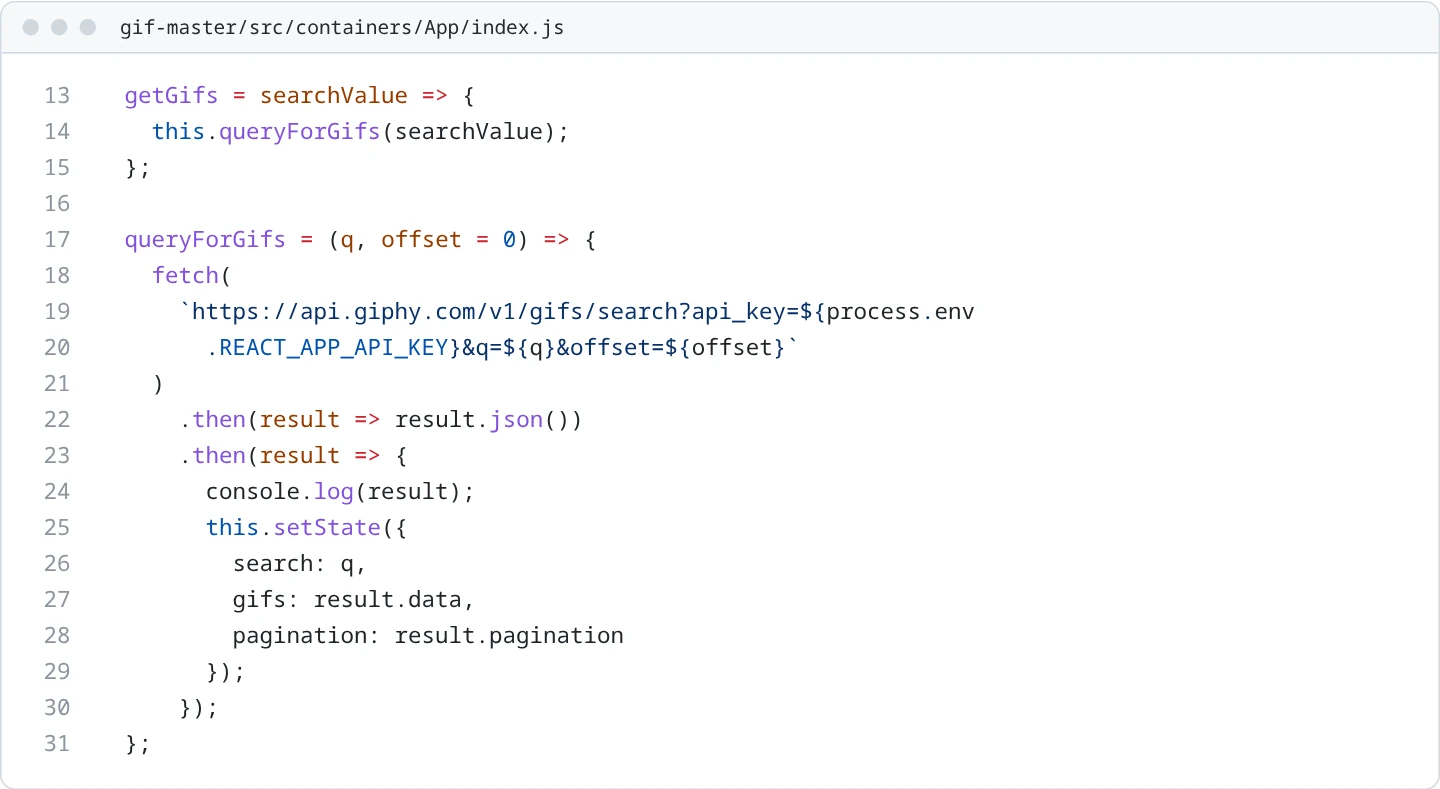
App keeps the query, the results and GIPHY’s pagination block in its state. On Enter, the Search component passes the text to queryForGifs, which calls the search endpoint with the key, the query and an offset, then stores the data and pagination fields of the response.
Results render as a centered, wrapping list of images 300 pixels wide. Each GifItem shows GIPHY’s downsized still frame and swaps in the animated downsized version while the mouse is over it. The item is wrapped in react-copy-to-clipboard’s CopyToClipboard, so a click copies the link to the full-size original.

Pagination turns the total count into at most eight page numbers, highlights the current page in red, and asks for another page by offset.
Without a key
Built without a key, the app sends api_key=undefined. GIPHY answers 401 Unauthorized with an empty data array and no pagination block, and Pagination then reads total_count from undefined. That throws while rendering, and React 16 removes the whole page, so pressing Enter leaves a blank screen.
How it’s built
It’s React 16.0 on Create React App (react-scripts 1.0.14), with styled-components 2.2 for its few styles and react-copy-to-clipboard 5.0. Dependencies are locked with Yarn. It still installs and builds with Node 8 and Yarn 1.
The creation date shown here is the GitHub repository’s UTC creation date. The screenshot was captured by running the project locally from its source without an API key, and the code cards show real source files.