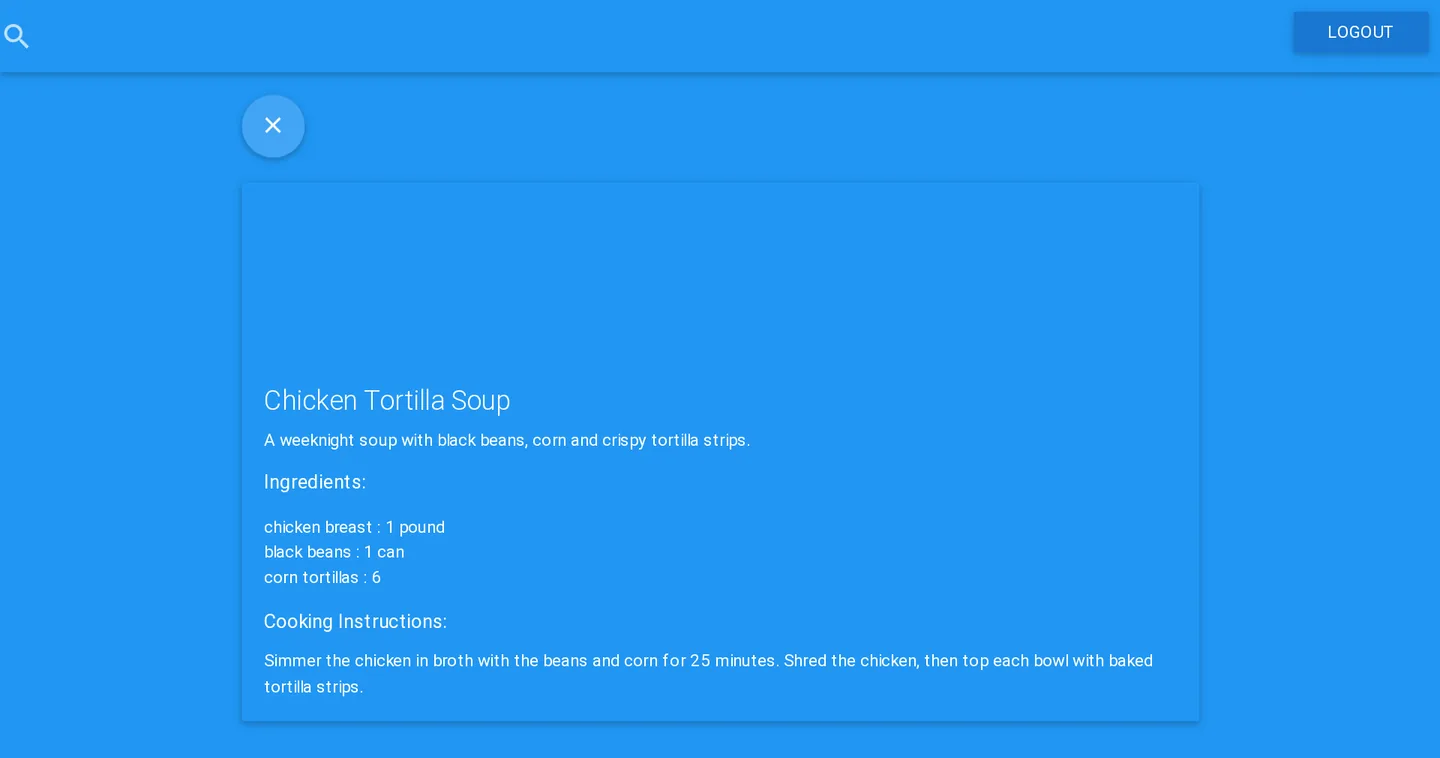
material.chef is a recipe box with a Material Design look. Recipes show as cards, View Recipe opens one with its ingredients and cooking instructions, and signed-in users can add their own. The README calls it “my first implementation of using flux with alt.js”.
It was built over 28 commits in August 2015, from a webpack and Materialize starting point on August 2 to Karma tests on August 22, and it hasn’t been touched since. The recipes are sample data hard-coded in the client, and new ones live only in the browser’s memory. The server handles accounts and nothing else.
What it does
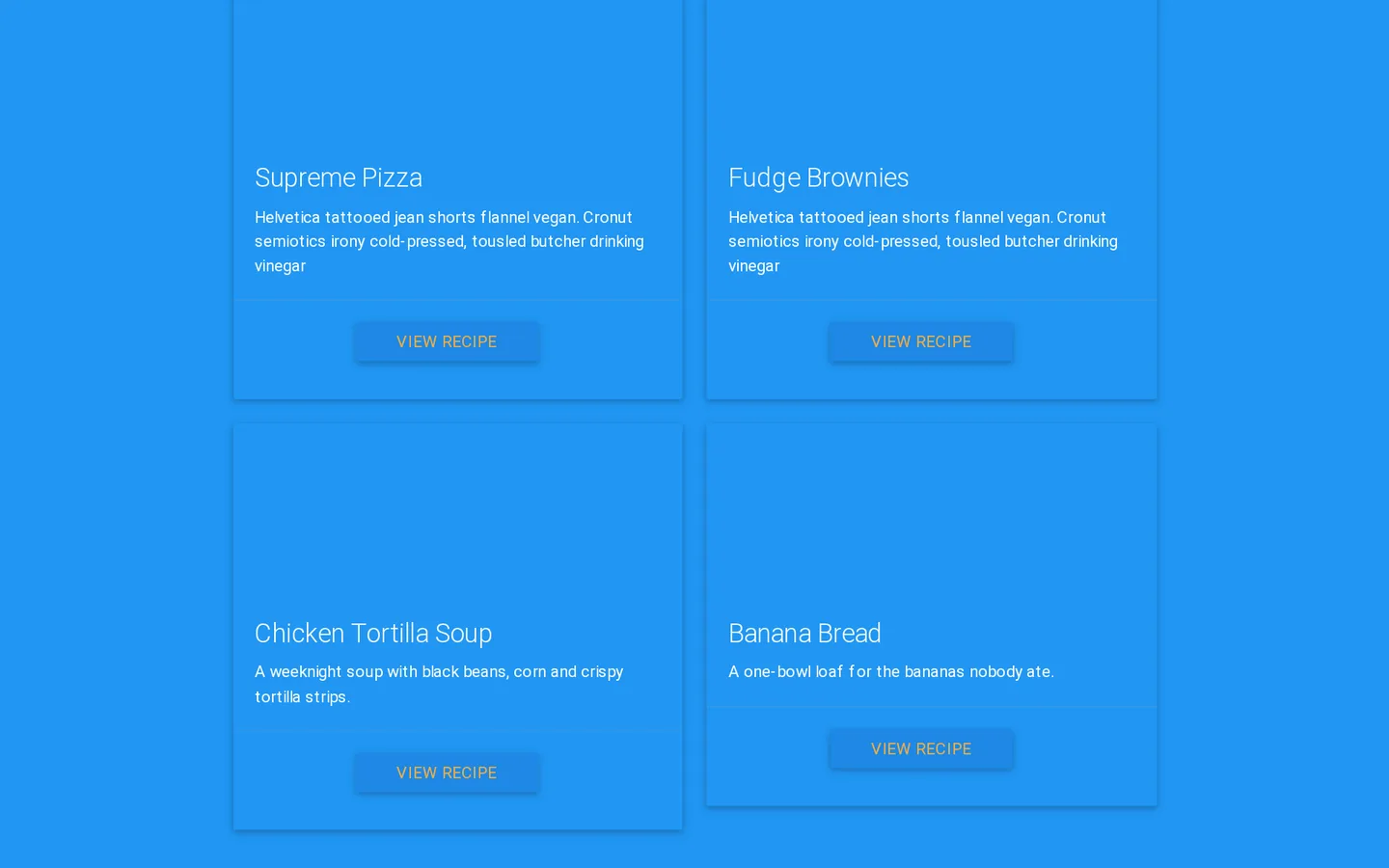
- Recipe cards. Each card has an image area, a title, a description and a View Recipe button. Cards bounce in from the sides, fade out when the add form opens, and the single recipe view fades up, all with animate.css.
- Search. The box in the top bar filters the cards on every keystroke, matching titles, descriptions and instructions.
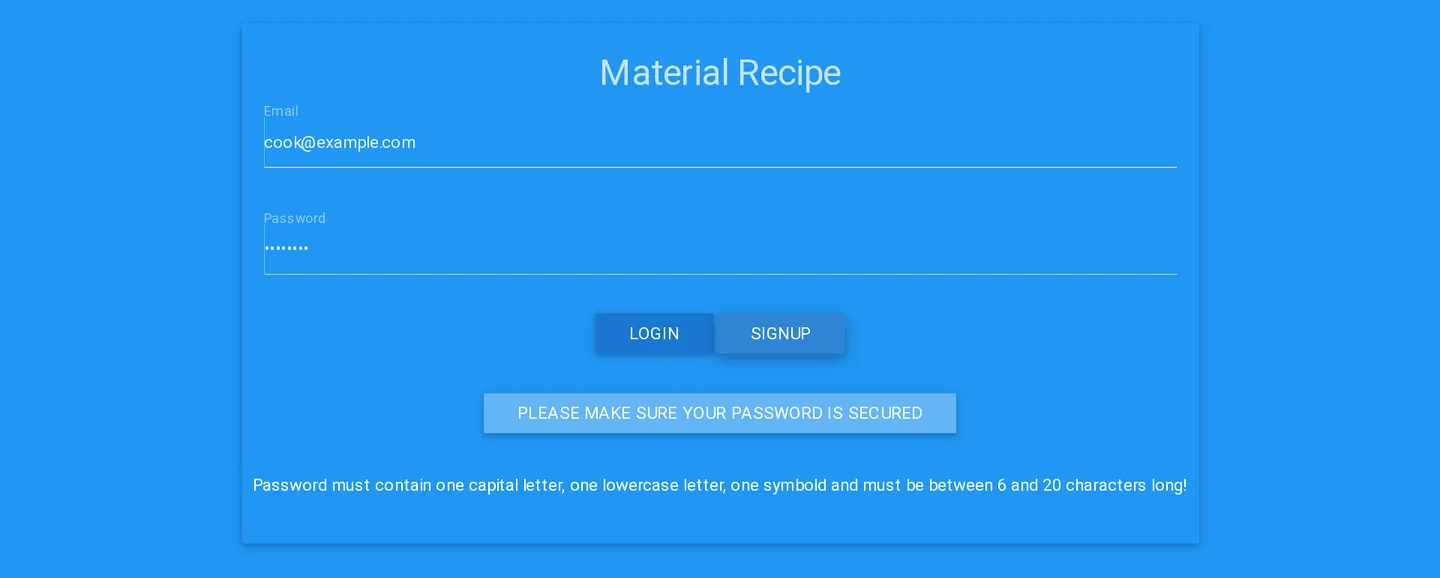
- Accounts. Sign up or log in from the Material Recipe card. The email and password rules are checked in the browser and again on the server, passwords are hashed with bcrypt, and the server returns a JSON Web Token that the client keeps in
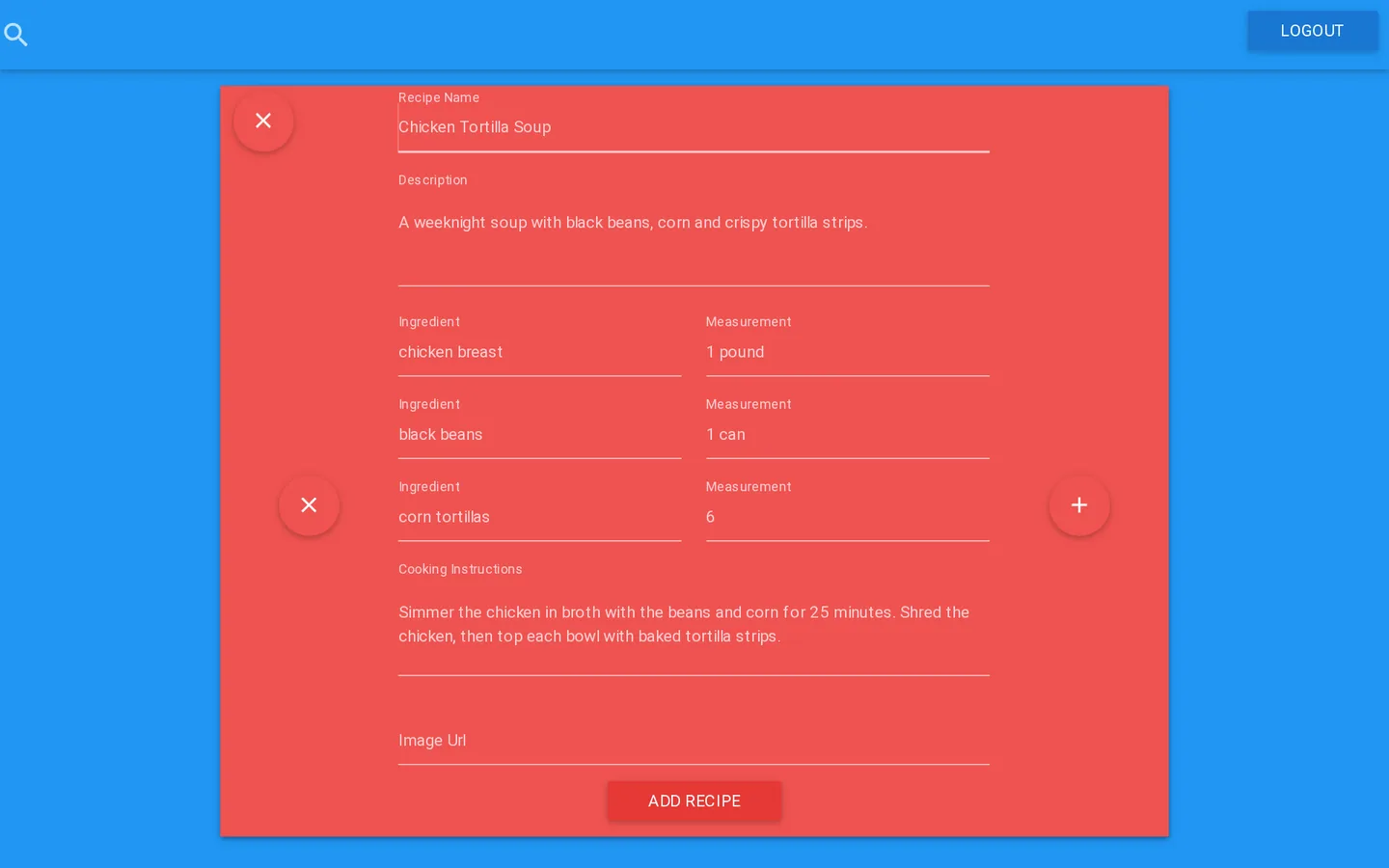
localStorage. Anyone can browse, but only signed-in users get the add button. - Adding recipes. A red form with a name, a description, as many ingredient and measurement rows as you need, cooking instructions and an image URL. The name, description and instructions are required.
- Errors. If the API doesn’t answer, the page shows “server is unreachable!” in place of the cards.
How it’s built
The client is React 0.13, written with React.createClass and ES2015 classes and compiled by Babel 5 through webpack 1. Alt 0.17 is the Flux layer: three action classes (recipes, search and the user) and three stores, each of which maps actions to handlers with bindListeners. The user store calls the API with superagent. react-router 0.13 handles two hash routes, the recipe box at / and the login card at /login. The styles are materialize-sass 0.95 and animate.css, compiled with node-sass through webpack’s sass-loader, and the page loads Materialize 0.97’s JavaScript from cdnjs.

The server is about 150 lines of Express 4.0, with /signup and /login routes and an /api route that checks the token. Users (an email and a bcryptjs hash) are stored in MongoDB through Mongoose 3.6, and tokens are signed with jsonwebtoken and expire after 24 hours. The token check is the same middleware as in CarlPapa, the recipe app built with Carl Brown the month before.
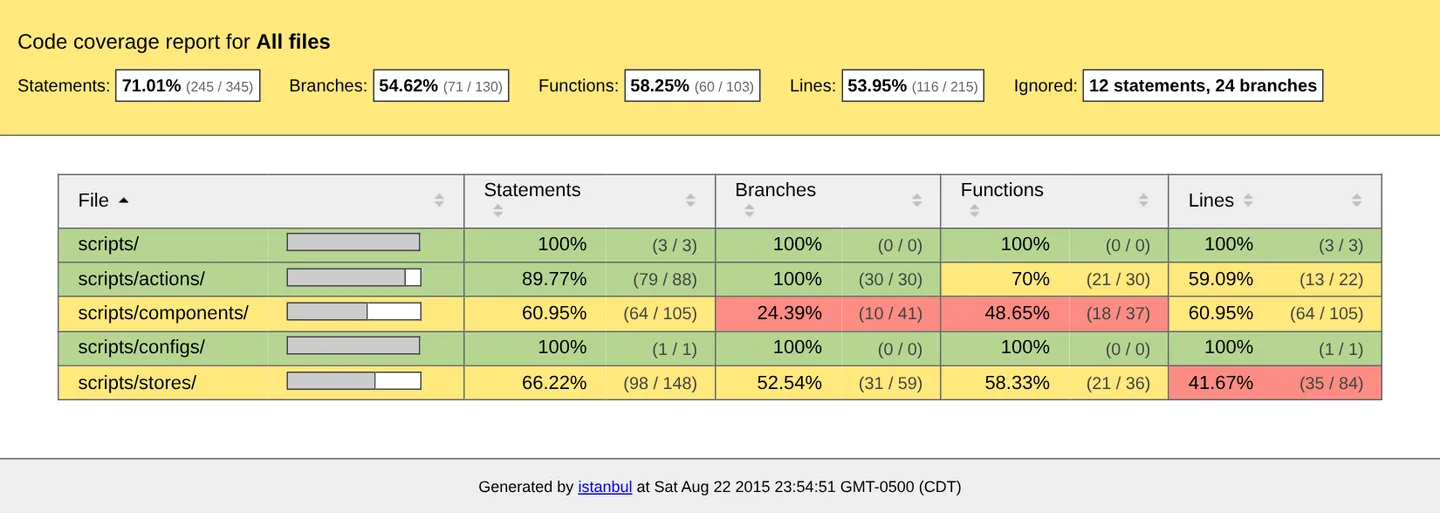
The last two commits added tests: Karma 0.13 and Jasmine, with karma-webpack bundling the specs and isparta instrumenting the source for coverage. The two specs render the home and add-recipe components with React’s TestUtils. The repository still holds the coverage report from that night, produced in Chrome 44 on OS X 10.11.
Running it today
It still runs with tools from its time. With Node 6:
- In
client, install node-sass 3, which has prebuilt binaries for Node 6 (the package.json asks for any version), then runnpm install. - Create
client/scripts/configs/config.js, which git ignores, exporting the API’s baseurl, such ashttp://localhost:9090/. - Build with
./node_modules/.bin/webpackand serve theclientfolder with any static server. - In
server, runnpm install, copyconfig.js.exampletoconfig.js, and give it a MongoDBdbURL and asecretfor signing tokens.node server.jsstarts the API on port 9090. MongoDB 3.6 still works with the old Mongoose driver. ./node_modules/karma/bin/karma start karma.conf.jsruns the specs in Chrome. In a headless Chromium today, both still pass.
Two bugs show up along the way. Searching after you add a recipe throws, because new recipes have no instructions field for the filter to read. Logging in with an unknown email crashes the server, because the login route reads the user’s email before checking that the user exists.
The creation date shown here is the GitHub repository’s UTC creation date. The screenshots were captured by running the project locally from its source with Node 6 and MongoDB 3.6, the coverage report comes from the repository, and the code card shows the project’s own source.