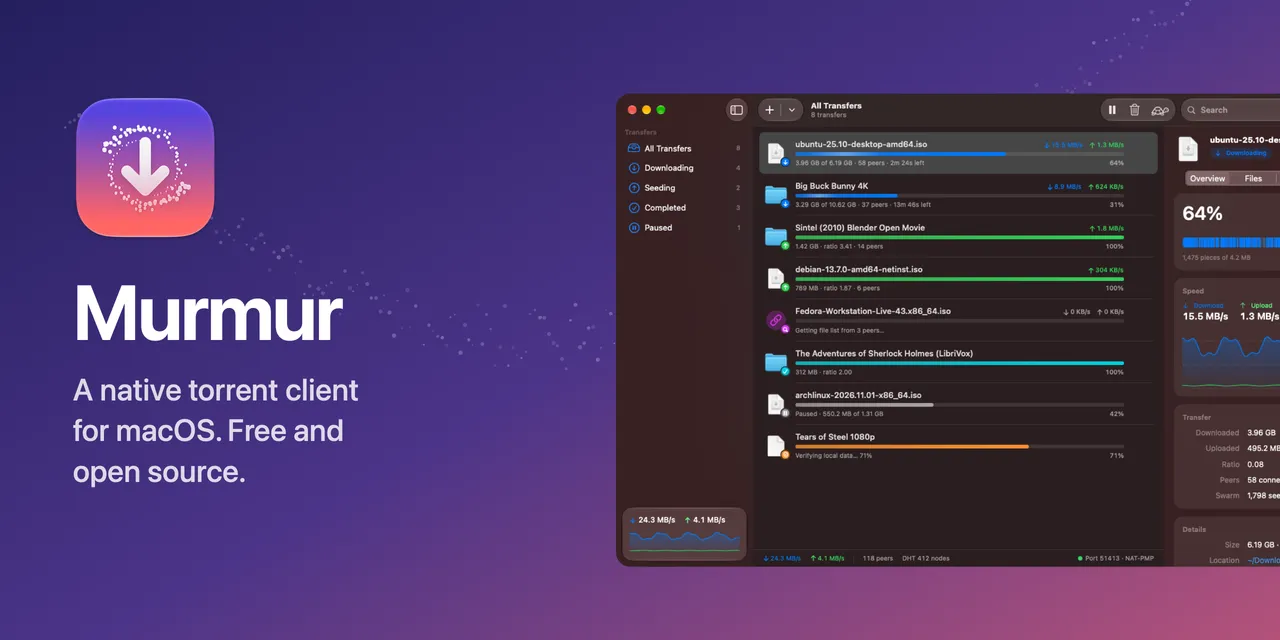
Murmur is a BitTorrent client for the Mac. Click a magnet link, pick the files you want, and watch the swarm do the rest. It’s built natively with SwiftUI and Liquid Glass, and its engine, MurmurKit, is written from scratch in Swift with no third-party dependencies.
It’s free and open source under the MIT license, with no ads, no bundled offers, no account and no analytics. It needs macOS 26 Tahoe or later, and releases are signed with a Developer ID and notarized by Apple. Murmur doesn’t include any search or content: it’s a general-purpose tool for things you have the right to share, like Linux distributions, open movies and public domain works.

Features
- Magnet links and .torrent files. Open them from your browser or Finder (one click makes Murmur the default app), drop them on the window, or paste them. Murmur notices magnet links on the clipboard and offers to add them.
- File selection. Choose files and a location before adding, or change them any time. Set priorities, and download in order to preview media while it arrives.
- Finding peers. HTTP(S) and UDP trackers, the mainline DHT for trackerless torrents, peer exchange, local peer discovery and HTTP web seeds. NAT-PMP or UPnP opens your port on the router, and you can add your own extra trackers to every public torrent.
- Encrypted connections. BitTorrent protocol encryption is on by default, so your provider can’t single out torrent traffic. You can prefer it, require it, or turn it off.
- An inspector. Speed graphs, a piece map, connected peers with their client, progress and speeds, and the status of every tracker.
- Speed limits and Slow Mode. Global and per-transfer limits, plus a tortoise button (⇧⌘T) for alternative limits that can turn on by itself on a schedule, say weekdays 9 to 5.
- Queue and seeding rules. Drag transfers to reorder the queue, limit simultaneous downloads, stop seeding at a ratio, and move finished downloads to another folder automatically.
- VPN binding. Bind to an interface such as your VPN’s
utun, and Murmur stops transferring whenever it disconnects. - Creating torrents from any file or folder, with your trackers, and seeding them right away.
- At home on the Mac. A menu bar extra with live speeds, Dock progress and a Dock menu, notifications, Shortcuts actions, a watch folder, keep-awake while downloading, Quick Look with Space, and full keyboard control.
- Resuming. Progress is saved continuously and checked against your files on launch, so nothing is downloaded twice.


The engine
MurmurKit is a standalone Swift package built on Network.framework, CryptoKit and POSIX sockets. It implements these specs:
| Spec | What it covers |
|---|---|
| BEP 3 | Peer wire protocol, rarest-first piece picking, endgame mode, tit-for-tat choking with optimistic unchokes |
| BEP 5 | Mainline DHT: iterative get_peers lookups, announce_peer, and answering other nodes’ queries |
| BEP 9, BEP 10 | Magnet links and metadata exchange over the extension protocol |
| BEP 11 | Peer exchange (ut_pex) |
| BEP 12, BEP 15 | Multiple trackers, HTTP(S) and UDP |
| BEP 7, BEP 23 | Compact IPv4 and IPv6 peer lists |
| BEP 14 | Local Service Discovery over multicast |
| BEP 19 | HTTP web seeds, fetched with range requests |
| BEP 47 | Padding files (hybrid v1/v2 torrents work through their v1 data) |
| MSE/PE | Protocol encryption: 768-bit Diffie-Hellman and RC4, with plaintext fallback |
| RFC 6886, UPnP IGD | Port mapping |
Every piece is verified against its SHA-1 hash before it’s written, peers that send bad data are banned, and paths inside torrents are sanitized so a malicious torrent can’t write outside its folder. File handles, hashing and disk I/O run off the networking queue, with token-bucket rate limiting shared across connections.
The engine is tested with unit tests, swarms of sessions on localhost (magnet to metadata to download to resume, with encryption required and disabled), a download from web seeds alone, downloads from real swarms checked against published checksums (including trackerless magnets through the DHT only), and transfers in both directions with aria2, in plaintext and with aria2 requiring encryption. µTP, the fast extension and v2-only torrents aren’t supported yet.
MurmurKit also has a small command-line client, murmur-cli, for downloading a magnet link or creating a torrent from a folder without the app.
How it’s built
The app is SwiftUI, with an inspector, speed charts, a piece map, and a murmuration of starlings animating in the empty state. It uses App Intents for its Shortcuts actions, and its icon is made with Icon Composer. The Xcode project is generated with XcodeGen.
The screenshots come from a demo mode with sample transfers and no networking, captured by a script for each scene in light and dark. Other Swift scripts render the social card, the icon PNGs and the DMG background, and a release script archives the app, signs it with a Developer ID, notarizes it and packages the DMG.
Try it
Download Murmur.dmg, open it, and drag Murmur into Applications. It needs macOS 26 Tahoe or later. The releases page has the changelog for each version, the website has the features and screenshots, and the README covers keyboard shortcuts and building from source with Xcode 26.
The creation date shown here is the GitHub repository’s UTC creation date. The images on this page come from the project’s README and website.