Notification Silencer is a Raycast extension with a single command, Clear Notifications. Run it and it closes every notification in the macOS Notification Center, then shows a “Notifications cleared” HUD. It’s a no-view command, so no window opens.
The whole extension is one TypeScript file that hands an AppleScript to runAppleScript from @raycast/utils. The repository has two commits from February 2025, and a comment in the script names macOS 15 Sequoia. The README’s install steps point to the Raycast Store, but the extension isn’t there: nearbycoder’s Raycast profile has no published extensions.
How it works
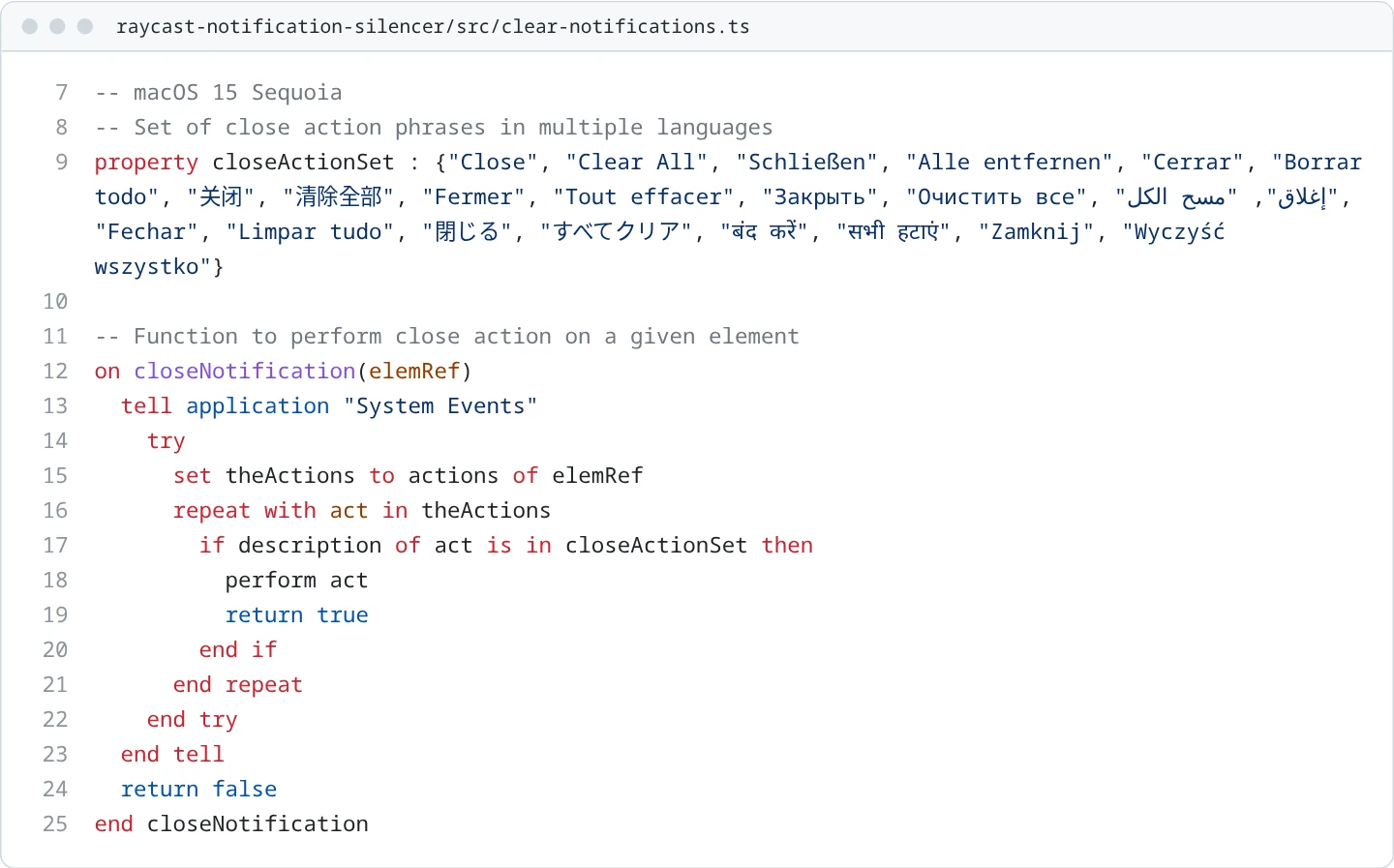
The script uses System Events to script the interface of the NotificationCenter process. If the process or its “Notification Center” window isn’t there, it logs that and stops. Otherwise it searches the window’s elements depth first, and for each one it asks for the element’s actions and performs the first whose description is in its list of close phrases. The list holds “Close” and “Clear All” in eleven languages: English, German, Spanish, Chinese, French, Russian, Arabic, Portuguese, Japanese, Hindi and Polish.

Each pass performs one close action. The main loop then waits 0.1 seconds and searches again, until a pass finds nothing to close or an error ends the loop. Back in TypeScript, the command shows its HUD once the script returns. Because the script only logs the cases where Notification Center or its window is missing, the HUD appears in those cases too.

Running it
Since it isn’t in the Store, you’d load it from the repository with Raycast’s developer tools on a Mac: npm install, then npm run dev, which runs ray develop. It still compiles with @raycast/api 1.91 (npm run build), but the command itself only works on macOS.
The creation date shown here is the GitHub repository’s UTC creation date. The images are code cards of the extension’s only source file, src/clear-notifications.ts, with the embedded script highlighted as AppleScript.