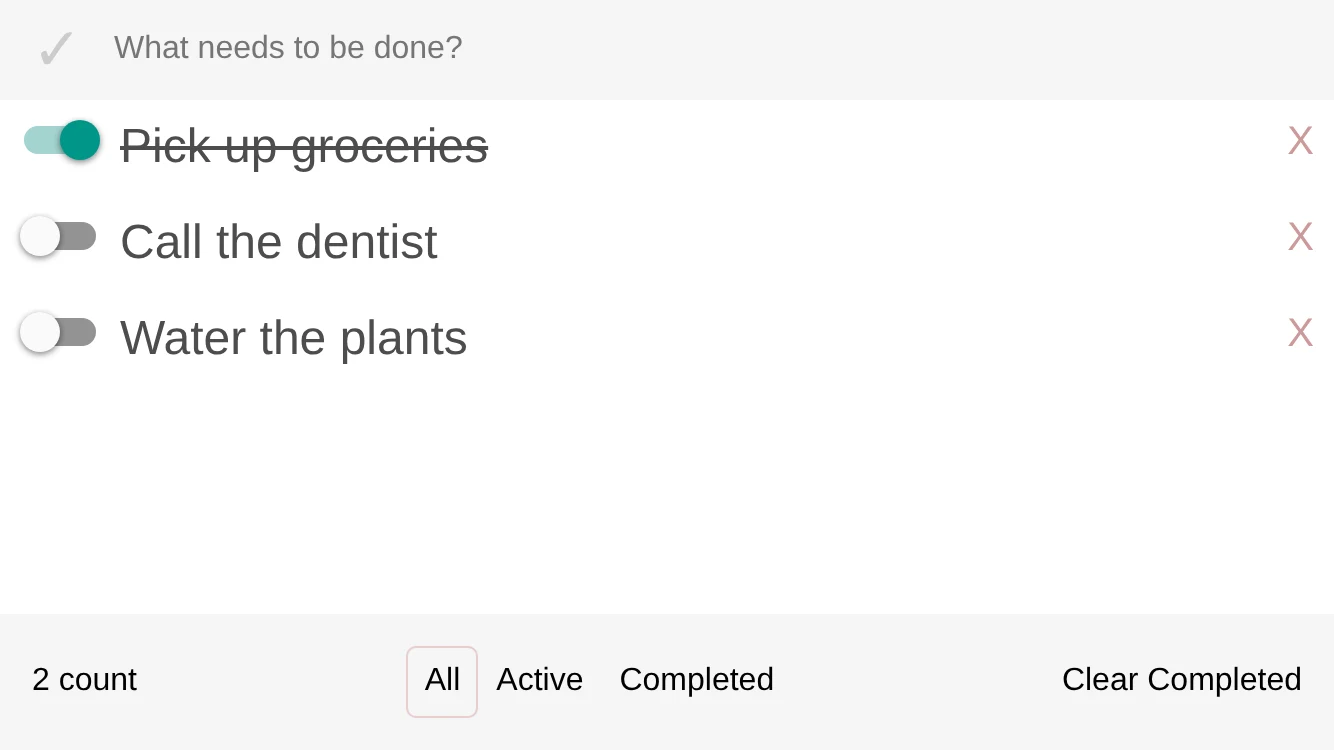
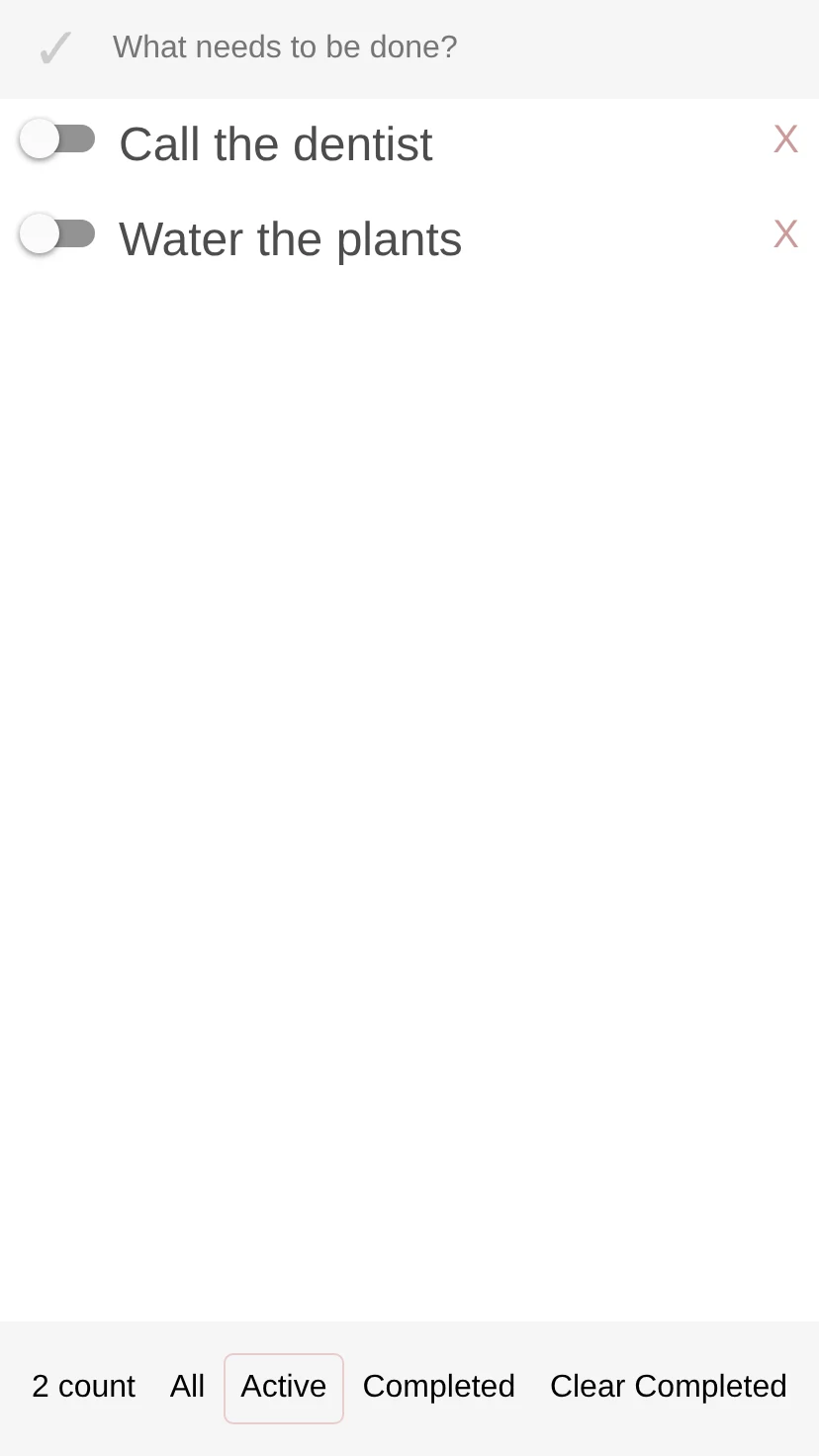
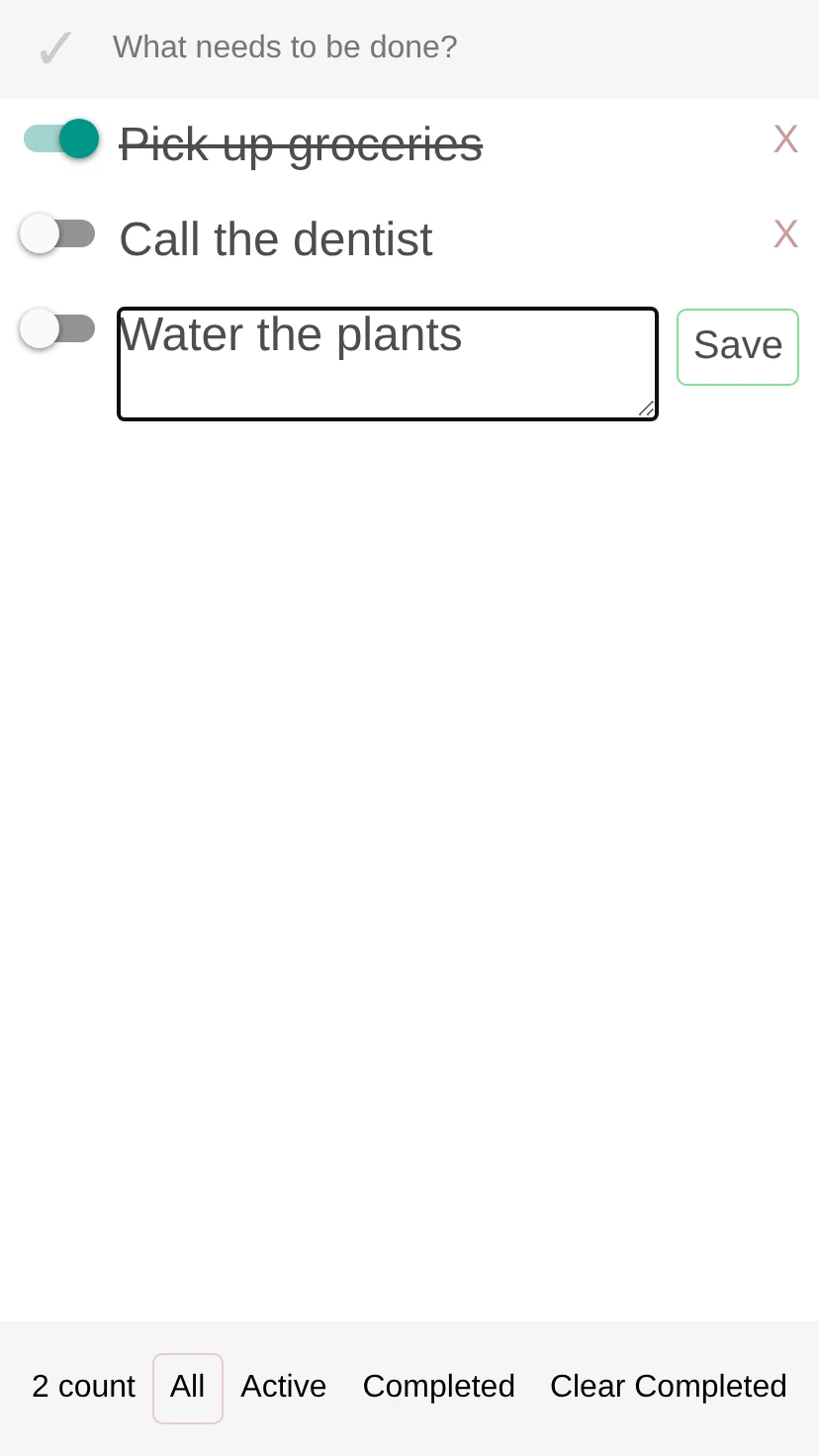
react-native-todo-example is a to-do list app for React Native, written in January 2017. You type a to-do in the field at the top and press return to add it. Each row has a switch to mark it done, a long press to edit its text, and an X to delete it. The footer counts what’s left, filters the list to all, active or completed to-dos, and clears the completed ones. The check mark beside the field marks every to-do complete at once, and pressing it again unchecks them all.
The list is saved to AsyncStorage on every change, so it’s still there after the app restarts. The repository is a single commit with no README: the standard React Native 0.40 project with the app in four files. It hasn’t been touched since.
How it’s built
app.js holds the state: the items, the current filter, the text being typed, and whether everything is marked complete. Every change goes through setSource, which hands the filtered items to the ListView data source and writes the whole list to AsyncStorage as JSON. While the saved list loads at startup, an ActivityIndicator covers the screen, and scrolling the list dismisses the keyboard.

The other three files are presentational. header.js has the check mark and the text field, footer.js the count, the filters and Clear Completed, and row.js a single to-do in its normal or editing state.

Both platform entry points load the same App component. index.ios.js registers it as todo2, the name the iOS project asks for, but index.android.js registers it as todo, so the Android project, which also asks for todo2, wouldn’t find it as committed.
About the screenshots
These weren’t taken on a phone. They come from the repository’s app.js, header.js, footer.js and row.js, unchanged, bundled for the browser with webpack 2 and react-native-web 0.0.68, which was released in January 2017. The switches and text fields are react-native-web’s versions of the native controls, and AsyncStorage is backed by the browser’s localStorage. The to-dos are sample text typed in by the capture script.
The creation date shown here is the GitHub repository’s UTC creation date. The screenshots were captured by rendering the repository’s components in a browser with react-native-web, with sample to-dos, and the code cards show the repository’s source files.