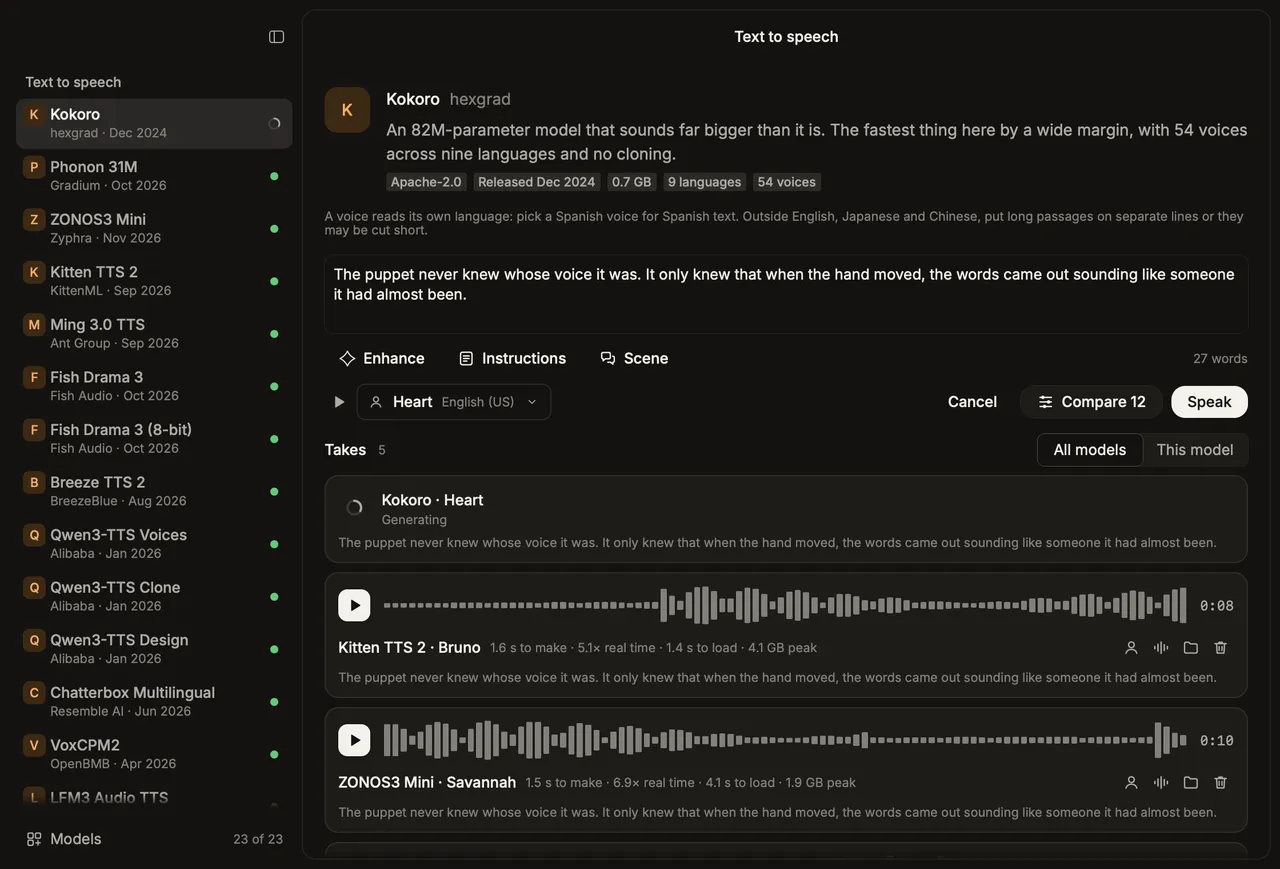
Ventriloquist is a bench for speech models that run on your own Mac. Type a line or record a clip, pick a model, and hear what comes out, along with how long it took. Compare runs every installed model of that kind on the same input, one after another, so you can hear the differences and see the timings side by side.
It covers four kinds of model: text to speech, voice cloning, voice conversion and spoken conversation. Everything runs locally. Your text, recordings and generated audio stay on the Mac, and the network is only used to download models and check for updates. It’s free and open source under the MIT license, and it needs a Mac with Apple silicon.
Nothing is bundled
The app itself is a few megabytes. A new install opens on the Models page, which lists every model with its size, publisher, release date and license. Download the ones you want to try and the sidebar shows only those. Remove deletes a model’s weights again, along with its Python environment once no other model needs it. Downloading everything comes to about 130 GB, so the site suggests starting small: Kokoro is 0.7 GB.

The models were chosen in November 2026 for open weights, no Hugging Face gate, and a real path on Apple silicon, through MLX or PyTorch on Metal. Each one was installed and run before it was listed, and its output transcribed back to check the words. The README lists them all with their release date, license, size and how quickly each one works on the same eight-second line once it’s loaded. A few examples:
| Kind | Model | Size | What it does |
|---|---|---|---|
| Text to speech | Kokoro 82M | 0.7 GB | 54 voices in 9 languages, no cloning, 0.17 s for 8 s |
| Text to speech | ZONOS3 Mini | 2.9 GB | 27 voices, cloning, steering by named controls |
| Text to speech | Fish Drama 3 | 23.8 GB | Acts the line, cloning, inline cues |
| Voice conversion | Seed-VC | 4.5 GB | Diffusion; keeps the performance best |
| Voice conversion | OpenVoice v2 | 0.3 GB | Moves timbre only, nearly instant |
| Conversation | Sophon Realtime 32B Flash | 22.6 GB | Hears tone as well as words, answers with laughs, sighs |
| Conversation | LFM2.5 Audio 1.5B | 2.4 GB | Turn-based, and calls tools |
Licenses differ, and the app marks them before you download. Breeze TTS 2 is for research and non-commercial use only, and Fish Drama 3, Kitten TTS 2, LFM3 and LFM2.5 allow commercial use only below a revenue threshold. The README also lists the models that were left out and why: non-commercial, gated, CUDA only, or no file-in, file-out path.
Voices, cloning and conversion
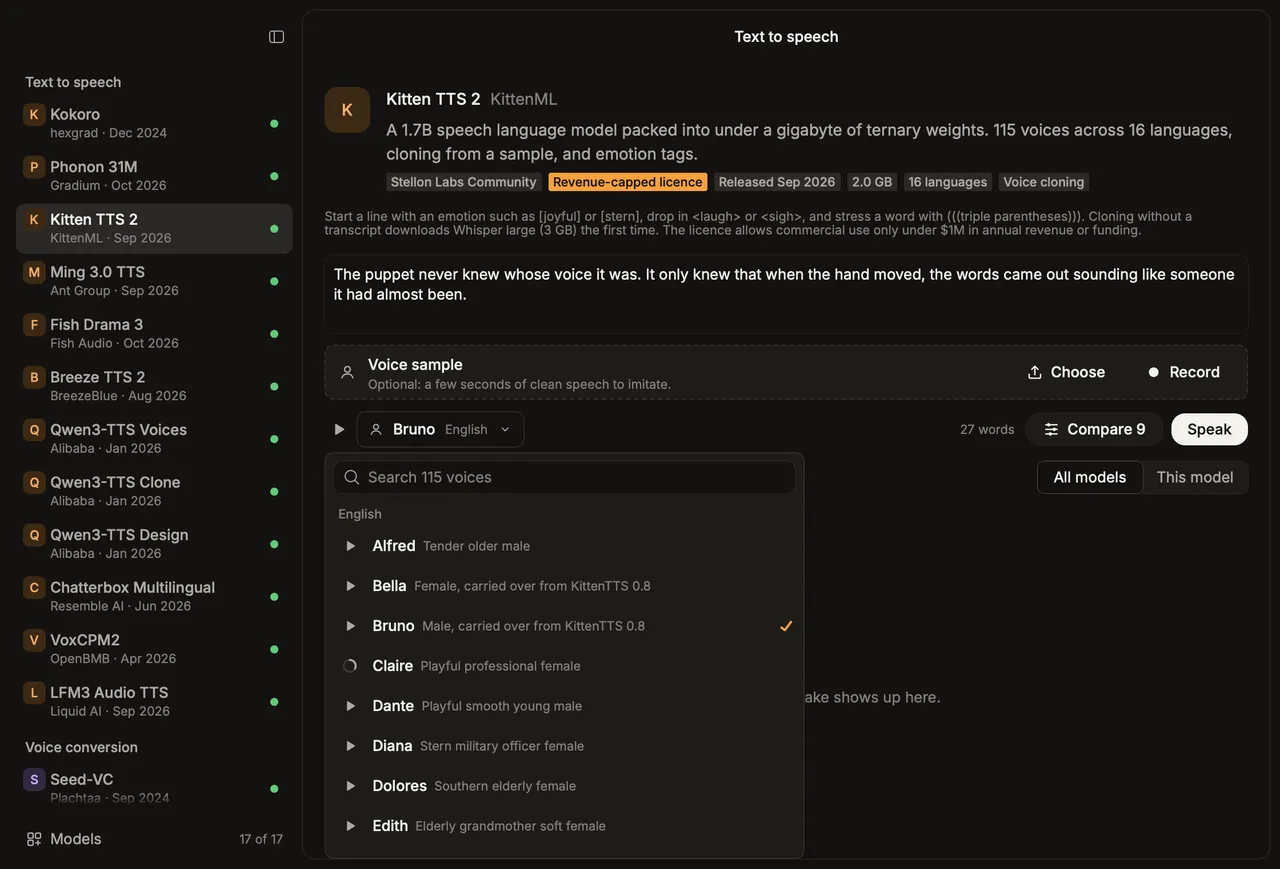
Models with voices of their own have a voice button that opens the full list, with search once the list is long. The play button on each voice reads a short line in that voice’s own language. The first listen has the model make it, and after that it plays from disk.
A voice sample or speech slot takes a dropped file, a chosen file or a recording. Cloning models take a few seconds of a voice to imitate. Conversion models keep the words and timing of a recording and change who is saying them. Each take shows its waveform, how long it took, its speed against real time, its load time when it had to load, and its peak memory. The icons on a take hand it to the next run as the voice sample or as the speech to convert.

Conversation and tool calls
The conversation models take a spoken question and answer out loud. Sophon Realtime 32B Flash was published for vLLM-Omni on NVIDIA GPUs and had no Apple silicon runtime, so the one in Ventriloquist is a port written for the app. Its 32B language model is converted once at install to a 4-bit MLX model, its audio encoder runs in PyTorch as published so the model hears the recording rather than a transcript, and its reply is spoken by its own voice stage. The encoder was checked against the reference implementation on the same audio. What isn’t ported is the live session around the model: one recording goes in and one reply comes out.
LFM2.5 Audio can call tools: a clock, a calculator, dice, a coin and the battery level. The published model wasn’t trained to call tools from speech, so the app leads it through a call in steps, each using the same model. It transcribes the recording, offers each tool alone and reads off the model’s own probability of calling it, writes the arguments, runs the tool, answers from the result and reads that answer aloud. On 34 test recordings it called the right tool for all 18 requests, and called one unasked in 1 of 16 ordinary questions. The tools run locally and change nothing.

Enhance and Scene
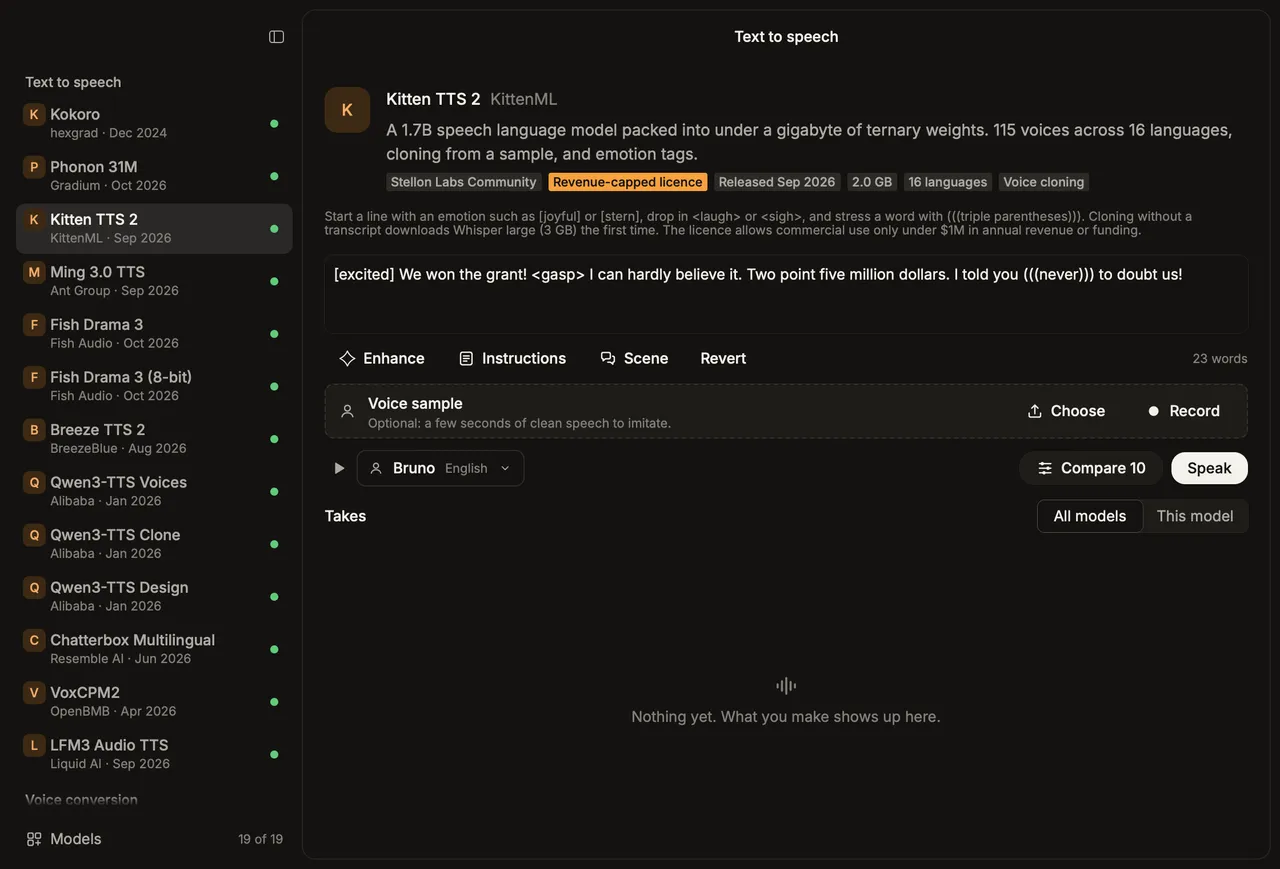
Enhance has a small local language model, Gemma 4 E4B through mlx-lm, mark up your line for the selected voice model. It punctuates for delivery, spells out numbers and dates, and adds only the expression marks that model understands, like [joyful] and <sigh> for Kitten or [sighs]-style cues for Fish Drama 3. Revert puts your line back. Standing instructions, such as “make everything sound tired and sarcastic” or “translate into Spanish”, apply to every line and are kept between launches.
Scene writes dialogue from a description: who’s talking, where, and what happens, in short, medium or long. For Fish Drama 3, which can voice up to four characters in one take, each line is marked with its speaker.

How it’s built
The window is Rune, a GPU-rendered Rust UI with no web view. The models run in Python workers that the app starts on demand and keeps warm, so the second run of a model measures the model and not its start-up. Unload in the toolbar quits them and frees the memory. Workers talk to the app over JSON lines on stdin and stdout.
Most text-to-speech models run through mlx-audio. There are six Python environments because the libraries don’t agree on versions, each built with uv. Weights go to the shared Hugging Face cache. The Python sidecar files are compiled into the binary and written out at launch, so the app is one file, and no model weights are in the repository or the app.
Every screen renders headless with the same renderer as the window, which is how the screenshots, the app icon and the installer’s background are made. Releases are signed with a Developer ID and notarized by Apple, and installed copies update themselves through Sparkle, checking the feed on GitHub Pages once a day.
Try it
Download Ventriloquist.dmg from the website or the latest release, and drag the app to Applications. You’ll need a Mac with Apple silicon, plus uv (brew install uv) and git to set up model environments. Small models run in a few gigabytes of memory, and the largest want far more. The repository covers building from source with scripts/bundle --install, trying models from the terminal, and adding a new one to the catalog. The changelog has each release’s notes.
The creation date shown here is the GitHub repository’s UTC creation date. The screenshots come from the Ventriloquist README and website. Where the site has both light and dark versions, they follow this site’s theme.