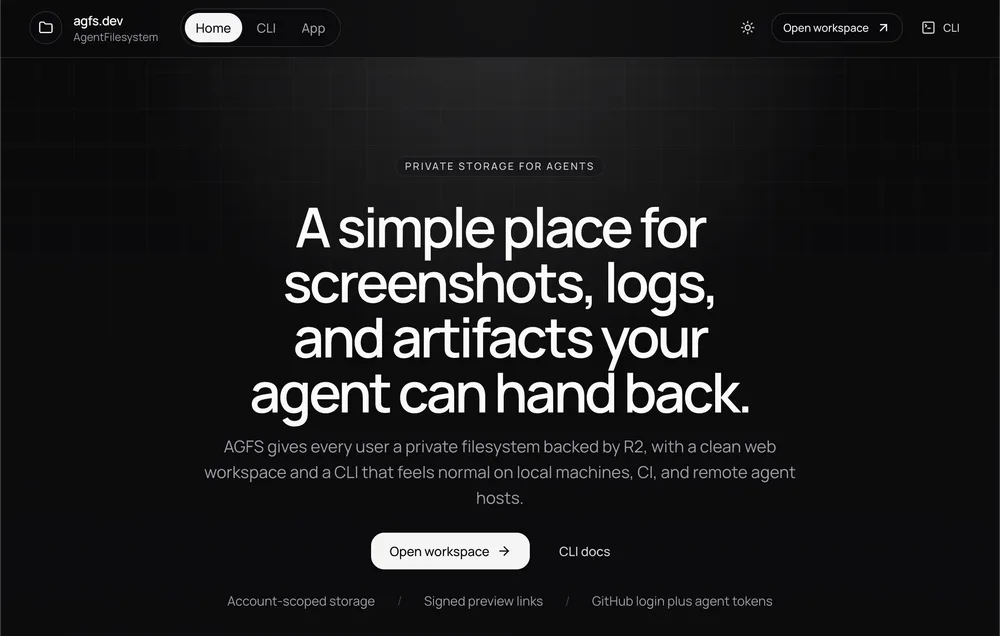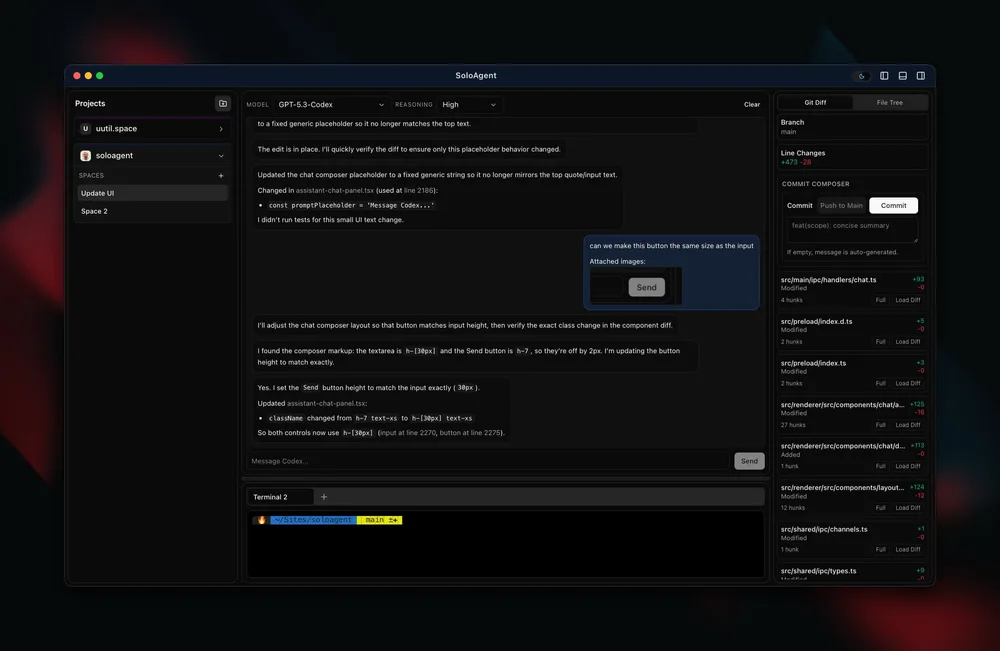
On October 4 I published fifteen games. Two days later I stopped touching them.
Not because they were finished. Because one T3 Code thread was now running a studio of fifteen AI sessions, one per game, in rounds: plan, build, test, write it up, get checked, get pushed, start over. By the time I sat down to write this, that thread had launched 105 sessions across eight rounds, pushed 766 verified commits to fifteen GitHub repositories, and found bugs I would never have looked for, like two treasure chests in The Bell of Ages that no player could ever open.
This post is about how that works. Most of it is about T3 Code and the orchestration layer that shipped in its V2 rewrite, because that is what made it possible to run all of this from one conversation instead of fifteen browser tabs and a spreadsheet.
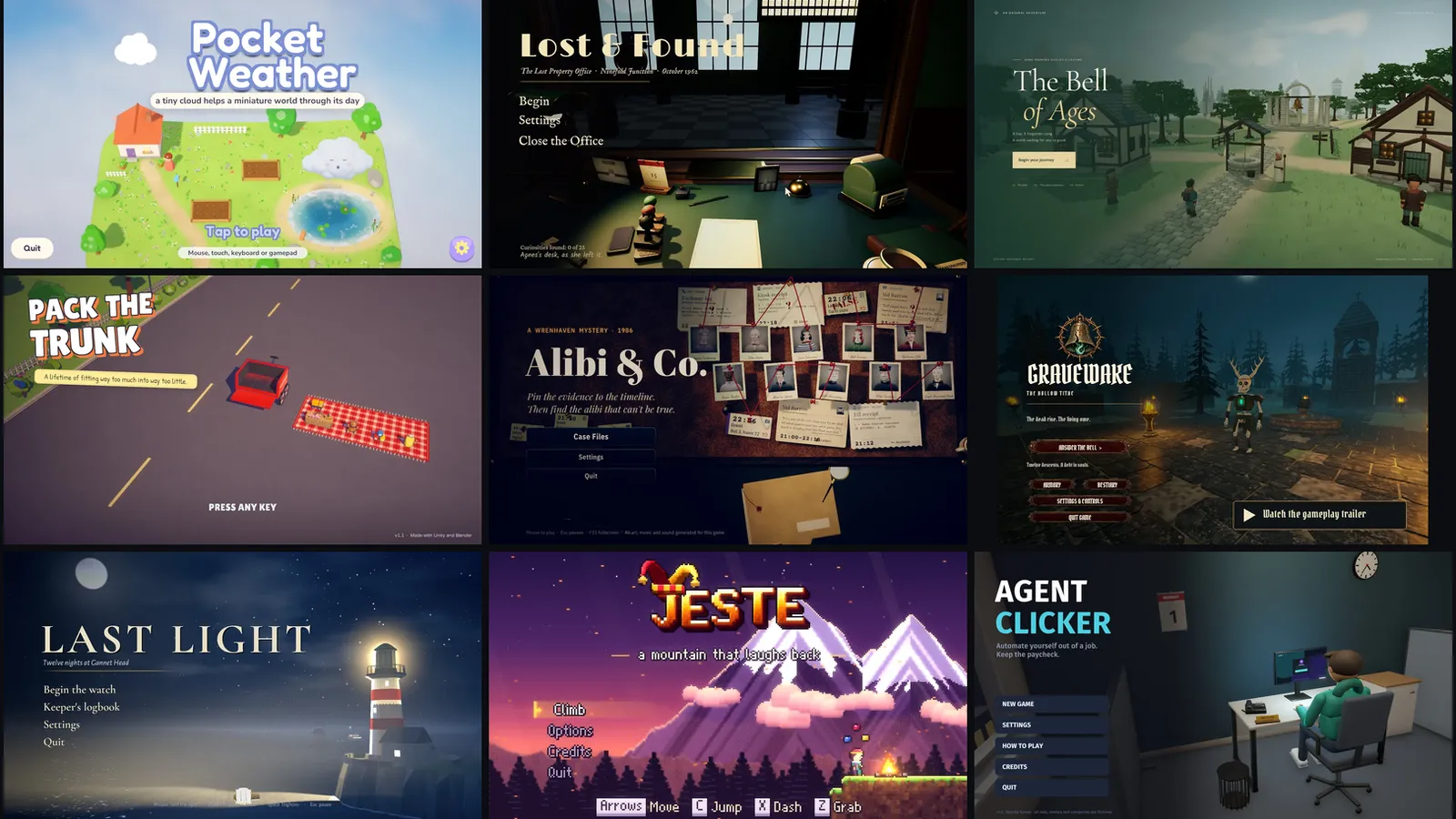
Nine of the fifteen. Every one of them has been through eight rounds of improvements without me opening its repository.
What T3 Code is
T3 Code is an open-source, MIT-licensed “agent harness control surface” from Theo and the ping.gg team. It is not a model. It drives the coding agents you already have installed and signed in: Claude Code, Codex, Cursor, Grok Build, OpenCode, Antigravity and a few more. You get one place to run them, with a desktop app, a local web app (npx t3@latest if you want to try it), and a mobile app that connects back to your machine.
The basics are what you would expect from a good agent GUI: projects and threads, git worktrees so agents can work on isolated branches, a turn-by-turn diff viewer, and a one-click “commit, push and open a PR” flow. Those alone made it my daily driver.
The part this post is about is newer.
The orchestration layer
In early October, T3 Code’s nightly got a rewritten orchestrator and, with it, an MCP server that the agents themselves can call. Theo’s announcement listed the headline pieces: a delegate_task tool that lets an agent start child agents on any provider or model, T3 Code MCP tools to create, launch, message, wait on, read, search and interrupt threads, auto-resume when rate limits reset, scheduled tasks, and an ACP registry for more agents.
In practice it means an agent inside T3 Code can manage other T3 Code threads. These are the tools I leaned on:
t3_thread_launchcreates a top-level thread in any project and picks its model, effort, permissions and workspace (the project root, a new worktree, or an existing one), then sends its first message. I used it to start one session per game, per round, on Claude Opus 5.5 at high effort.t3_thread_listandt3_thread_readlist a project’s threads with their status and read a thread’s items after a given position. That meant checking who was running or finished, then reading only the final report instead of the whole transcript.t3_thread_sendsends a follow-up into a thread: steering a stalled session, or telling one what failed verification.t3_thread_organizepins, snoozes, settles and archives threads. Each round’s sessions get settled when it ends and archived later.schedule_taskcreates a recurring or webhook-triggered task that wakes a thread with a prompt. A 30-minute check-in drives the whole loop.orchestrator_capabilitiesreturns the live provider and model catalog and what the orchestrator supports. It is how the orchestrator confirms exact model and effort IDs, and it lists eight providers on my machine.delegate_taskstarts a child agent, on any provider and model, owned by the current thread. I didn’t need it here, but it is how you would put a Codex reviewer on a Claude branch.link_pull_requestattaches a PR to a thread. The PR for this post is linked to the thread that wrote it.
None of this is exotic on its own. Together, it turns a chat window into something closer to a build farm with a manager.
Day one: fifteen games
The games themselves came first, on October 4, and they came from several directions:
- Eight Unity games built in parallel from one-paragraph designer briefs, each in its own session on one shared 32-core machine: Lost & Found, One More Floor, Last Light, Pocket Weather, Borrowed Seconds, After Hours, Alibi & Co. and Handle With Care. Pack The Trunk was built first and every brief pointed at it as a read-only reference for working Unity and Blender pipelines.
- Two browser games driven by Codex, Purgatory and The Bell of Ages, following OpenAI’s guide to building games with Astra.
- The rest: Jeste in Godot, Agent Clicker in Unity, and two Rust games, Gravewake on a custom wgpu renderer and Cinderwake on Macroquad.
A brief was short on purpose. Lost & Found’s was a single sentence, run the lost-and-found desk for a train station where some belongings should never be returned, plus a scope and one “trailer moment” the game had to deliver. Everything else, the Blender scripts that model every prop, the NumPy synthesizers that compose every track, the solvers and autopilots that prove levels can be beaten, came out of the sessions.
That evening, a “Publish to GitHub” thread for most of them cleaned up each repository and pushed it. Then this blog got a Games section with a write-up for each one, which is a story for another day.
Day two onward: the improvement loop
Here is the problem with fifteen freshly built games: every one of them has a backlog, and none of them has a person.
So I opened one thread in this blog’s project and asked it to be the orchestrator: start a session for every game, have each figure out what to improve, keep them moving, and push the results to GitHub. It has been doing that ever since. A round looks like this:
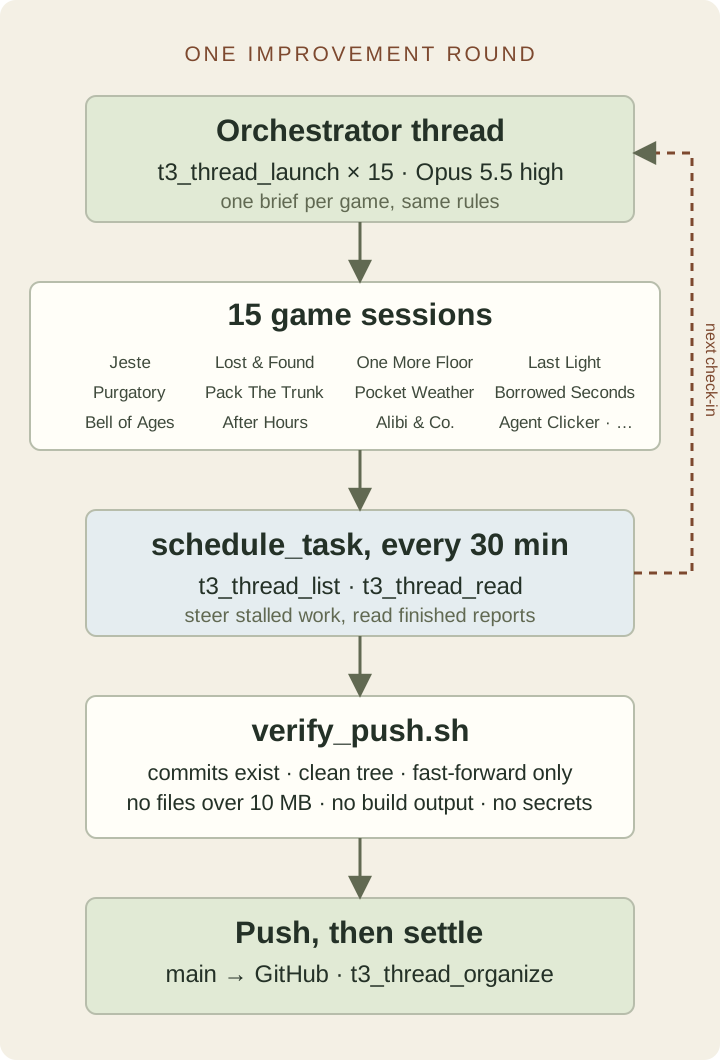
One round. The dashed line is the scheduled check-in, which keeps waking the orchestrator until all fifteen games are pushed.
1. Launch fifteen sessions
Each session is a normal top-level thread in the game’s own T3 project, launched by the orchestrator with t3_thread_launch:
{
  "title": "Pocket Weather: improvements round 8",
  "projectId": "mcp:2b44ebf1-…",
  "workspaceStrategy": { "type": "root" },
  "modelSelection": {
    "instanceId": "claudeAgent",
    "model": "claude-opus-5-5",
    "options": [{ "id": "effort", "value": "high" }]
  },
  "runtimeMode": "full-access",
  "message": "You're improving **Pocket Weather**, a cozy puzzle game… "
}
The brief is the same skeleton every time, with a game-specific tail:
- Sync check first.
mainmust equalorigin/mainwith a clean tree, or stop and report. Then createimprovements-N. - Read the README and
docs/IMPROVEMENTS.md, which holds every earlier round’s plan, results and the ranked backlog. - Plan the next three to six items that would most help a real player, with acceptance criteria, and commit the plan.
- Build item by item, committing and verifying each with the game’s own tests, validators, autopilots and screenshots.
- Write it up honestly in the docs, including what could not be verified.
- Report in under 300 words: what shipped, how it was checked, what was deferred, and what the owner has to decide.
Then a list of rules, which grew every round (more on that below), and a “This game” section: the tooling, plus what was left open last round.
The important design decision is that sessions never push. They commit locally. The orchestrator is the only thing allowed to touch GitHub.
2. Wake up every 30 minutes
The orchestrator does not sit and watch. It creates a scheduled task bound to its own thread:
schedule_task({
  title: "Game improvements: round 8 check-in",
  schedule: { type: "interval", everyMs: 1800000 },
  prompt:
    "Round 8 orchestrator check-in for the 15 game-improvement sessions. …",
});
Every half hour, T3 Code wakes the thread with that prompt, which spells out the procedure: run a progress script across all fifteen repositories, check each session’s status with t3_thread_list, read finished reports with t3_thread_read from near the end of the transcript, verify and push what is done, nudge anything that has gone quiet, watch the shared /tmp RAM disk, update the record, and post me a short table. When the last game is pushed, it posts a round summary and disables its own schedule.
Those tables are short enough to read on a phone, which is where I read a lot of them.
3. Verify, then push
When a session reports it is done, the orchestrator does not take its word for it. A small script it wrote for itself, verify_push.sh, checks that:
- every commit named in the report is actually on the branch;
- the working tree is clean;
mainstill matches GitHub and the branch fast-forwards onto it;- no added file is over 10 MB;
- nothing looks like build output (
Builds/,Library/,target/,node_modules/, zips and binaries); - nothing in the diff looks like a secret.
Only then does it fast-forward main and push, and since round 7 it fetches again to confirm GitHub really has the new head. That last check exists because GitHub once answered a push with an internal server error. The orchestrator marked the game as pending instead of pushed, retried at the next check-in, and it went through.
The bookkeeping lives in a registry.json: every game’s repo, current thread, phase, last check, and a per-round entry with the summary, the decisions it needs from me, and the pushed commit.
4. Settle, archive, start fresh
Rounds 1 and 2 ran in the same session per game. From round 3 on, every round gets brand-new sessions. The previous round’s work is already written into each repository’s docs/IMPROVEMENTS.md, so a fresh session can read it instead of dragging two rounds of transcript around. The old threads get settled with t3_thread_organize and, later, archived. That keeps each project’s thread list down to the one session that is actually running.
The rules came from mistakes
Fifteen agents with full access to one machine will find every sharp edge. The orchestrator’s job was not to stop that from happening once; it was to make sure it only happened once. Each incident became a line in every later brief:
| What happened | The rule it produced |
|---|---|
| A round-2 test overwrote a game’s real save file | Never let tests or tools touch real save or settings files; use throwaway folders and hash the real ones before and after |
A pkill -f pattern may have killed another session’s process | Never kill a process you didn’t start; no pkill -f, no killall, only PIDs you recorded |
rm /tmp/ll_* deleted a file another session owned, and a stuck run wrote a 6 GB log to /tmp | /tmp is a shared RAM disk: keep output in the repo’s ignored folders, cap logs, delete only your own files by name |
| Input-driven tests failed when the load average passed 40 | Check uptime first, wait if the load is above about 24, and note the load next to any measurement |
| A sandboxing change briefly left the shared Unity editor without its licence | Don’t change anything that affects licensing or other sessions’ editors |
| Two test runs went fullscreen on my actual desktop | Keep test windows windowed; install nothing into the real desktop |
| Sessions had opinions about difficulty, trailers and hosting | Owner decisions are noted, never acted on |
That last rule matters most. Every report ends with “decisions for you”, and the orchestrator carries them forward: whether Purgatory’s toggle sprint should be the default on controllers, whether Borrowed Seconds should unlock the next level after a few failed attempts, whether Pack The Trunk’s new high-contrast labels are a keeper. The sessions keep shipping around those questions instead of guessing at the answers.
Even I was a source of exceptions. Midway through round 4, I opened Agent Clicker’s session from my phone and asked it to publish a web build to GitHub Pages and push. It did. At the next check-in the orchestrator noticed main had moved without it, found my message in the thread, audited the pushed range with the same checks, and recorded it. Since then every brief for that game says not to touch the gh-pages branch, because redeploying is my call.
What the sessions actually found
The thing I did not expect was how much of the work turned out to be bug-hunting. Asked to “improve the game for a real player”, sessions kept building measurement tools and then discovering the game had been quietly broken all along:
| Game | What turned up |
|---|---|
| The Bell of Ages | Two of the six treasure chests could never be opened; a rock and a cliff blocked them |
| Jeste | The Game Speed assist had never slowed gameplay at all, because physics ignored the time scale |
| Lost & Found | A tap that went down and up between two frames was ignored: 1 in 11 touchpad taps worked |
| One More Floor | Popup outlines and a banner shadow had never drawn, because a font shader setting was never enabled |
| Purgatory | On a 144 Hz screen, 58% of frames showed no movement while walking |
| Agent Clicker | The browser build leaked about 15 MB an hour, traced to the engine’s WebGL glue and fixed with a small plugin |
| Borrowed Seconds | The borrow prompt never appeared at all on a controller |
| Pocket Weather | Swipes needed to be twice as long on a phone held upright |
| Last Light | Its save lived in a prefs file shared with other Unity games, where another game could overwrite it |
None of those came from me filing a ticket. They came from sessions writing tests that checked what the game should do, seeing them fail on main, and fixing the cause. The best reports even say when they could not reproduce something, or when a test was flaky and why they think so.
By the numbers
| Measure | Value |
|---|---|
| Games | 15 (Unity, Godot, Three.js, two Rust engines) |
| Improvement rounds | 7 finished, the 8th running as I write |
| Improvement sessions launched | 105 |
Commits pushed to main since October 6 | 766 |
| Lines added across the fifteen repositories | about 129,000 |
| Model | Claude Opus 5.5 at high effort, for every session and the orchestrator |
| Machine | one 32-core CachyOS box with 109 GB of RAM and an integrated Radeon GPU |
| Human time per round | reading tables, answering “decisions for you”, and occasionally saying “go” |
The machine is the real constraint. Fifteen sessions building Unity players, running autopilots and baking Blender scenes at once regularly pushed the load average past 50. Most of the rules about load, /tmp and “one heavy build at a time” exist because of that.
What I’d tell you if you want to try this
Make the orchestrator the only thing with push access. Sessions are great at doing the work and at reporting honestly about it. They should not also be the ones who decide it is safe to ship.
Write state down outside the conversation. The registry, the briefs and each repository’s IMPROVEMENTS.md meant that throwing away a round’s context cost nothing. Fresh sessions read the docs; the orchestrator reads the registry.
Let the scheduler drive. A 30-minute schedule_task with a precise, numbered prompt is far more reliable than an agent trying to remember to check back. It also means the loop keeps running while I am asleep, and stops itself when the round is done.
Turn every incident into a rule, in every brief. The rules section is the most valuable thing this project produced. It reads like a list of scars, which is exactly what it is.
Keep a human for taste. Agents can tell you that a box shrinks to 76% of its old size at 1080p with large text. They cannot tell you whether the game should be harder. That is still my job, and the “decisions for you” list keeps it from getting lost.
All fifteen games, with screenshots, trailers and the story of how each was made, are on the Games page. T3 Code is at t3.codes and on GitHub. Round 8 is still running while you read this.