Dex is a personal AI agent that I built to run entirely on Cloudflare. Each user gets their own agent, living in a Durable Object and running Pi Durable. It thinks with models from ClinePass or OpenCode Go, answers with interactive UI instead of only text, and does real work on a cloud VM of its own. You can watch that VM while you chat.
It’s open source under the MIT license. You can see it at trydex.dev, then deploy your own copy to a Cloudflare account.
Answers you can click
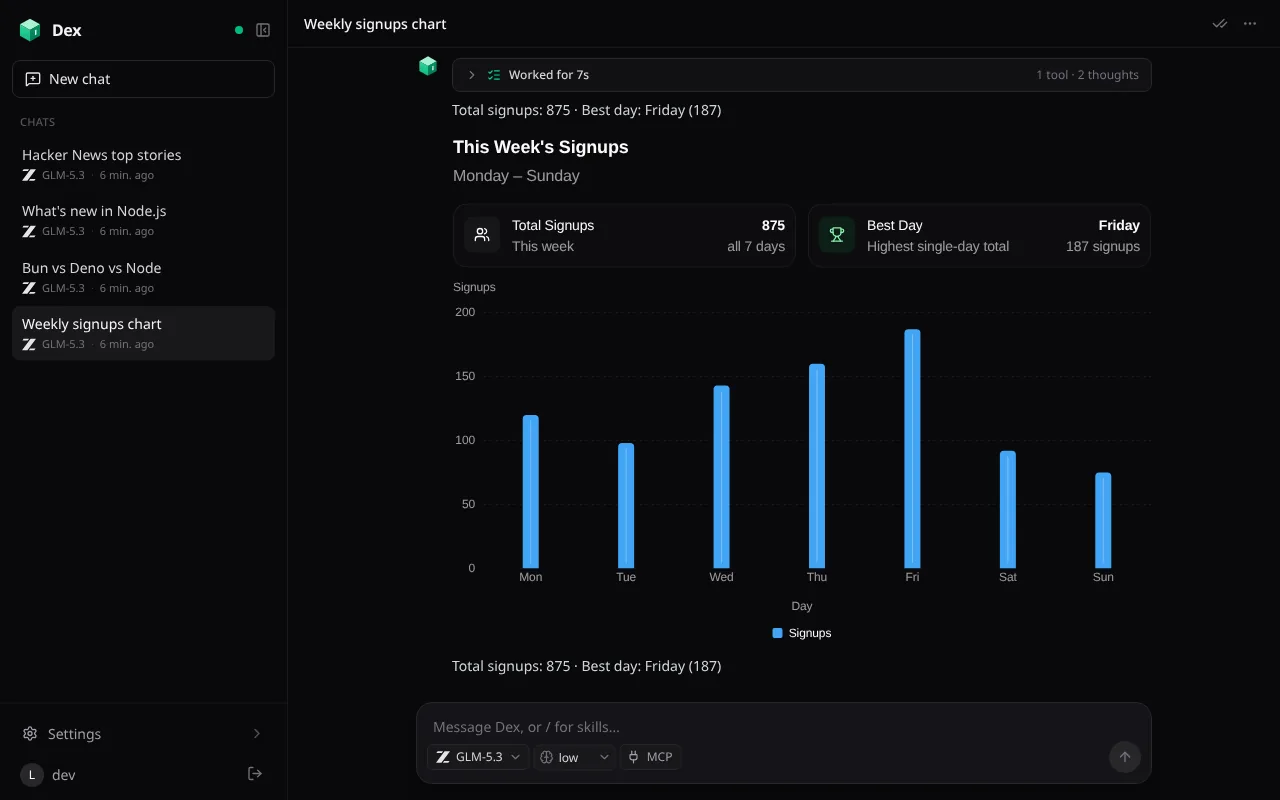
Ask Dex for something and the answer can come back as a card, a table, stat tiles, a chart or a form, streamed as the model writes it. The model writes these with a render_ui tool built on OpenUI, and they keep working without another round trip to the model. Filters, tabs and toggles hold their own state, and a card opens the way you left it.
Cards can also show live Dex data, such as your chats, VMs, usage, workspace files, or a read-only look at a running VM’s files, git status, ports and processes. The data refreshes while the card is on screen. Buttons can run app operations or open a chat, file or machine. Anything that deletes something or changes a setting shows Dex’s own description of the action and waits for you to confirm.
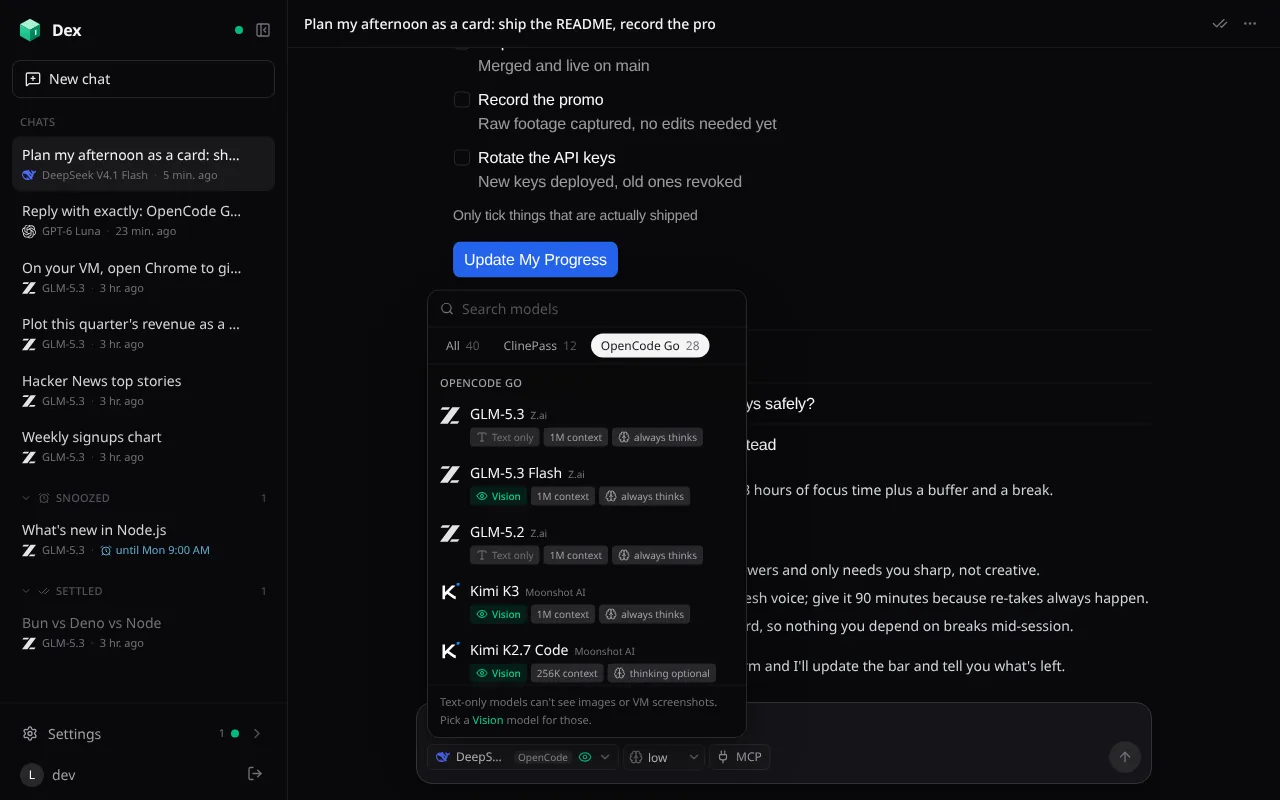
Each chat picks its model and thinking level from one menu, with nearly 50 models across both subscriptions. The list stays current on its own: each agent checks OpenCode Go’s live model list and models.dev at startup and every hour while it’s in use. New models appear, retired ones drop out, and a chat on a retired model moves to your default. Replies stream live, and a run survives restarts, evictions and deploys.
Every reply has one activity row that folds its thinking, tool calls and notes. While it works, the row shows what’s really happening, like “Running on the VM… npm test”. When it’s done it reads something like “Worked for 36s · 8 tools · 6 thoughts”, and you can tap it to see every step.
A computer for every chat
The first time a chat needs to do real work, it gets its own Ubuntu VM from boat.dev, with root, Docker, Node, Bun, Python, Chrome and a desktop. Plain questions never start one. The model can run commands with streaming output, read and write files, open ports behind tokens, take screenshots, and use the desktop by clicking, typing, scrolling and dragging.
The Machine page shows the live desktop and every command as it happens. You can take control of the desktop, run your own commands, or stop the agent partway through and take over. While a VM is running, a floating button opens a picture-in-picture window of its desktop. You can drag it anywhere and resize it from a corner, so you can keep chatting while you watch.
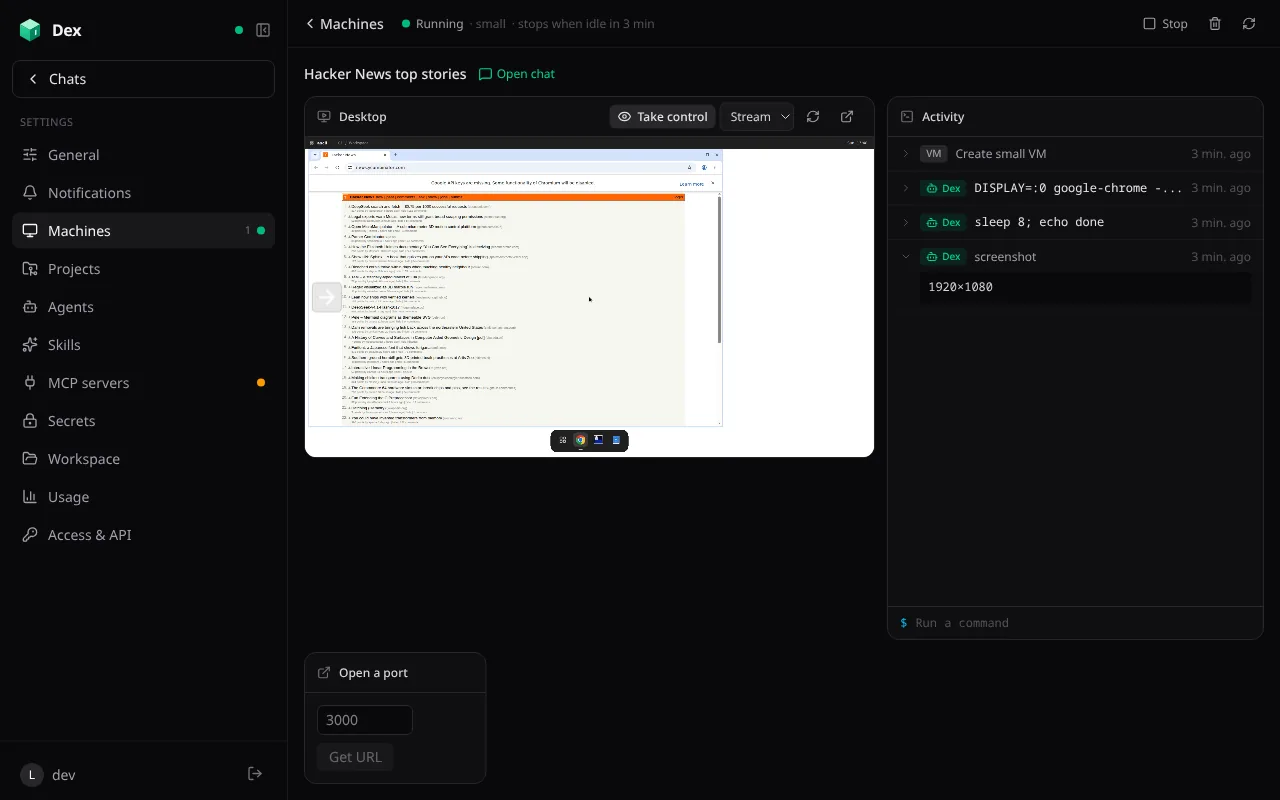
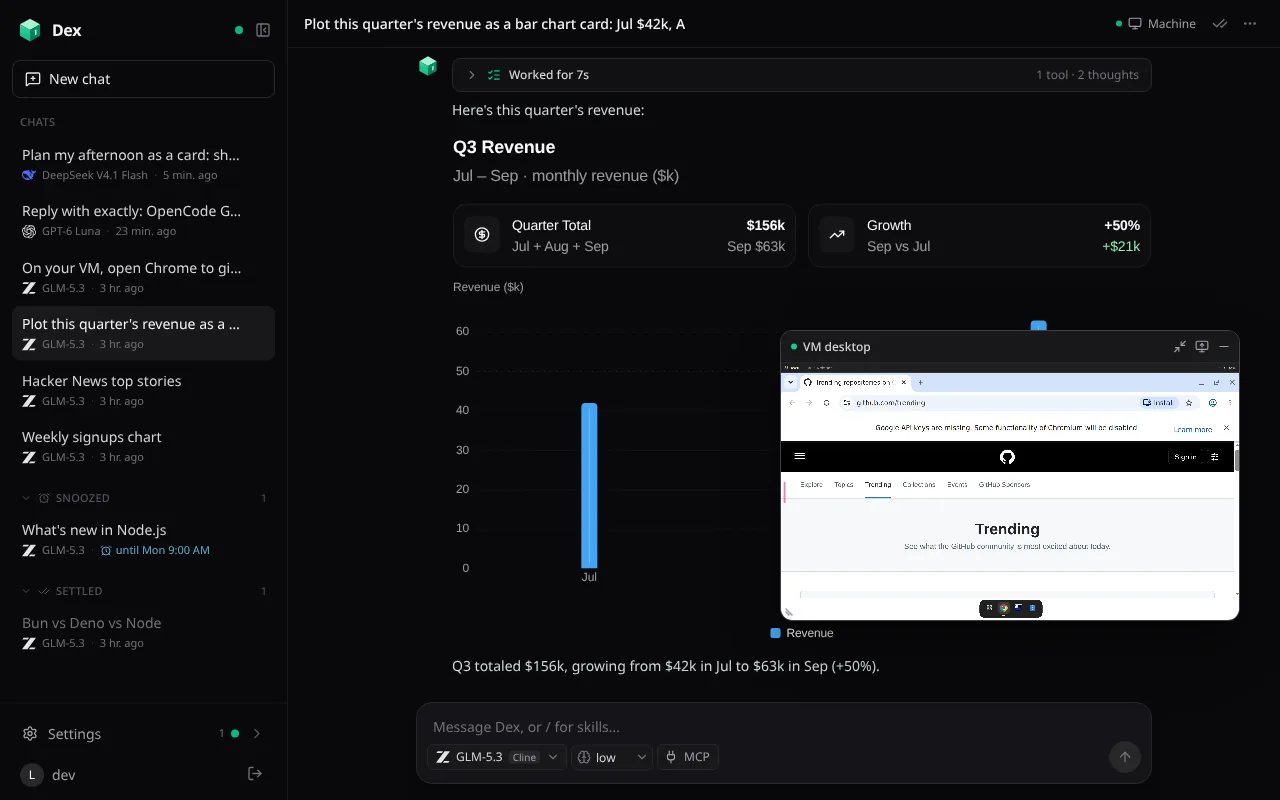
The desktop streams three ways. The first is boat’s own player, in Chrome. The second is Selkies, H.264 over a WebSocket decoded with WebCodecs, which also plays on iPhone and iPad. The third is noVNC. The Worker relays the stream and adds the VM’s cookie and password itself, so neither reaches the browser.
New VMs start from a prepared disk saved in your boat.dev account, so they’re ready in seconds. A VM stops after five idle minutes and keeps its disk, and it’s deleted along with its chat. Everyone connects their own boat.dev key.
Skills, MCP servers and GitHub
Skills are instructions for particular tasks: a SKILL.md and the files beside it. Type / in any message to search your own skills and skills.sh, and install one in place. Auto skills are listed for every chat, and the model loads one when a request matches.
MCP servers can be remote, with no auth, headers or OAuth, or local. Local servers are npm, PyPI or Docker packages that run on a dedicated MCP VM behind supergateway. Search covers Smithery and the official MCP Registry. Before you add a server, Dex checks it: HTTPS, whether the publisher is verified and the endpoint is on their domain, a live MCP handshake with its tool list, and its GitHub repository’s stars, license and last push.
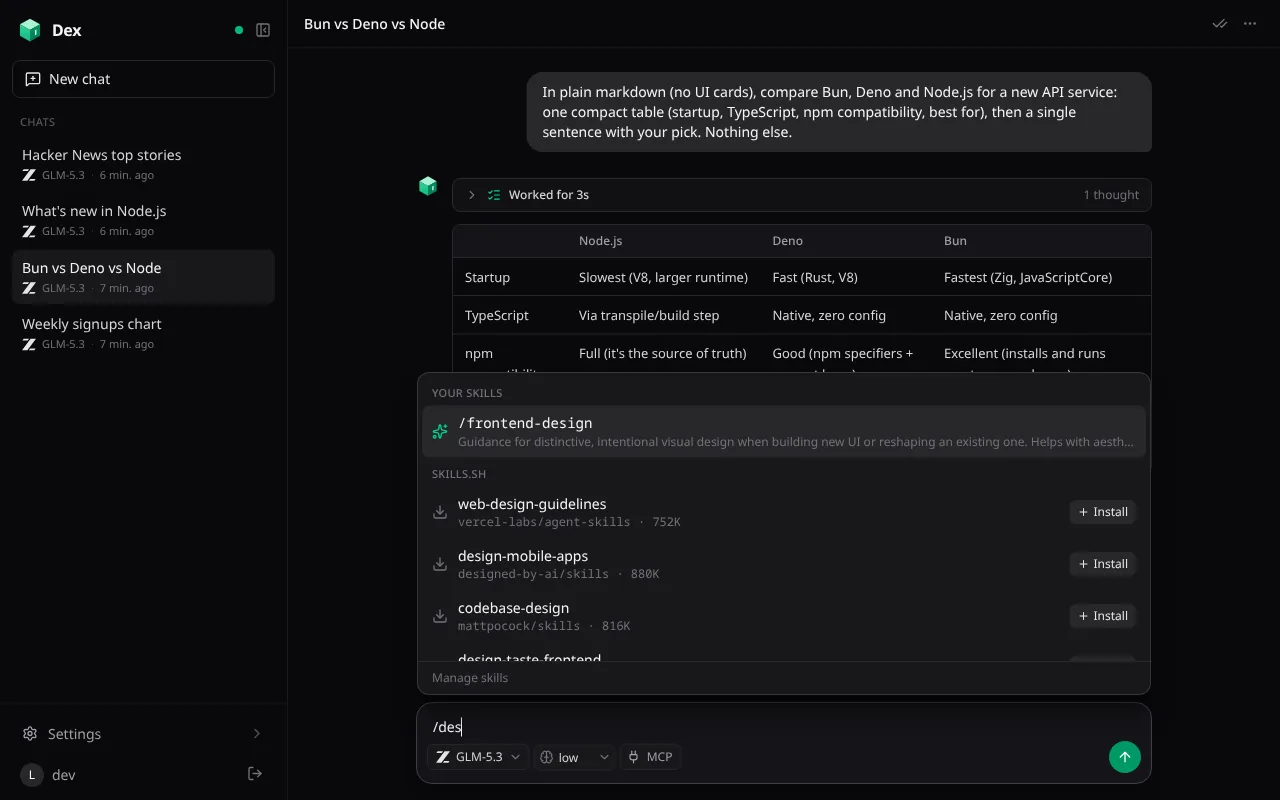
/ finds installed skills and installs new ones from skills.sh.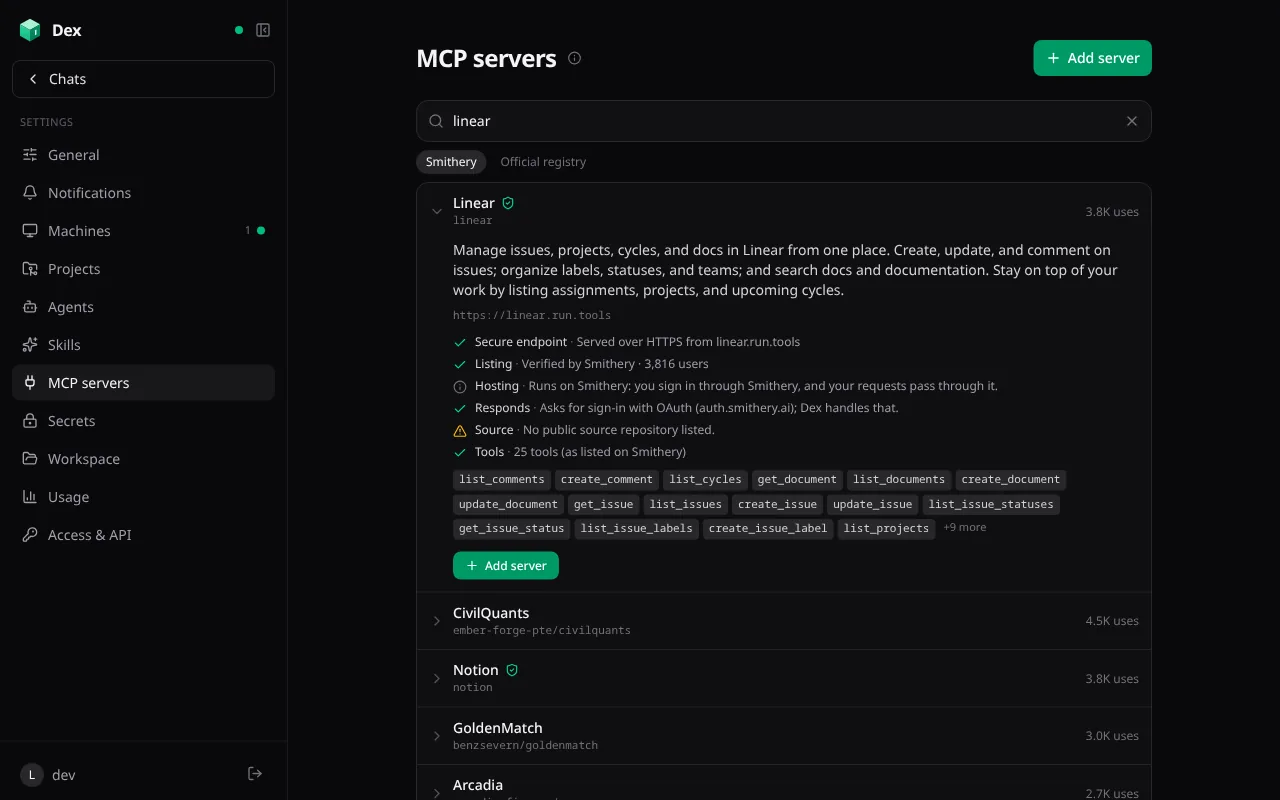
Projects bundle one or more repositories with a setup script, notes for the model, a starter prompt and a VM size. Starting a project chat boots its VM, signs in to GitHub, clones the repositories and runs the setup script before the model starts. Every VM signs git and the GitHub CLI in with your connection, so agents can push branches and open pull requests. Custom agents add a name, icon, instructions, model and MCP servers on top. Dex ships with a PR Author, PR Reviewer, Researcher, Data Analyst and Changelog Writer.
Built for the phone, too
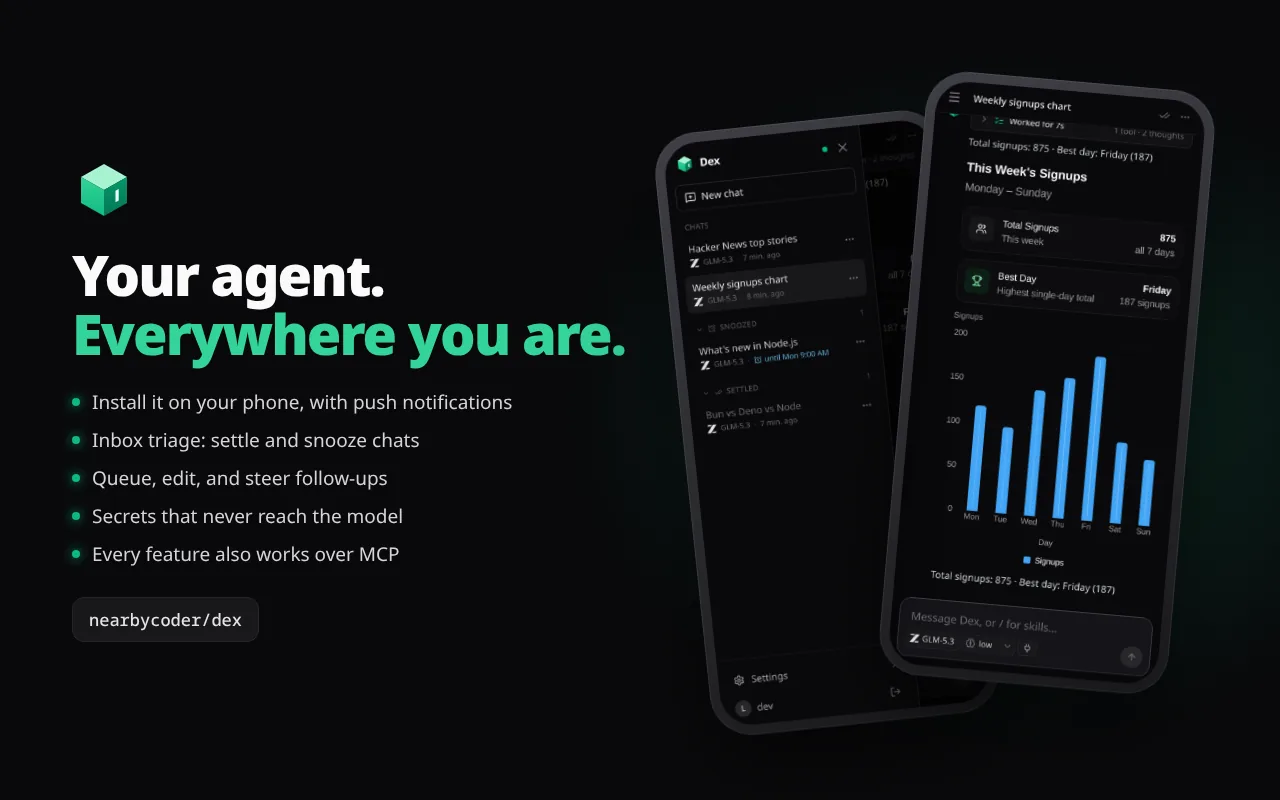
The web app installs to a phone or tablet Home Screen and runs full screen. The composer stays above the keyboard, and a swipe from the left edge opens the sidebar. Push notifications cover replies, errors, scheduled prompts and snoozed chats coming back, and a chat open on any device stays quiet. On iPhone, which has no Vibration API, every tap plays the system haptic through a hidden switch input.
The chat list works like an inbox. Settle a chat when you’re done for now, or snooze it until this evening or next week and it returns to the top with a notification. Messages sent while a chat is working wait in a queue, where you can edit, reorder or delete them, or steer one into the current run.
Native apps for iPhone, iPad and Android
Dex also has native apps: one for iPhone and iPad in Swift and SwiftUI with Liquid Glass, and one for Android in Kotlin, Jetpack Compose and Material 3 Expressive. They cover the whole app, not a companion subset. That includes chats with the activity row, the model menu, the queue, / skills, inbox triage, machines with the live desktop and picture-in-picture, files, projects, agents, skills, MCP servers, secrets, usage and settings. Generated UI is drawn with native controls, so cards, tables, charts and forms look like they belong on the phone, and live data and action buttons still work.


The screenshots follow this site’s theme: switch between light and dark and they change with it.
The apps talk to the same agent as the web app, over its WebSocket and RPC, so there’s no separate server for them. You sign in through your Dex’s own sign-in page in a system browser sheet with a PKCE handoff, and Sign out everywhere covers the apps too. The iOS app adapts from a tab bar on iPhone to a sidebar with split views on iPad and the unfolded foldable iPhone. The Android app goes from flip phones’ cover screens to tablets, ChromeOS and desktop windows, with panes that split at a foldable’s hinge, dynamic color, predictive back and real picture-in-picture for the VM desktop.
Both apps have a demo mode that runs on a built-in mock agent, so you can try every screen without an account. They’re not in the App Store or Play Store yet. You build them from the repository with Xcode or Gradle.
Built to be driven
Every app capability is an operation in a single registry: chats, agents, projects, skills, MCP servers, VMs, schedules, the workspace, settings and usage. Chats can call those operations, so “start a chat per repo and have each open a PR” just works. External agents can connect to Dex over MCP with a scoped, expiring token. Every operation is validated, rate limited and logged. A check that runs before each deploy fails if a new operation isn’t covered.
Tools run without approval, so text from a web page or an MCP server could try to steer a chat. Anything lasting or destructive waits for your Confirm. Chats can start other chats at most two levels deep. Saved secrets reach VMs as environment variables, and the model only ever sees their names, with values masked in any output it reads.
How it’s built
The browser runs a TanStack Start app with React 19. It talks to a Cloudflare Worker over HTTP for sign-in, and to a Durable Object per user over a WebSocket for RPC, synced state and the Pi event stream. The Durable Object holds the chats in its own SQLite, the ClinePass and OpenCode Go providers, a simulated shell over a persistent /workspace, the VM manager, the MCP client, skills, secrets, the queue, media in R2 and push. Server code uses Effect, and web search and fetch use Workers AI.
Pages render from the agent’s synced state, so switching pages never waits on the network. The last state and the last eight chats you opened are kept on the device, so a launch shows them right away while a cold agent wakes up. The service worker serves the app shell from its last copy, so recent chats open even offline.
The web app is about 26,000 lines of TypeScript. The iOS app adds about 24,000 lines of Swift and the Android app about 26,000 lines of Kotlin, all in one monorepo where each app builds and ships on its own. I built it in four days, over 164 commits from 17 to 20 October 2026.
Try it
Watch the tour on trydex.dev, or below. To run your own, the repository covers creating a GitHub OAuth app, adding secrets with Wrangler and deploying with npm run deploy.
The creation date shown here is the GitHub repository’s UTC creation date. The screenshots and the tour come from the Dex README and trydex.dev.