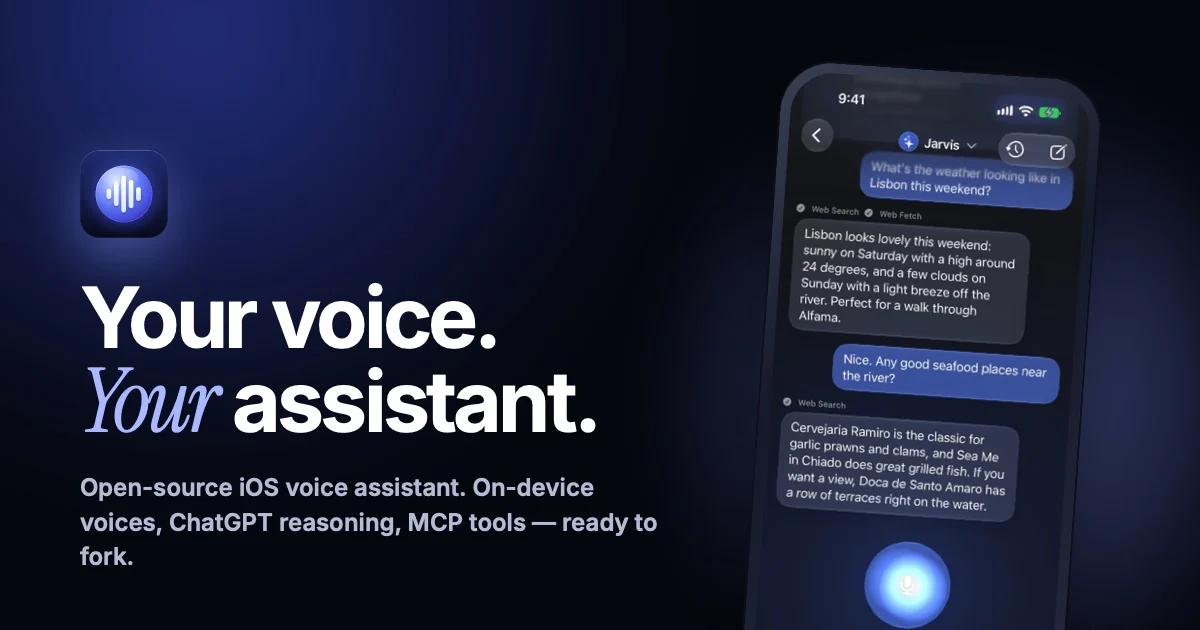
Jarvis is an open-source, native iOS voice assistant, published as a GitHub template so you can fork it and make it your own. You talk, and Whisper transcribes on the device. The Pi agent harness reasons with your ChatGPT subscription and calls tools: web search, any MCP server, and the assistant’s own memory and skills. Reverb-TTS answers in the voice you picked, synthesized on the device and streamed sentence by sentence. Your audio stays on the phone. ChatGPT gets your words, the conversation so far and the assistant’s prompt, which includes its newest memories, and the tools and MCP servers you enable get whatever the model sends them. Web search goes through DuckDuckGo.
It’s a SwiftUI app with Liquid Glass for iPhone and iPad on iOS 26 or later. You can set up several assistants, each with its own prompt, voice, model, reasoning effort, tools, memory and skills. There’s no backend and no API key: you sign in with a ChatGPT Plus or Pro plan, and the harness runs inside the app.
The voice loop
WhisperKit handles speech recognition, and the app’s own energy-based voice activity detector tells when you’ve finished talking, or when you talk over a reply. The reply streams back from the model as text, and SpeechPipeline cuts it at sentence boundaries into chunks and synthesizes each chunk while the previous one plays. The first chunk can be a single short sentence, so Jarvis starts talking almost at once, and later chunks are longer for smoother phrasing. The voices come from Reverb-TTS, which Packages/ReverbKit runs on ExecuTorch at 24 kHz. All of it runs on the CPU through XNNPACK. The package notes that the model’s published MLX programs were exported for Software Mansion’s ExecuTorch fork and fail on upstream ExecuTorch, and that the Core ML exports of its audio codec produced silence. Until the Reverb models are downloaded, replies use Apple’s built-in voices.
There are 16 preset voices in seven languages, and you can clone one from 3 to 15 seconds of speech that you record or import: Whisper writes the transcript, and Reverb encodes the voice locally. The models download on first use: about 145 MB for Whisper’s base model, the default on an iPhone, or 216 MB for the small model an iPad uses by default, about 410 MB for the Reverb voices, and about 400 MB more for voice cloning.

SpeechPipeline.swift.A harness in a hidden web view
The reasoning comes from Pi, an open-source agent harness written in TypeScript. PiRuntime/ bundles its agent core, model and MCP packages with esbuild, and the app runs the bundle in a hidden WKWebView. Swift calls into the page with callAsyncJavaScript, and the page calls back into Swift through a script message handler that returns a reply, so either side can await the other, and Pi’s tool calls and token requests wait for Swift’s reply. Every HTTP request Pi makes, to ChatGPT or to an MCP server, goes through a fetch shim that hands it to URLSession in Swift and streams the response back chunk by chunk. That sidesteps the web view’s CORS rules and lets ChatGPT’s streamed responses work from inside WebKit.
You sign in with ChatGPT using a device code, or through the browser with a loopback redirect, and the tokens are kept in the Keychain. The README says this sign-in uses the same OAuth client and Codex endpoint as the Codex CLI and Pi, that it’s undocumented, and that it’s intended for personal use with your own subscription. Native tools are Swift functions with a JSON schema for their parameters: the app ships web search, web fetch and the current date and time, plus the memory and skills tools.
MCP Gallery
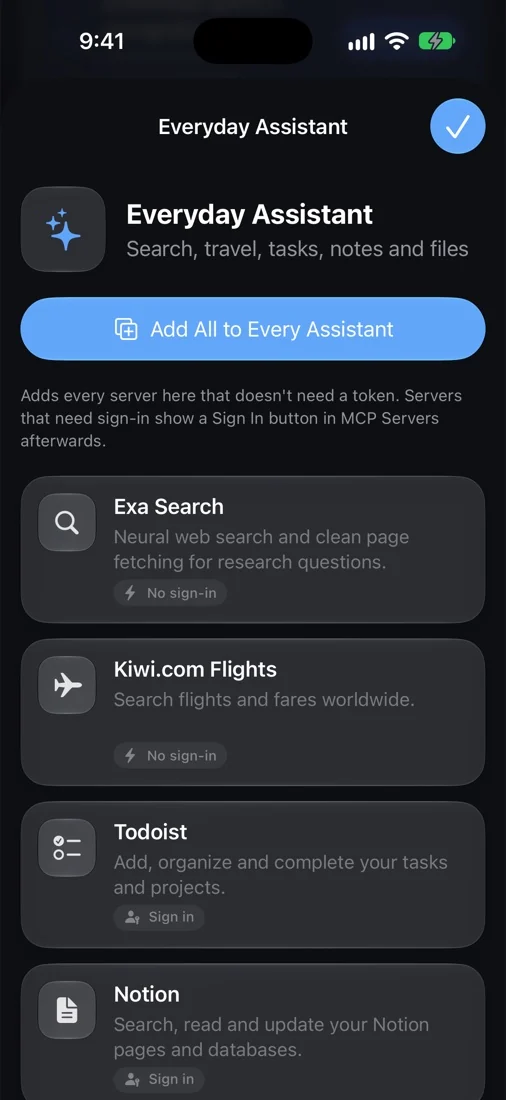
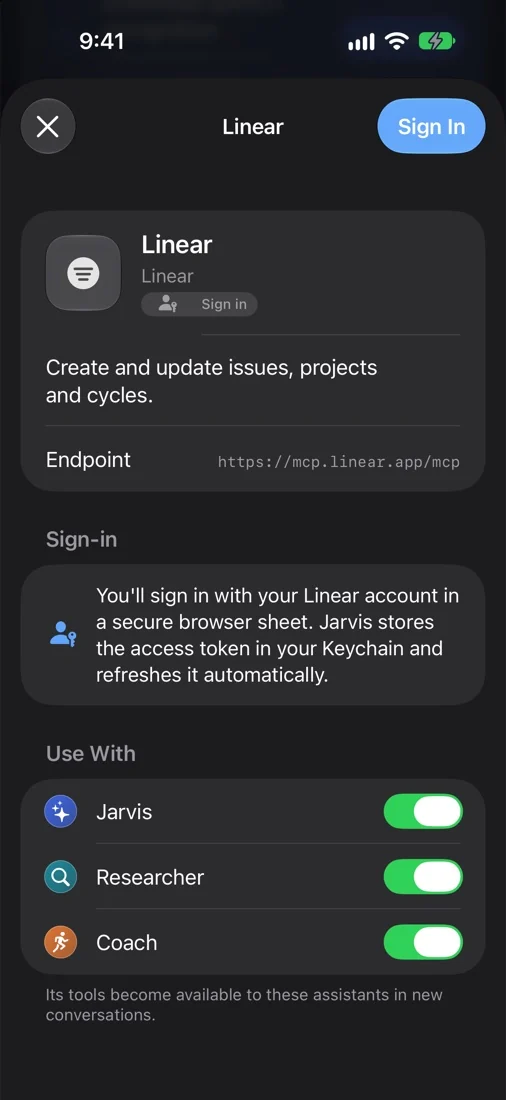
The MCP Gallery lists 38 remote MCP servers, each one verified live, grouped by category and into collections such as Instant Starters, Everyday Assistant and Research Desk, and you can add any server that speaks Streamable HTTP. Servers can take no sign-in, an API key in a header, or OAuth. For OAuth, Jarvis follows the MCP authorization spec from the server’s 401 challenge through its protected-resource and authorization-server metadata, dynamic client registration, and an authorization code with PKCE, then refreshes tokens automatically. The redirect goes to a loopback address, because many servers reject custom URL schemes. Header values and OAuth tokens live in the Keychain, and SwiftData stores only the header names.

Memory and skills
Each assistant keeps a persistent memory that it manages with its own tools, remember, recall, update_memory and forget, and the newest 60 facts go into its system prompt. You can read, edit or wipe every fact. Skills use the Agent Skills format: only each skill’s name and description sit in the prompt, and the agent loads the full SKILL.md and its files when it needs them. Ask for “a skill for my morning briefing” and the agent writes one as numbered tool-call steps, or it can search and install skills from skills.sh through the same public endpoints the skills command-line tool uses. When an assistant’s memory or skills change, Jarvis starts a fresh Pi session with the updated prompt.


Native and adaptive
The app is SwiftUI with Liquid Glass throughout, and its icon is a Liquid Glass icon in Icon Composer’s format. It adapts to iPad split view, has keyboard shortcuts, and handles the iPhone Duo’s hinge: the website says that when you half-fold the phone, the orb rises above the hinge. Conversations, assistants, voices and MCP servers are stored with SwiftData.
How it’s built
The app is 9,405 lines of Swift in 51 files, and the ReverbKit package adds 2,324 lines in 12 more. Jarvis’s own harness code is 703 lines of TypeScript, bundled with Pi’s packages, and a 147-line mock server stands in for ChatGPT’s streaming endpoint and for MCP and OAuth servers in tests. The Xcode project is generated by XcodeGen from project.yml. make test-reverb runs ReverbKit’s unit tests on macOS, and make selftest runs a debug-only self-test inside the app on a simulator, against local mock ChatGPT and MCP servers plus live checks of OpenAI’s device-code endpoint, the gallery’s servers and skills.sh, and its first run downloads about 600 MB of models. It covers Pi agent turns with native and MCP tool calls, MCP OAuth discovery, registration and token refresh, header auth, memory and skills through a real agent loop, a skills.sh install, Reverb synthesis, Whisper transcribing that speech back, and voice cloning.
To make it yours, the README points to project.yml for the name, Jarvis/AppIcon.icon for the icon, DataSeeder.swift for the default assistants and voices, NativeTools.swift for your own Swift tools, MCPCatalog.swift for the gallery, and PiRuntime/src/main.ts for the harness.
The code is MIT licensed, but the Reverb-TTS model weights are CC BY-NC 4.0, so they’re for non-commercial use, and the Higgs Audio v2 codec and the Whisper models have their own licenses. The README asks you to check them before shipping anything commercial, and it says Jarvis isn’t affiliated with OpenAI or Apple. The repository has two commits, both on November 20, 2026: the first holds a README stub and a placeholder icon, and the second adds the app, the ReverbKit package, the harness, the tests and the website, co-authored by Claude.
Try it
Jarvis is a template you build yourself. It takes Xcode 27.1 or later, XcodeGen, an Apple Developer account to run it on a device, and a ChatGPT Plus or Pro subscription to talk to it. Click Use this template on GitHub, or run gh repo create my-jarvis --template nearbycoder/jarvis --clone. Then make bootstrap asks for your Team ID and bundle ID, writes your signing settings and generates the project, and make open opens it in Xcode. Build for a real device or an Apple silicon simulator, because the ExecuTorch libraries are arm64 only. On first run, sign in with ChatGPT and download the on-device models from the setup cards or from Settings.
Browse the source on GitHub, or read the website. The creation date shown here is the GitHub repository’s UTC creation date. The cover is the website’s social card, and the phone screenshots are the website’s own, in light and dark versions where it has both, so they follow this site’s theme. The code excerpt is from Jarvis/Services/Voice/SpeechPipeline.swift.