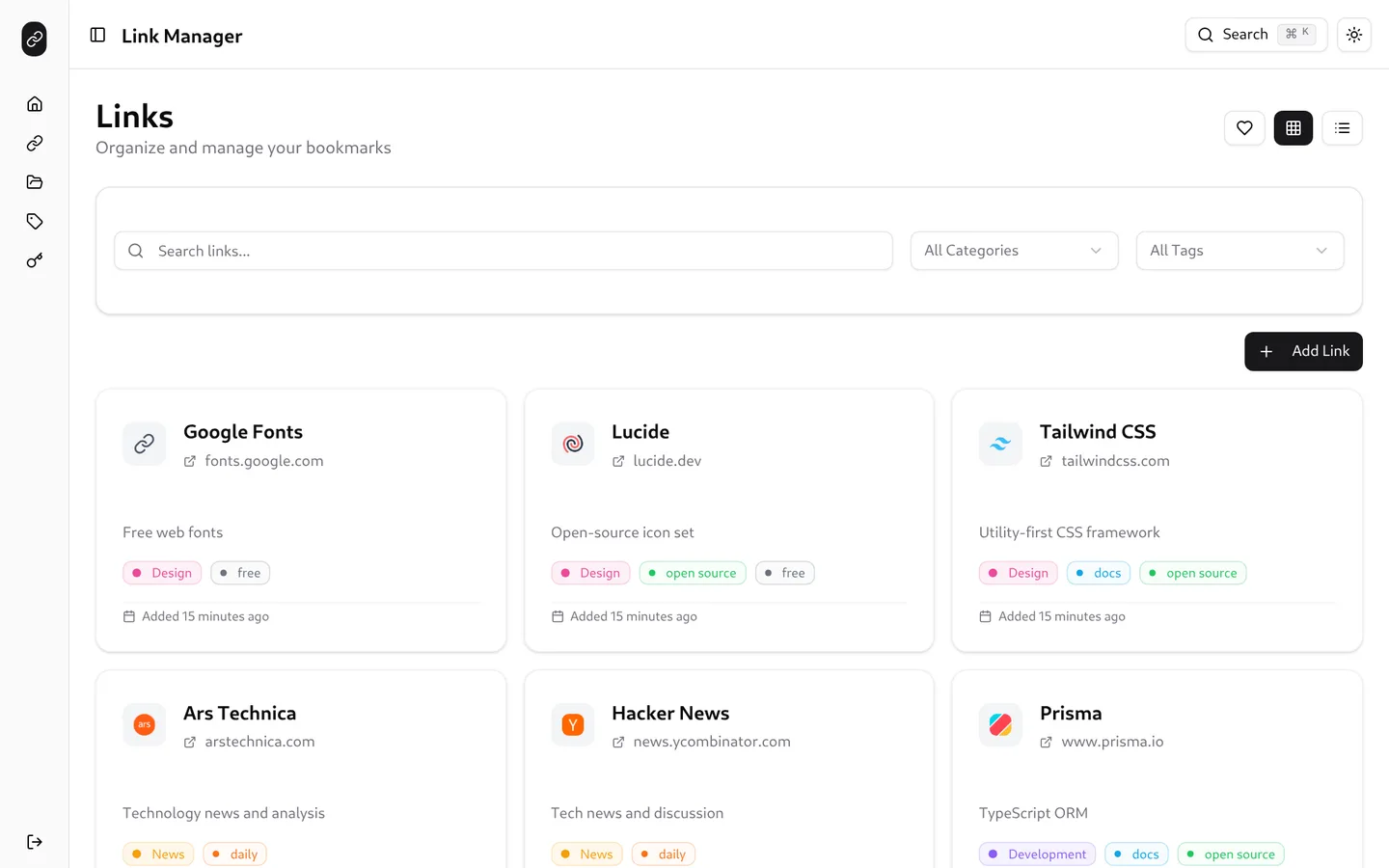
Link Manager is a small web app for keeping bookmarks. Each link has a title, a URL, an optional description, one category and any number of tags, and can be marked as a favorite. Accounts use an email and password, and every account sees only its own links, categories and tags. The repository is called links, and its README is still the default one from the TanStack starter.
Most of it was written in three days in September 2025: the data model, the interface, dark mode, API keys and a Raycast extension. A second round of commits in October prepared a production build, turned off rate limiting for API keys, and gave the extension delete and incognito actions. The last commit is from October 23, 2025.
What it does
- Home puts your favorites at the top, then lists every category as a collapsible group with a link count. Both sections have their own filter box.
- Links shows every bookmark as a grid of cards or as a table, and remembers which one you picked. The search, category, tag and favorites filters live in the page’s URL.
- Categories and tags each have a name and a color, which every link’s badges use. Categories also get a description.
- A command palette opens with ⌘K or Ctrl+K. It searches all your links by title, URL, description, category or tag, jumps to Home, Links, Categories or Tags, and creates links, categories and tags.
- Favicons. Adding a link saves the site’s
/favicon.icoaddress, and a plain link icon stands in when it doesn’t load. - API keys for programmatic access, each with a name, an expiry from one day to three years, and an optional prefix, permissions and metadata.
- Light and dark themes, following the system by default, with a toggle in the header.


The Raycast extension
raycast/links holds a Raycast extension with four commands: Links, Create Link, Create Category and Create Tag. It asks for an API key in its preferences and sends it in an x-api-key header. Better Auth’s API key plugin turns that key into a session, so the extension calls the same /api/links, /api/categories and /api/tags routes as the web app, with no separate API.

The Links command lists your bookmarks with their favicon, description, category and date, searches as you type, and filters by category from a dropdown. Each result opens in the browser, opens in a Chrome incognito window with ⌘I, edits in a form with ⌘E, or deletes with ⌘D. The incognito action shells out to macOS’s open command.

How it’s built
It’s TypeScript on TanStack Start 1.131 with Vite 6 and React 19. TanStack Query fetches the data, React Hook Form and Zod 4 handle the forms, and the interface is shadcn/ui components on Tailwind CSS 4. Prisma 6 stores everything in a SQLite file. Better Auth 1.3, through its Prisma adapter, handles accounts, sessions and API keys. Gist, from earlier in 2025, is built on much the same stack.
The JSON API is a set of TanStack Start server routes under /api for links, categories and tags. Each handler reads the session, scopes its query to the signed-in user, and checks that any category or tags on a link belong to that user too. A production build runs as a Node server from .output/server/index.mjs.
Running it today
There’s no hosted copy to try: the server address hard-coded in the extension no longer answers. It does run locally. With Node 24, copy .env.example to .env, set BETTER_AUTH_SECRET, set BETTER_AUTH_URL to the address you’ll open it at, and make DATABASE_URL an absolute file: path to prisma/dev.db. With the example’s relative file:./dev.db, the built server opens an empty database and fails with “The table main.user does not exist.” Then:
npm install
npx prisma migrate deploy
npm run build
npm start
Sign up at /auth/sign-up and start adding links. The extension’s server address is the BASE_URL constant in raycast/links/constants/index.ts, so using it with your own copy means editing that file.
The creation date shown here is the GitHub repository’s UTC creation date. The screenshots were captured by running the project locally from its source with sample bookmarks and a throwaway account, and the code card shows a real file from the repository.