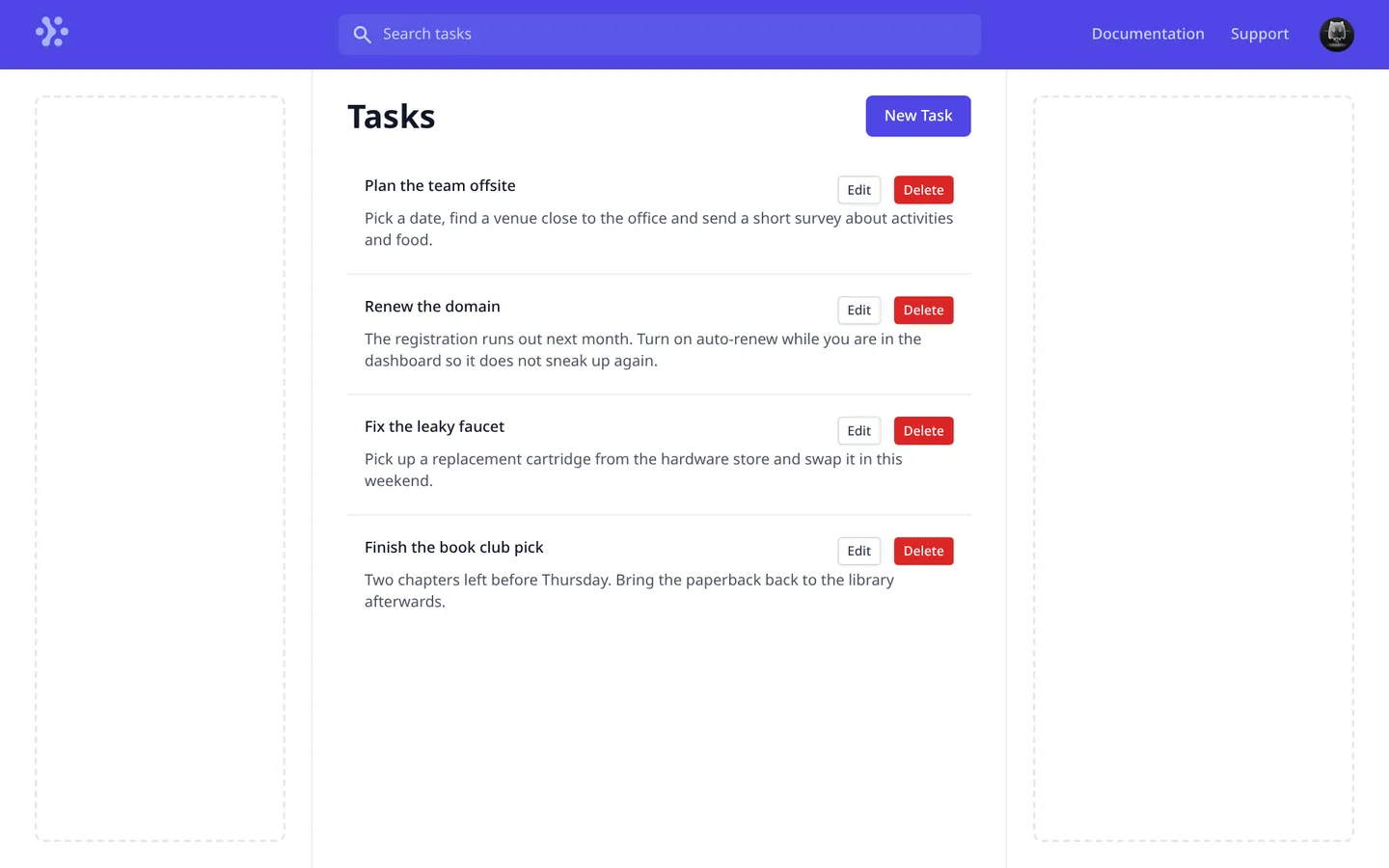
nextjs-auth-example is a task list that only opens after you sign in with GitHub. It’s a Next.js app with NextAuth for sign-in, Prisma and PostgreSQL for storage, and a GraphQL API that runs inside the app as an API route. It was built in 22 commits between June 16 and 18, 2021, starting from Create Next App, and it hasn’t changed since. The README is still the Create Next App default.
What it does
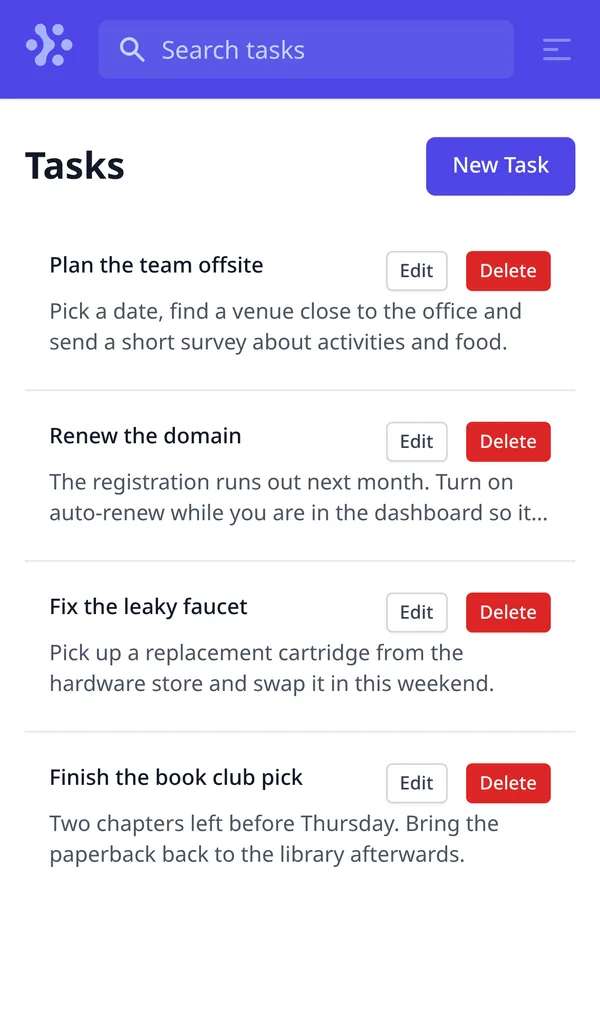
Without a session, every page redirects to NextAuth’s built-in sign-in page, which has a single button: Sign in with GitHub. Once you’re in, the Tasks page lists your tasks, newest first, with a two-line preview of each description.
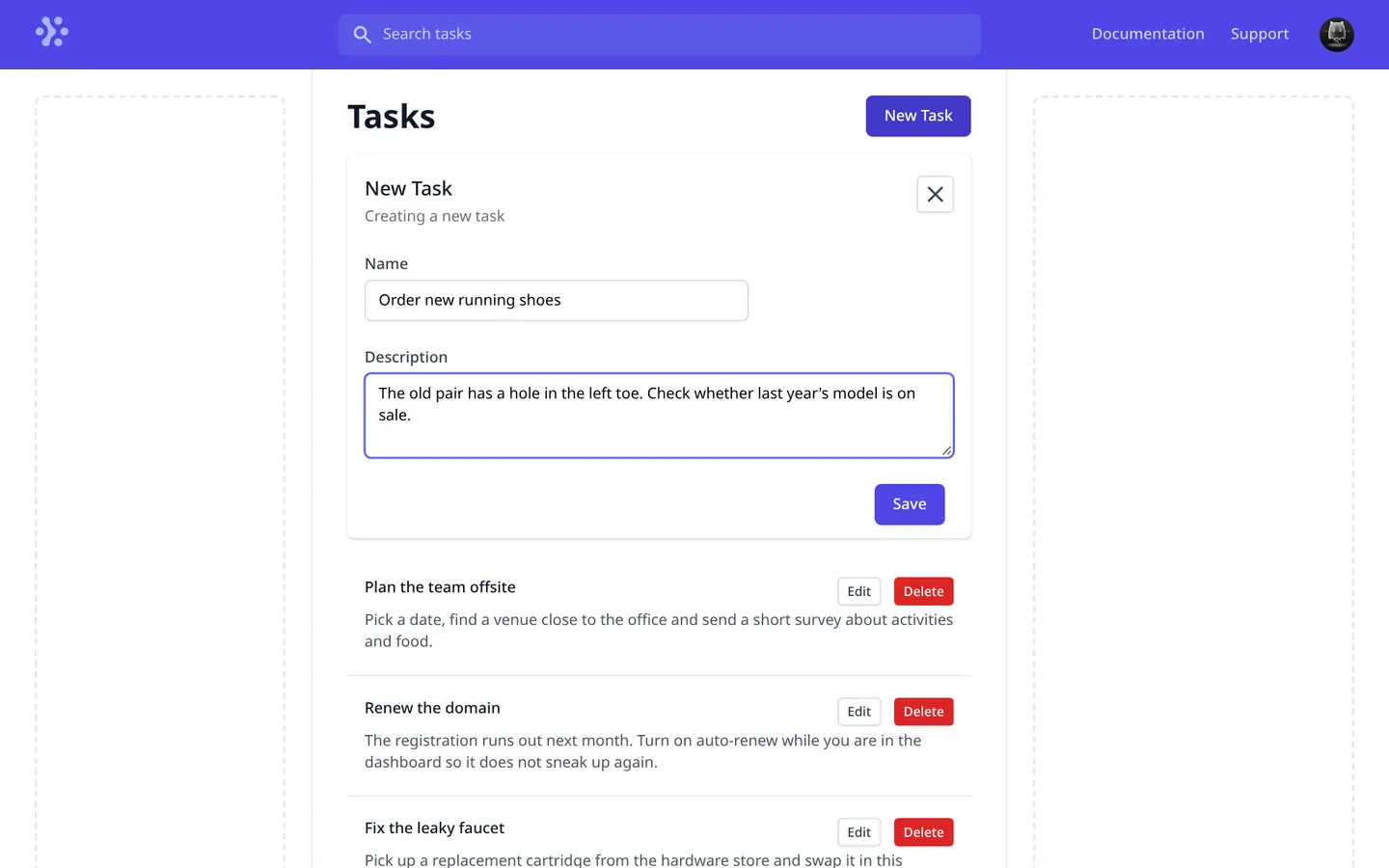
- New Task opens a form above the list. Formik and Yup require both a name and a description.
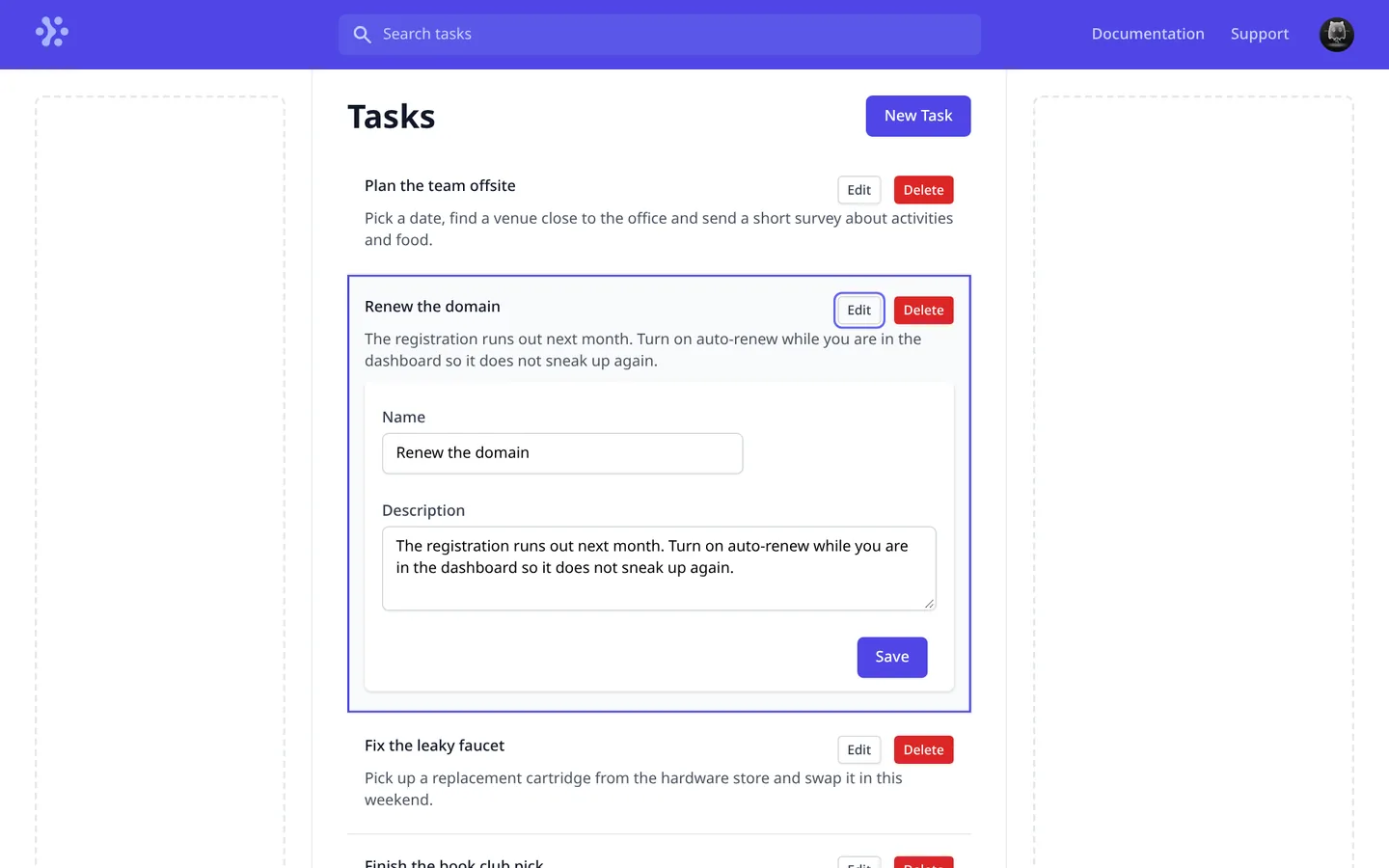
- Edit opens the same form inside the task’s row and saves through an
updateTaskmutation. - Delete removes the task and its subtasks in one Prisma transaction, and drops it from the Apollo cache.
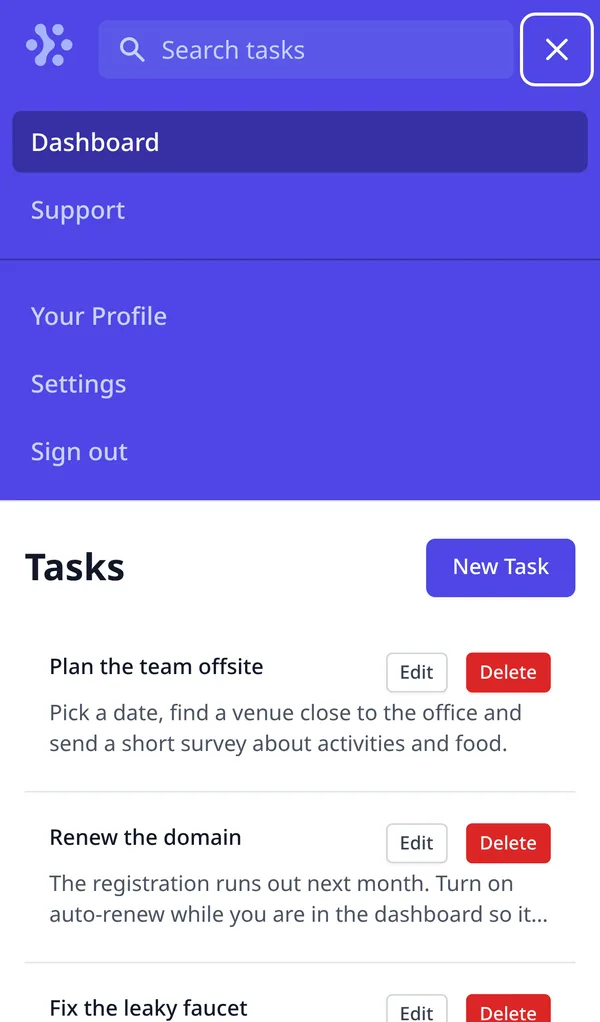
The page sits in a three-column shell with an indigo navigation bar. Only part of it works: the profile menu’s Logout signs you out, but the search field, the Documentation and Support links and the other menu items are placeholders, and the two dashed side columns are empty. On small screens the side columns hide and the links move into a menu. The API also models subtasks and a completion time on tasks and subtasks, but the interface doesn’t show either.
Sessions in the GraphQL API
NextAuth uses the GitHub provider and the Prisma adapter, so users, linked accounts and sessions live in PostgreSQL next to the tasks. The API in pages/api/graphql.js runs Apollo Server as a Next.js API route. For each request, its context reads the NextAuth session, finds the user by the session’s email, and hands the user and the Prisma client to the resolvers.

The tasks query returns only that user’s tasks. updateTask, deleteTask and createSubtask load the task first and throw Unauthorized if it belongs to someone else. In development, the same route serves GraphQL Playground with request.credentials set to include, so its requests carry the session cookie. An early commit turned the Playground off in production.
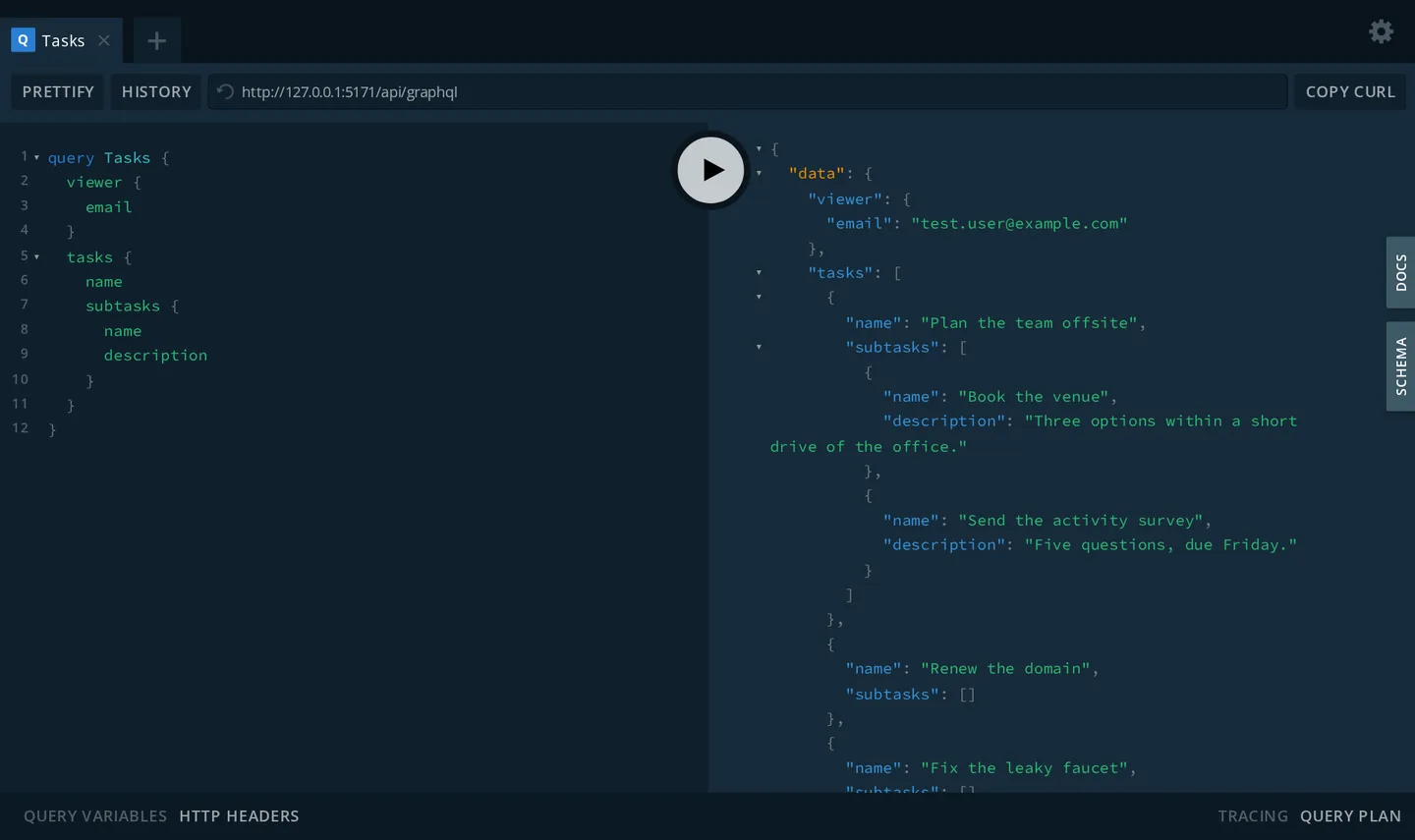
Running Apollo Server as a Next.js API route is the same setup as next-playground from 2019. The Task and Subtask models, each with a name, a description and an optional completion time, have the same shape as the tables behind DailyStand (2021) from earlier that year, without the projects.
How it’s built
It uses Next.js 11.0.0 with React 17, NextAuth 3.27 with a canary of the Prisma adapter, and Prisma 2.25. The API is apollo-server-micro 2.25 with graphql 15, and the page talks to it with Apollo Client 3.3. Styling is Tailwind CSS 2.2 with its JIT engine, then still a preview, and the forms and line-clamp plugins, Headless UI 1.2 for the menu and the mobile disclosure, and Heroicons. Three Prisma migrations create NextAuth’s tables, add tasks and subtasks, and then make the completion times optional. In this schema, the GitHub account id is stored as an integer.
A Procfile starts the app on $PORT and runs prisma migrate deploy as a release step. Before that, a short-lived app.json ran the same command as a Dokku predeploy hook.
Five days later, next-auth-example started over from a fresh Create Next App, with Chakra UI, a REST route and the GitHub account id stored as a string.
Running it today
It still installs from its lockfile and runs with Node 14 and PostgreSQL: yarn install, npx prisma migrate deploy, then yarn dev. The settings go in .env, following .env.sample, and signing in needs your own GitHub OAuth app. On Linux, Prisma 2.25’s engines also need the OpenSSL 1.1 libraries.
The creation date shown here is the GitHub repository’s UTC creation date. The screenshots were captured by running the project locally from its source with Node 14 and PostgreSQL, signed in with a throwaway user and session inserted into the database (its avatar is GitHub’s image for deleted accounts), with sample tasks created through the app. The Workflow logo the app loads from tailwindui.com now returns a 404, so the Wayback Machine’s archived copy of that file was served in its place. The code card shows a real source file from the repository.