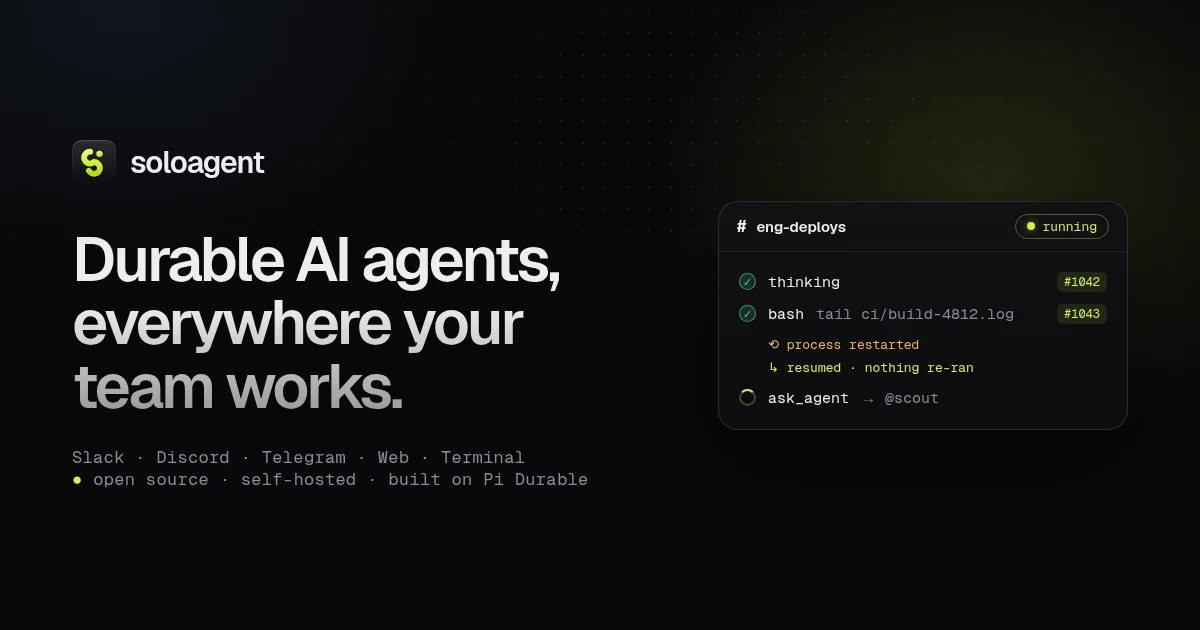
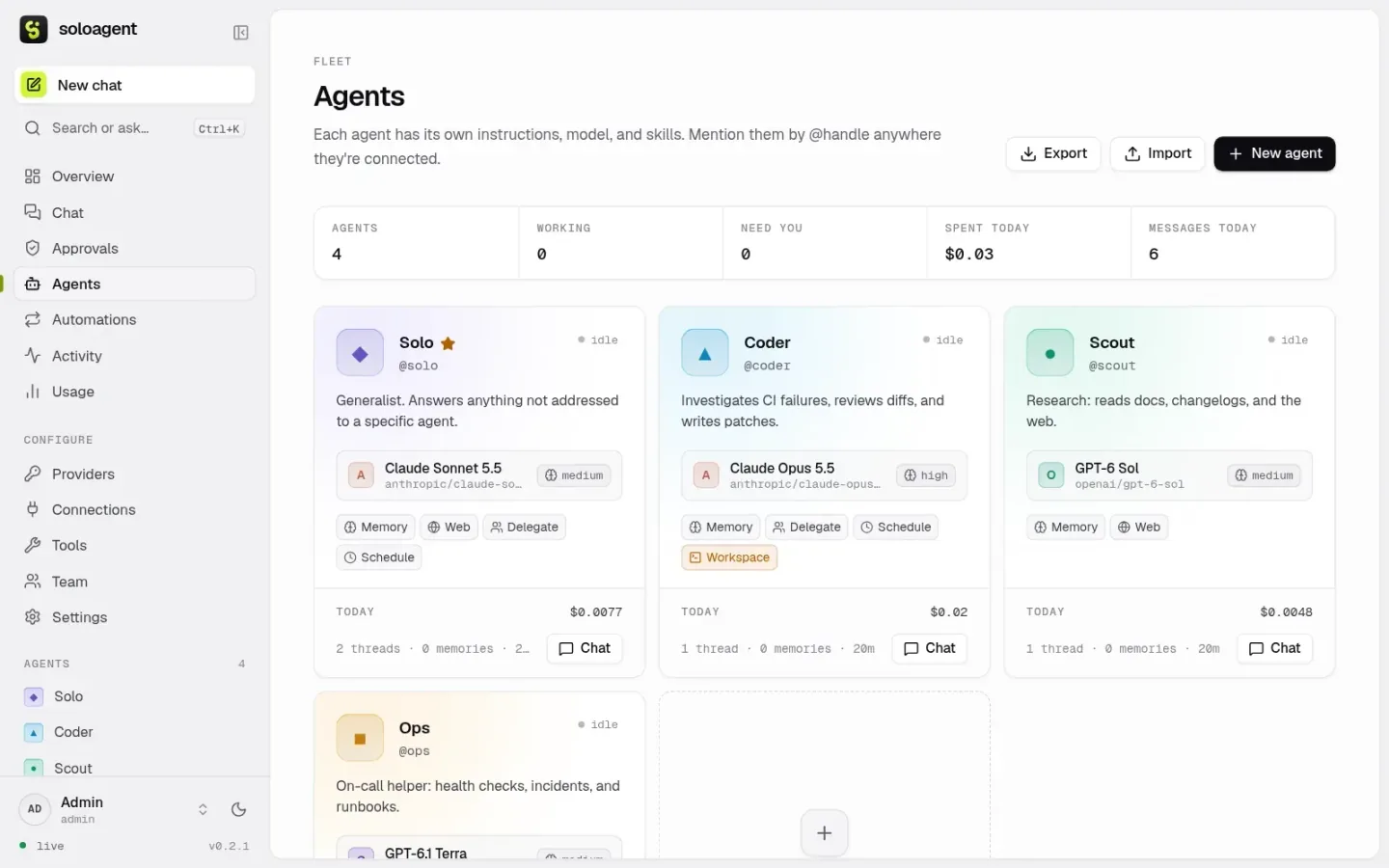
soloagent is a self-hosted home for AI agents. You give each agent a name, instructions, a model and a set of skills, then talk to all of them from Slack, Discord, Telegram, webhooks, a web dashboard or a terminal UI. It’s built on Pi: pi-ai for model access and Pi Durable for durable execution. Every model turn and tool call is written to SQLite before it’s shown, so a crash, a redeploy or a killed container is a pause rather than a reset.
It’s open source under the MIT license, and it runs on your laptop, a home server or a cloud host. The changelog lists four releases, 0.1.0 through 0.2.1, on November 2 and 3, 2026. Unreleased changes on the main branch, from November 17, redesign the dashboard and terminal UI in graphite and lime: lime now means an agent is working, an agent waiting on a person gets an amber marker, and each chat run shows its reasoning and tool calls as a trace. It shares its name and author with SoloAgent, an Electron desktop app for coding workflows from February 2026, but it’s a separate codebase in its own repository.

What it does
- Durable by default. Conversations, model turns, tool calls, reminders and delegations live in Pi Durable’s SQLite storage. A restart resumes unfinished work, and a reminder set for next Tuesday fires next Tuesday.
- Your existing subscriptions. Sign in with Claude Pro or Max, ChatGPT, GitHub Copilot, SuperGrok, OpenRouter and others over OAuth, or paste API keys for more than 30 providers. Each agent can use a different one. Credentials are sealed with AES-256-GCM.
- Where your team talks. Slack over Socket Mode, so it needs no public URL, with replies streaming into the thread. Discord mentions, replies and DMs, with each thread as its own conversation. Telegram DMs, groups and forum topics. Webhooks that answer synchronously or post to a
callback_url. - Skills.
memoryremembers across conversations,webfetches and searches,delegatehands a task to another agent through a durable child conversation,schedulesets reminders and recurring automations, andworkspacereads, writes and runs shell commands in a per-agent folder. The last one isn’t a sandbox, so it’s off by default. - Approvals. An agent can pause before risky tools until someone approves in the dashboard, the terminal UI, or with buttons in the Slack, Discord or Telegram thread. The wait survives restarts, and an approved call runs once.
- Teams. Access lists for people, channels and agents on each connector, daily spend and message budgets per agent, per-person rate limits, and dashboard users with admin and member roles.
- MCP tools. Connect any Model Context Protocol server over stdio or HTTP and pick which agents get its tools. Large tool sets load on demand.
- Files, automations and memory. Share screenshots and files from any chat app. Schedule recurring posts with cron in any time zone. See and edit what each agent remembers.
A built-in demo model answers until you connect a provider, so a fresh install works with no accounts.



On the record
Every model turn, tool call, delegation and reminder is a durable step in SQLite. Model turns and tool calls are committed before Slack or the dashboard shows them, and streaming text is saved as it arrives. After a restart, an interrupted model request is retried and finished tool calls never run twice. A reminder sleeps in storage and fires on time across any number of deploys. Skills are Pi Durable extensions, so their work is recorded the same way.
Messages sent while an agent is working join the run at its next step instead of waiting for it to finish. In any chat, @coder fix the build or coder: fix the build picks an agent, and the commands !agents, !reset, !stop and !help work there too.
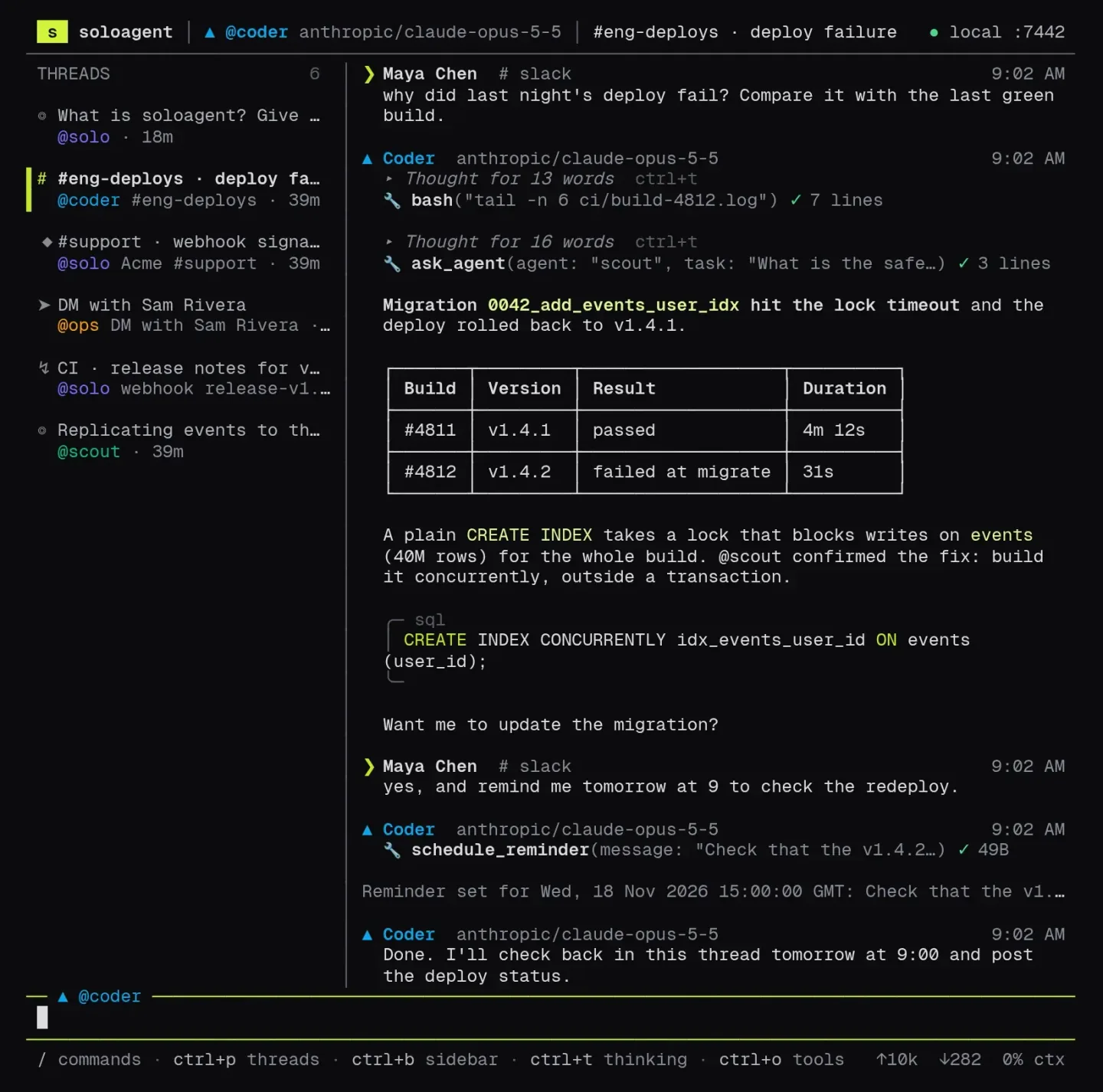
The terminal UI
The soloagent command opens a full-screen terminal UI built on Pi’s pi-tui, either with a private local server or against a remote one after soloagent connect. It has a threads sidebar, streaming answers with thinking and tool output you can toggle, and slash commands like /new @agent, /model, /login, /approve and /usage. The same command also does one-off work, as in git diff | soloagent ask - --agent reviewer, plus backups, restores and moving agents between servers.
How it’s built
It’s a TypeScript monorepo of npm workspaces that runs on Node.js 22.19 or later. From a clone, Node runs the TypeScript source directly, and data goes into SQLite through the built-in node:sqlite module.
packages/coreis the runtime: the Pi Durable harness, agents, threads, skills, credential sealing and connectors, using Slack Bolt, discord.js and grammY for Telegram. The demo model is a Pi faux provider.packages/serveris a Hono REST and WebSocket API that also serves the dashboard.packages/clientis the typed SDK that the dashboard and terminal UI both use.packages/webis the dashboard, in React 19 with Vite 8 and Tailwind CSS 4.packages/cliis thesoloagentcommand and terminal UI.
The runtime tests run end to end on Pi’s faux provider. Connector tests run against fake Slack and Telegram servers, and Playwright tests drive the dashboard in CI. A version tag bundles the soloagent package with esbuild, attaches it to a GitHub release, publishes a multi-arch Docker image to GitHub’s container registry, and updates the formula in the Homebrew tap. The website is plain HTML, CSS and JavaScript, deployed on Vercel.
Try it
On your machine, with Node.js 22.19 or later:
curl -fsSL https://soloagent.dev/install.sh | sh
soloagent            # terminal UI with a private local server
soloagent serve      # web dashboard on http://localhost:7420
On macOS or Linux you can install it from the Homebrew tap instead, with brew install nearbycoder/soloagent/soloagent. The formula depends on Homebrew’s Node and installs the npm package from the GitHub release. The tap’s CI audits and test-installs it on macOS and Linux every day.
With Docker, run docker run -d --name soloagent -p 7420:7420 -v soloagent:/data ghcr.io/nearbycoder/soloagent.dev, and docker logs soloagent | grep token prints the login token. The repository also has configs for Docker Compose, Railway, Render, Fly.io and a systemd unit. It needs a long-running process and a persistent disk, so serverless platforms can’t run it. The docs cover each host, the chat connectors, backups and the API, and the releases page has every version.
The creation date shown here is the GitHub repository’s UTC creation date. The social image and the dashboard, Agents and terminal screenshots come from the soloagent.dev repository and website, and the chat, Providers and Slack screenshots were captured by running the main branch locally from its source after the November 17 redesign, with the built-in demo model and no providers or chat apps connected.