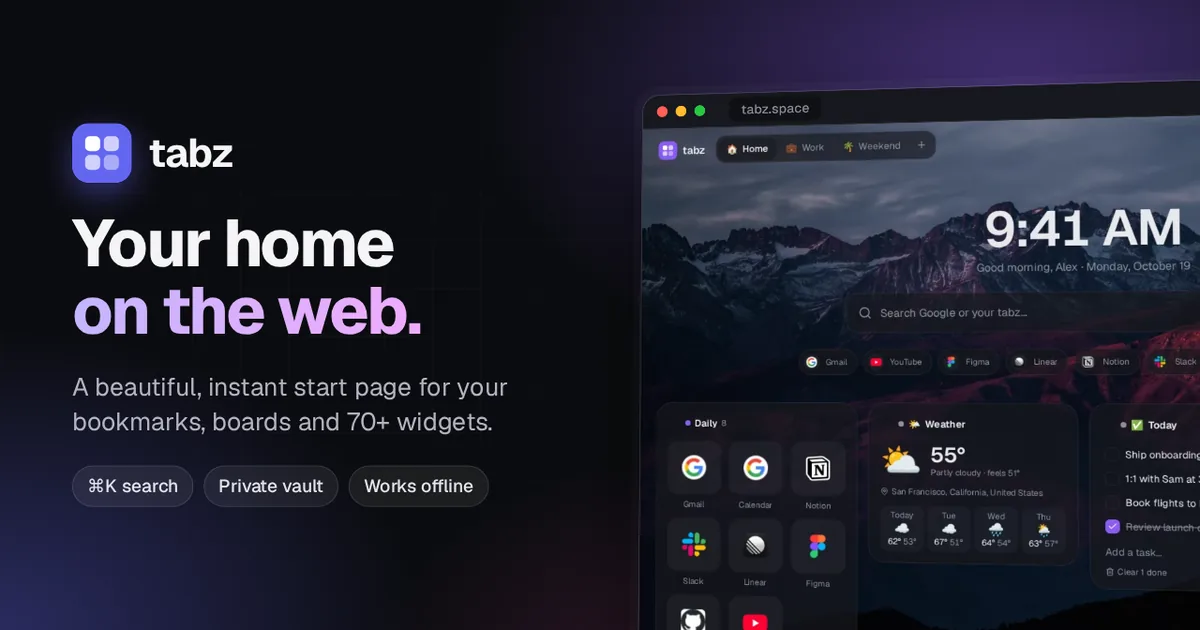
tabz is a start page for your browser. Every new tab opens to your links, your widgets and a search box, organized into boards like Home, Work and Weekend. It’s also a full bookmark manager, with folders nested to any depth, drag and drop everywhere, and search that finds anything you’ve saved in a keystroke. It’s my own new tab page.
It’s free to use at tabz.space, and open source if you’d rather host it yourself.
Instant, even offline
A start page opens dozens of times a day, so speed was the first requirement. New tabs open from a copy saved on your device in a few milliseconds, then refresh quietly in the background. The search box has focus before the page finishes loading, so you can start typing right away.
The home page loads only what the first paint needs. Dialogs, the command palette, settings and widget bodies are split into their own chunks and prefetched while the browser is idle, so they still open instantly. The theme is stored in a cookie, so the server renders the right colors from the first byte with no white flash, and iOS gets dark launch images for every screen size.
Find anything in a keystroke
Press ⌘K or / to search every link, folder and board, plus the text of the pages you’ve saved. Page text is extracted when you save a link and indexed with SQLite’s FTS5, so a search for “documentation” can find an article that only mentions it in the body. From the same palette you can jump to a board, run an action or search the web. With the browser extension, typing t and a space in the address bar searches your tabz from anywhere.
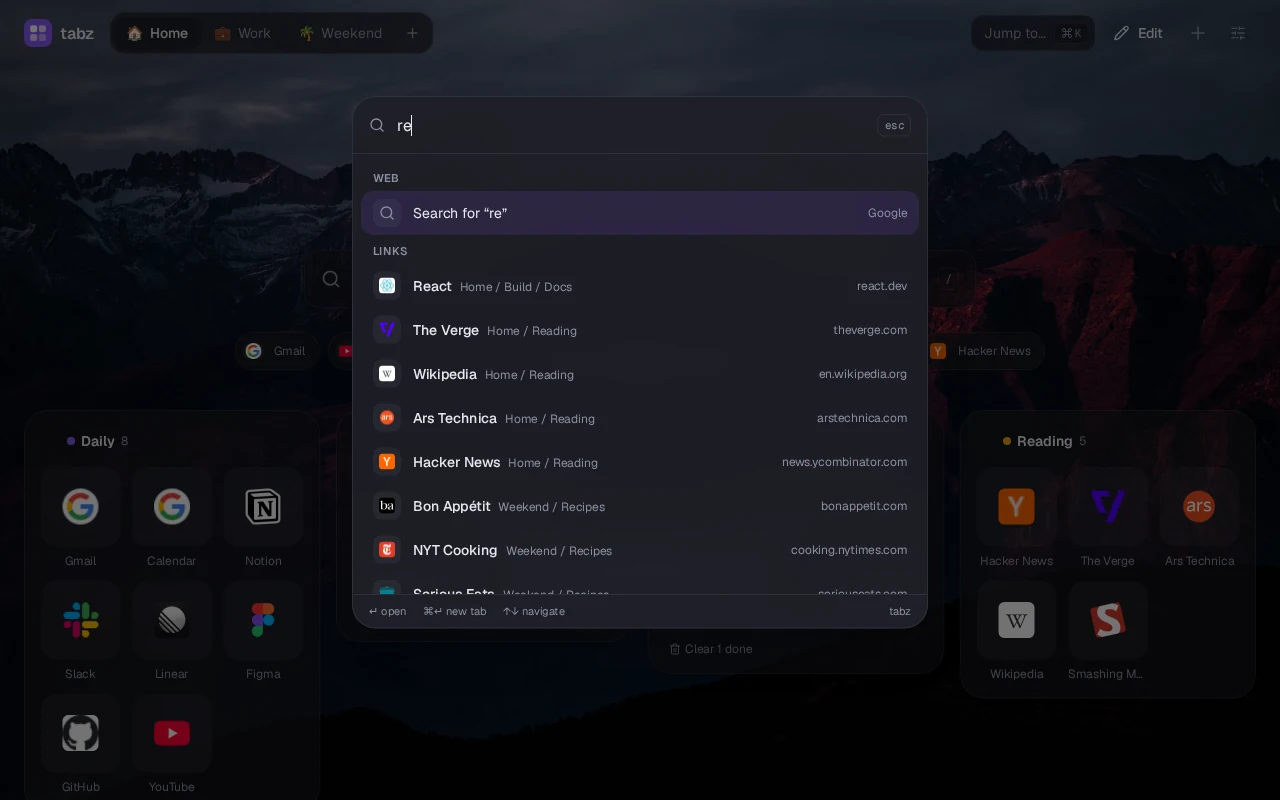
There’s a keyboard shortcut for nearly everything. Press 1 to 9 to open a tile, the arrow keys to move between tiles, E to edit one, and G then a number or letter to switch boards. You can also ask in plain words, like “move my recipe links into a Cooking board and tag them by cuisine”, and Claude makes the changes. It never deletes anything, and every change can be undone.
Boards, links and 71 widgets
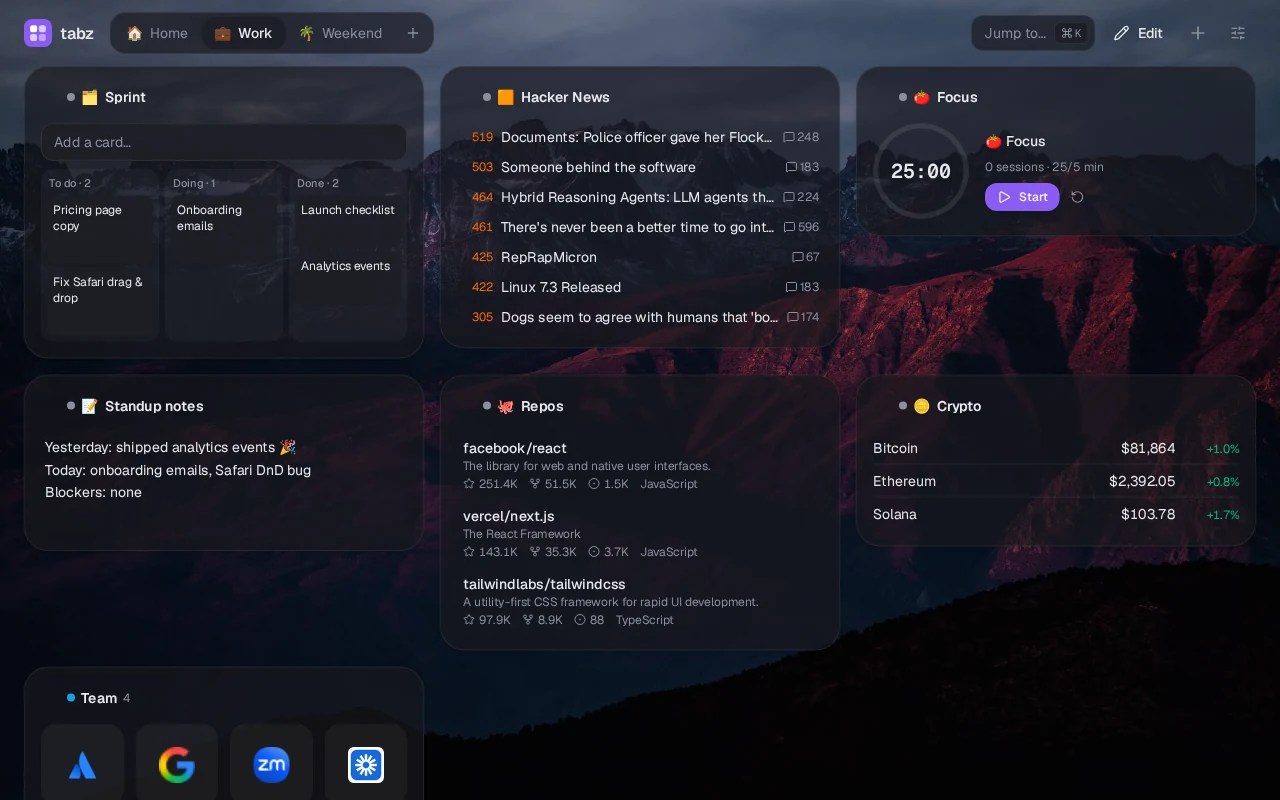
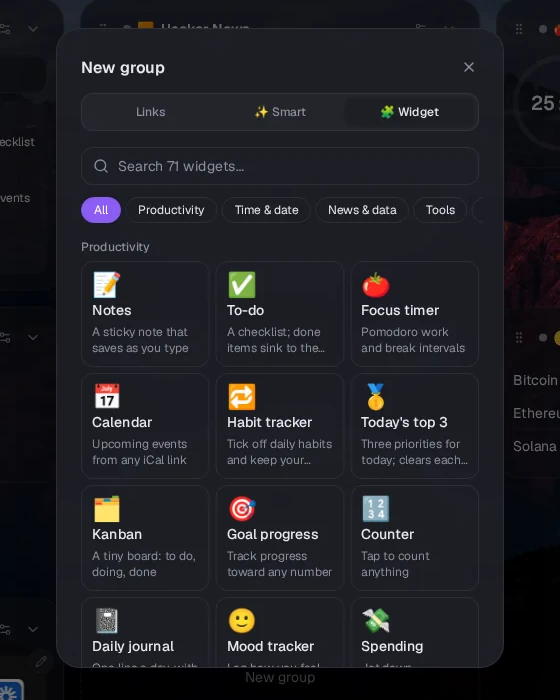
Boards hold groups of links and widgets. There are 71 widgets in eight categories: weather, calendar, to-dos, habits, a kanban board, Hacker News, GitHub repositories, crypto prices, world clocks, a focus timer, ambient sound, a Spotify player and dozens more. Each widget’s code is its own chunk, loaded the first time it’s on screen, so adding more never slows the page down. An error boundary keeps one broken widget from taking down the rest.
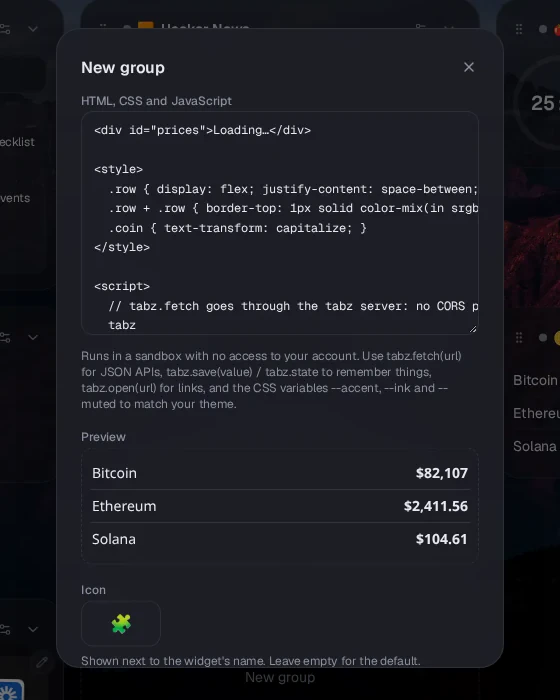
If a widget doesn’t exist, you can build it. Custom widgets are your own HTML, CSS and JavaScript, run in a sandboxed iframe with no access to your account. They get a small API to fetch JSON through the tabz server, remember state, open links and match the theme. There’s also a no-code widget that turns any JSON API into a value or a list, and a marketplace to share what you make.
Groups don’t have to be filled by hand. Smart groups fill themselves with your most visited, recently opened, newest, forgotten or broken links, filtered by tag, text or board. Boards can switch by time of day, so tabz opens on Work during work hours. Rediscover surfaces three links you haven’t opened in a month, and a monthly report shows your habits.
Make it look like yours
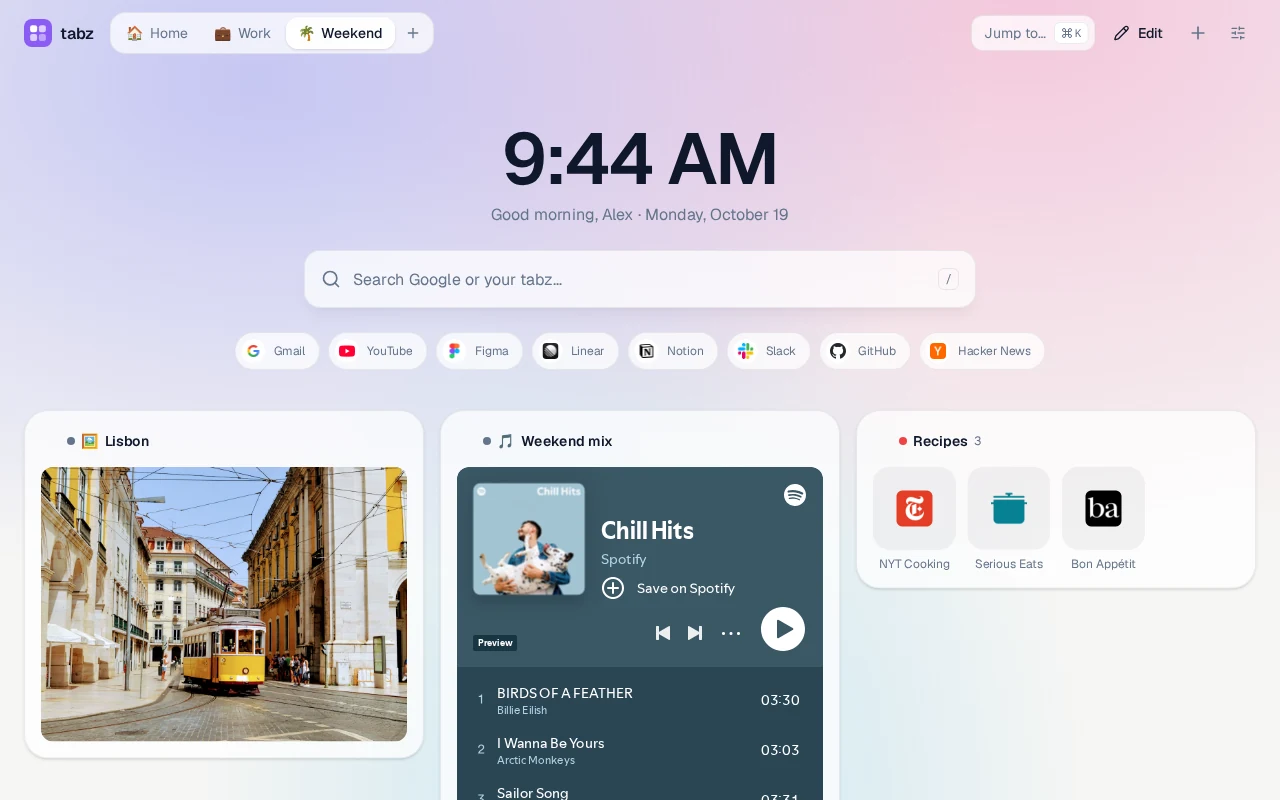
Pick a photo wallpaper, a gradient or a pattern, a theme preset, a font, corner styles, and glass, solid or outline panels. Custom CSS gets stable hooks for groups, tiles, the clock and boards. You can publish your look as a community theme. Published CSS is sanitized, with no imports or external URLs, so applying someone’s theme can’t track you.
Private where it matters
The vault is a hidden space behind a PIN or password. It’s end-to-end encrypted: the browser derives the key with PBKDF2, the key never leaves the tab, and the server stores vault links and folders only as ciphertext. While it’s locked, nothing about it is returned anywhere, including search, ⌘K, trash, history, exports, the API and MCP. Nothing on screen even mentions it. You open it by tapping the clock five times or typing a secret word on the home page. A second, decoy password opens a different set of boards.
Links and folders can be marked always-incognito, and the extension opens them in a private window. Boards are private by default. You can share a read-only public link with a “Copy to my tabz” button, or invite people as editors or viewers.
On your phone
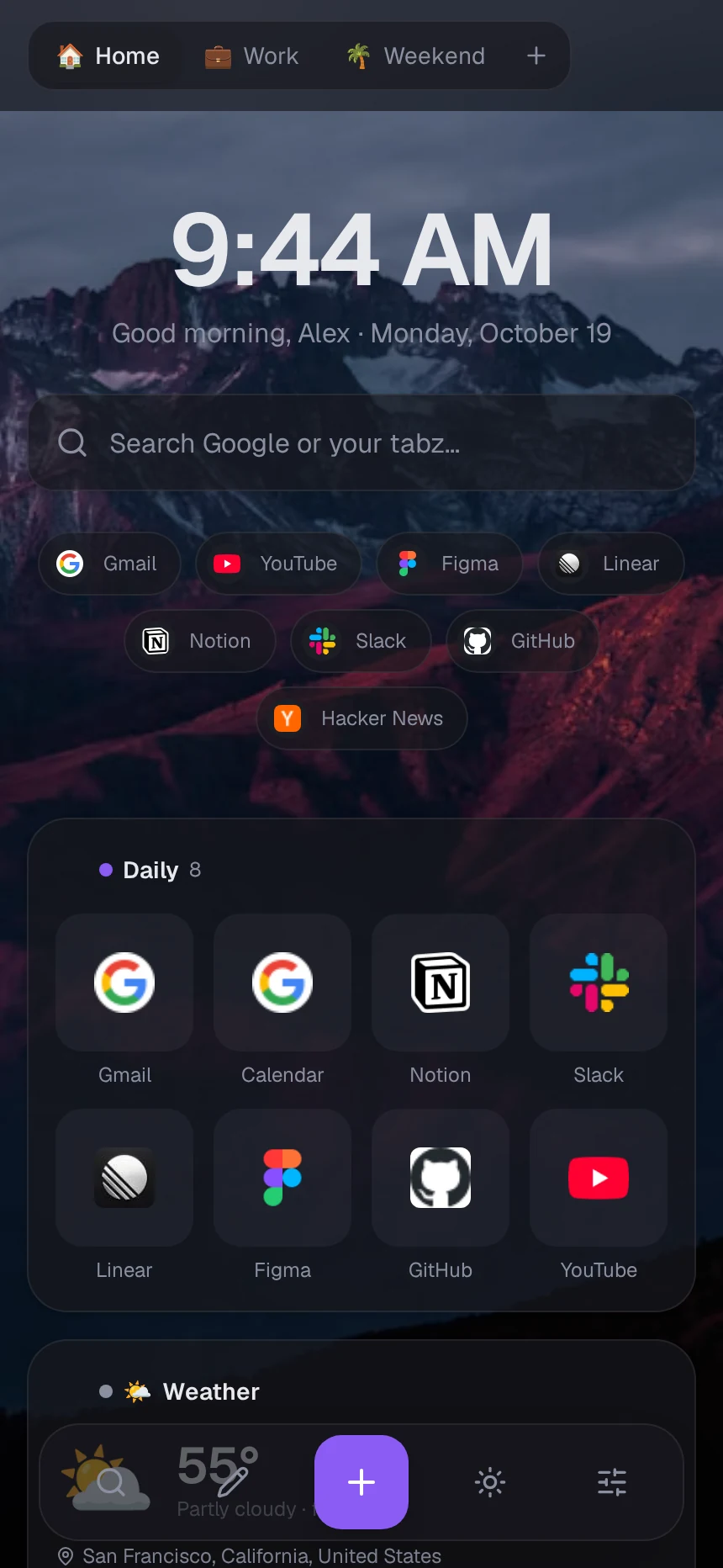
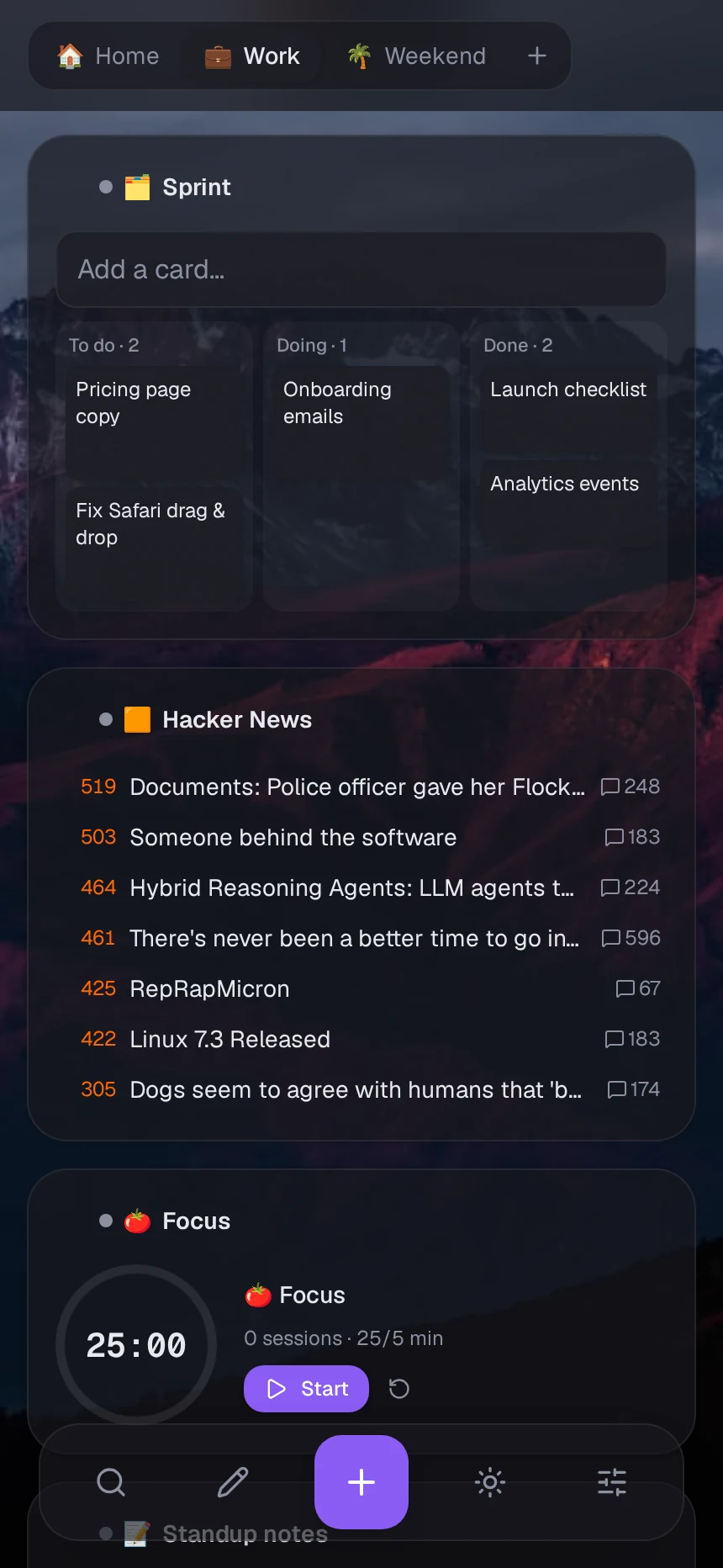
tabz installs to a phone’s home screen. Swipe sideways to switch boards, and use a dock within thumb reach for search, editing and adding. Dialogs become bottom sheets that move up with the keyboard, and dragging needs a short press and hold so swiping still scrolls. On Android, tabz appears in the system share sheet, so you can save a link from any app.
Extension, MCP and an API
The browser extension works in Chrome, Edge, Brave and Firefox. It makes tabz your new tab page with the cursor already in the search box, and saves the current page, or every open tab as a group, in one click. It can also save a window as a named session, archive tabs you haven’t looked at in days, sync a board with your browser’s bookmarks, and block distracting sites while you focus.
tabz has a remote MCP server, so Claude and other MCP clients can search, add and organize your bookmarks. You sign in once with OAuth and don’t need any keys:
claude mcp add --transport http tabz https://tabz.space/api/mcpThere’s also a REST API with personal tokens, signed webhooks for every change, and saving by email or Telegram. You can import from your browser, Raindrop.io, Pocket, Toby, start.me and Momentum, and export at any time. Links are checked weekly, and dead ones get a copy from the Wayback Machine.
How it’s built
tabz is one Node server with a SQLite file. It’s built with TanStack Start, using React 19, server-side rendering and server functions. Drizzle ORM handles the database, Effect handles server and network code, Better Auth handles sign-in, Tailwind CSS 4 handles styling, and dnd-kit handles drag and drop. All the bookmark, board and group logic is a set of Effect programs that the web app, the REST API and the MCP tools share, and every read and write goes through the same access checks.
Anything a user customizes is stored as JSON validated with Zod, so new options don’t need migrations. Server-side fetches for previews, feeds, calendars, link checks, webhooks and site icons can only reach public addresses, and each connection is pinned to the checked IP to stop DNS rebinding. Site icons are fetched and served by tabz itself, so Google never sees which sites you’ve saved.
The app is about 35,000 lines of TypeScript. The live site runs on Railway from a Dockerfile, with a volume for the database.
Try it
Open tabz.space to make a free account, and get the extension from there to make it your new tab page. To host your own, clone the repository, set two environment variables, and run the migrations and the dev server, or use the Dockerfile.
The creation date shown here is the GitHub repository’s UTC creation date. The screenshots and the demo come from the tabz README and tabz.space.